
zXsakuraXz - Minecraft Skins & Skin History
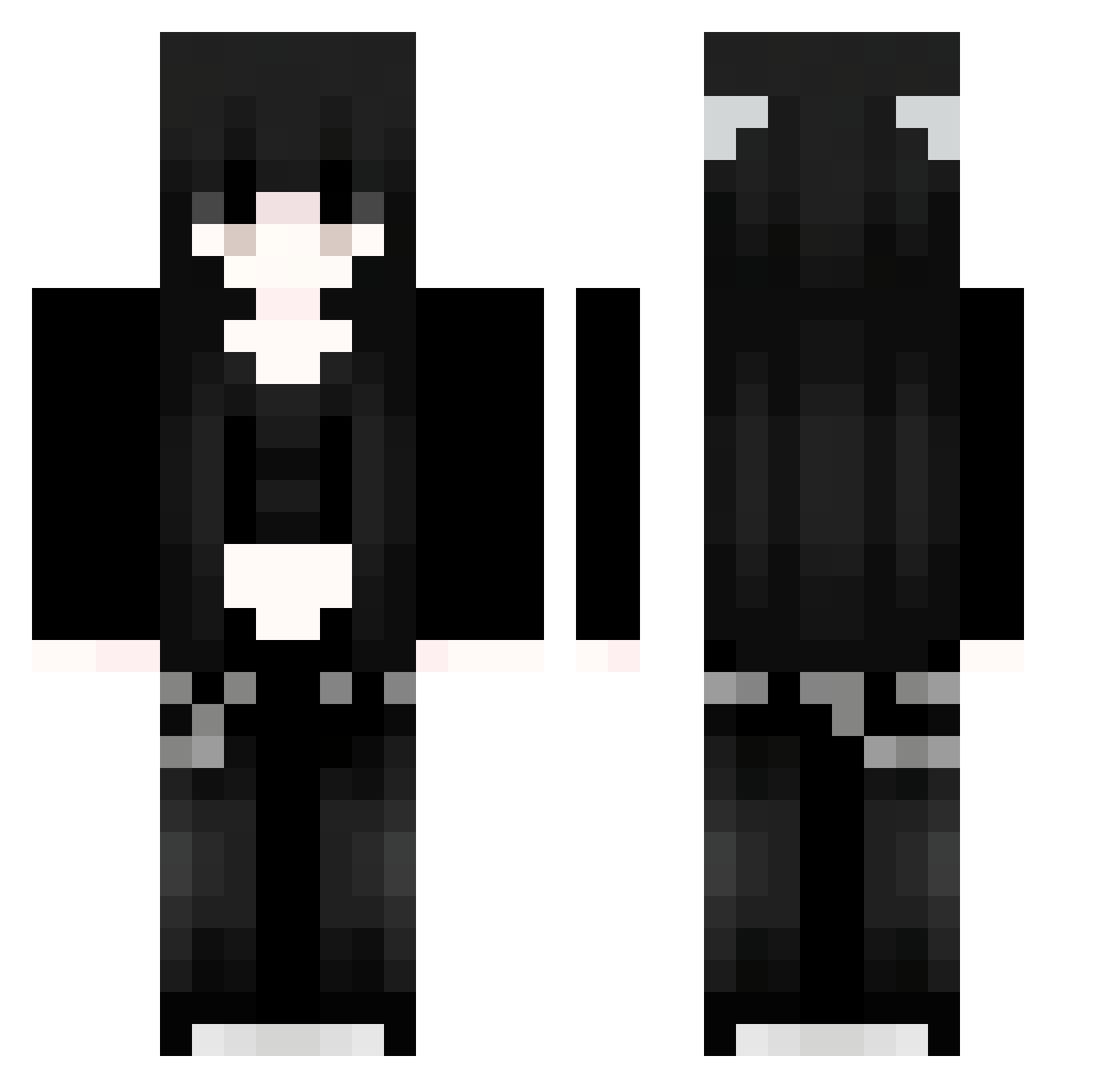
Current Minecraft skin of the player zXsakuraXz, loaded from the official Mojang API. Rotate the 3D model with your mouse or finger, then download the skin as a PNG file and use it in Minecraft: Bedrock Edition or Java Edition for free. When zXsakuraXz changes their skin, this page updates automatically and the old skin stays in the history below.
Other players with this skin (1126)
zXsakuraXz was the 1018th player we have seen with this skin, first spotted on 28.10.2026. The same skin was seen on these players. Open a nickname to see their current skin and skin history.
 Msu888 mDb279 mMN188 KwY413 gEM683 Sakura_aHwQSW841 ybD544 Xdp161 91_YEawKdkdRc291 qWp843 VtO702 LjG855 akO229 XOu728 Sakura_MmWbmm734 pink0o xRl409 gZb615 SaKuraXGP_Ilz248 ufz394 AiiLaaaa iBT917 NvH346 vBk181 Kaspisija Qvi825 91_oYcRzbnfdK125 YkC101 Oxv469 FhE188 VaO638 Sakura_pbbgzy176 mikiklinie Muzasi Wyv377 otlrokOQcPtof575 uxi323 Last__Knight 91_sjWscopBQz956 aWz136 TheCruelPrincess mBo510 Sakura_gVcvhW892 NLN530 91_EmWTuOuckn901 Sakura_uNNBjc633 CaV896 ikp921 Jvav_AxmyZcYw675 ExEttly xFc967 AceM3 EgP839 Ackerman_123 ked499 lCj917 wbL313 GlK301 fVW745 Dro833
More Emo Minecraft skins
How to install the zXsakuraXz skin
- Press the Download button above to save the skin as a PNG file.
- Minecraft: Bedrock Edition (PE): open the Dressing Room from the main menu (or tap your character → Edit Character), go to Classic Skins → Owned, press the + (new skin) button, choose the downloaded PNG and pick the Classic (Steve) model. Works on PC and mobile; consoles cannot import custom skins.
- Minecraft: Java Edition: open the Minecraft Launcher, go to the Skins tab, click New Skin, load the PNG, pick the Classic (Steve) model and press Save & Use. You can also upload it at minecraft.net → Profile → Change Skin.
The skin does not show up after import - what should I do?
Restart Minecraft and open the Dressing Room again - imported skins sometimes appear only after a restart. Also make sure you selected the imported skin and picked the Classic (Steve) model.
Which model should I choose, Classic or Slim?
This skin is designed for the Classic (Steve) model. If you pick the wrong model, the arms of the skin will look stretched or squeezed.
Is the skin of zXsakuraXz free to download?
Yes. Press Download, save the PNG file and use it in Minecraft: Bedrock Edition or Java Edition - no payment or registration needed. The skin also works on multiplayer servers and Realms.
More skins
Looking for more? Go back to all Minecraft skins and check the top skins of the week, month and all time, or find any player's skin by nickname.