
yukiyozzz - Minecraft Skins & Skin History
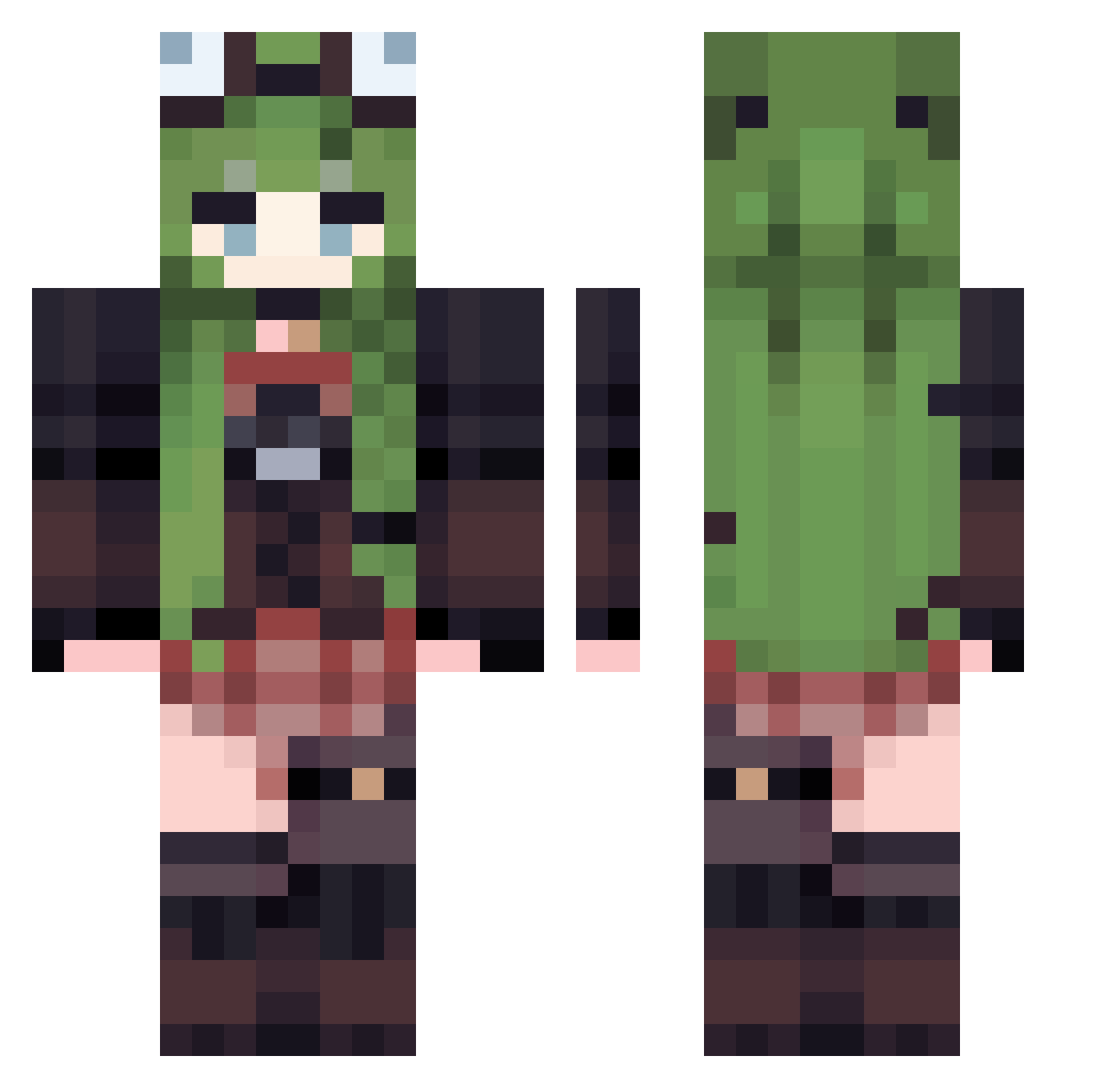
Current Minecraft skin of the player yukiyozzz, loaded from the official Mojang API. Rotate the 3D model with your mouse or finger, then download the skin as a PNG file and use it in Minecraft: Bedrock Edition or Java Edition for free. When yukiyozzz changes their skin, this page updates automatically and the old skin stays in the history below.
Other players with this skin (529)
yukiyozzz was the 308th player we have seen with this skin, first spotted on 29.09.2026. The same skin was seen on these players. Open a nickname to see their current skin and skin history.
 Vaxou AlminaSura oeee06 am_lool5 Aizhan_ Mustard0366 vs3mpr1v3t masumii_ MiyaChinenMC SKKun Denshuu_ Venturism Alicecnm StarBarley18977 Evergreen857 Katy_UwU tooneday marina_lol AnnnnAnnnn shinschou void_hibiki PPDDT SinAlmighty Andromeda73 Arireno Opalia95 SuperKaiki milana314 Goddess173 AiiKa13 Kekskruemel308 KimKiim MatchaImpact Karashl Tree_Nymph L0b0Vegan0 marutai014 Danavas RicardoMbao ziwenCHU pudddinggg404 hoshinoStella Kai_1jun nagetto21 matminta ARIScream Mweheheh wayyang Crisss1905 Ashmio sassy_kril Shishi_05 xcardipeex dlsskfk Laure1611 Baie_L Uni_corn666 yisim123 colosuc Sanawa
More Frog Hat Minecraft skins
How to install the yukiyozzz skin
- Press the Download button above to save the skin as a PNG file.
- Minecraft: Bedrock Edition (PE): open the Dressing Room from the main menu (or tap your character → Edit Character), go to Classic Skins → Owned, press the + (new skin) button, choose the downloaded PNG and pick the Classic (Steve) model. Works on PC and mobile; consoles cannot import custom skins.
- Minecraft: Java Edition: open the Minecraft Launcher, go to the Skins tab, click New Skin, load the PNG, pick the Classic (Steve) model and press Save & Use. You can also upload it at minecraft.net → Profile → Change Skin.
The skin does not show up after import - what should I do?
Restart Minecraft and open the Dressing Room again - imported skins sometimes appear only after a restart. Also make sure you selected the imported skin and picked the Classic (Steve) model.
Which model should I choose, Classic or Slim?
This skin is designed for the Classic (Steve) model. If you pick the wrong model, the arms of the skin will look stretched or squeezed.
Is the skin of yukiyozzz free to download?
Yes. Press Download, save the PNG file and use it in Minecraft: Bedrock Edition or Java Edition - no payment or registration needed. The skin also works on multiplayer servers and Realms.
More skins
Looking for more? Go back to all Minecraft skins and check the top skins of the week, month and all time, or find any player's skin by nickname.