
yudetamizu - Minecraft Skins & Skin History
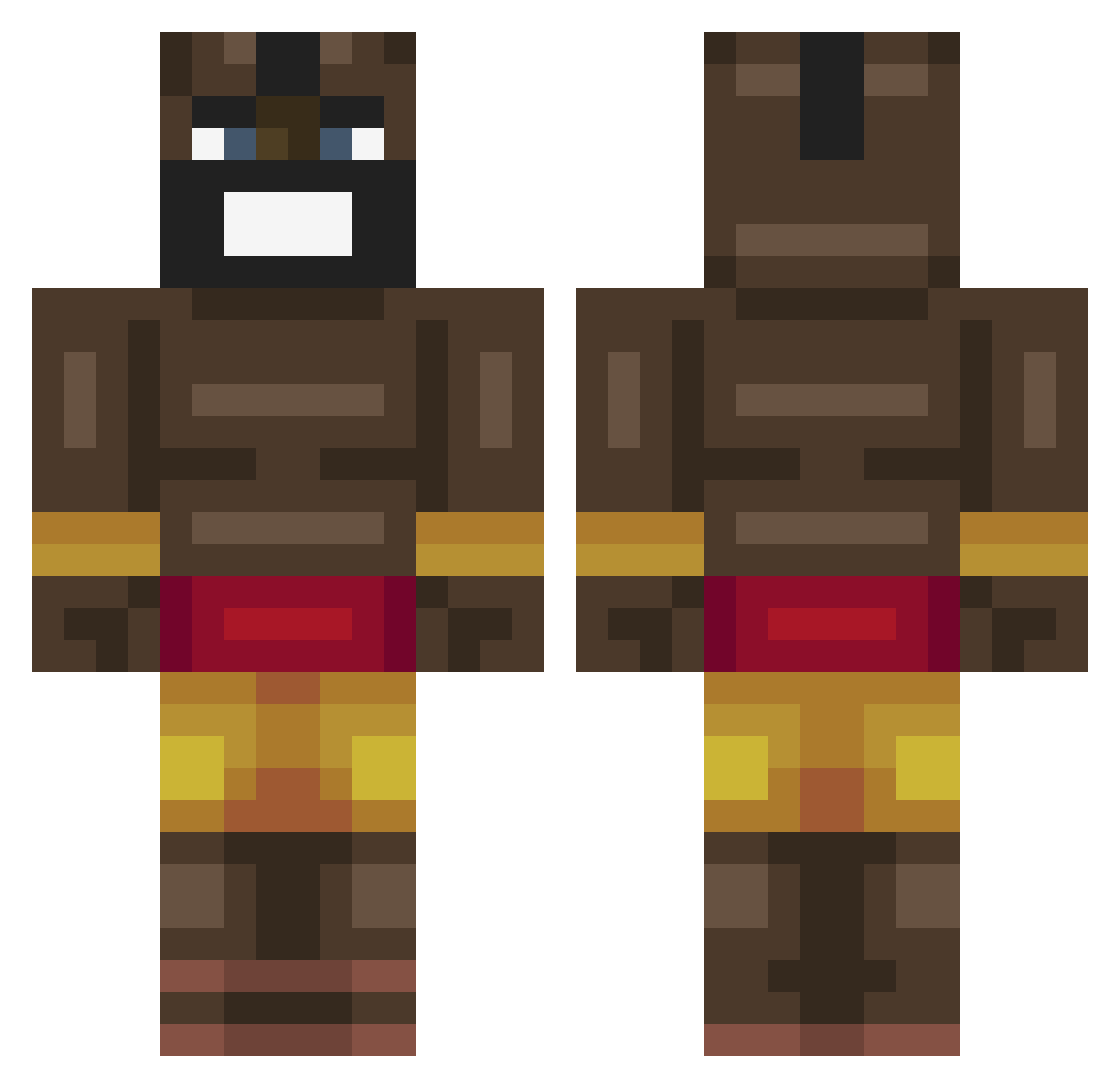
Current Minecraft skin of the player yudetamizu, loaded from the official Mojang API. Rotate the 3D model with your mouse or finger, then download the skin as a PNG file and use it in Minecraft: Bedrock Edition or Java Edition for free. When yudetamizu changes their skin, this page updates automatically and the old skin stays in the history below.
Other players with this skin (464)
yudetamizu was the 406th player we have seen with this skin, first spotted on 26.10.2026. The same skin was seen on these players. Open a nickname to see their current skin and skin history.
 Will88Turner Ex5_iQ JW00 BootyBlaster45 RMF2380 DeepBakedSad ItzTedHD Lartarabu TheHornster Patas420 Lord_Lo xSh0kZ Tjonkert PrimoArt denismoreden1s SajmoNV astronaut7178 ratman1300 bloope_wrld KurtiBumms Mootunkss SSSlayeRR xKilowattx noza_bomb DannyBecker c08y Lemmy1326 moneyjumper23 Big_Brain_Guy DreamNoM0re KiloKy Jamaal_Steve Jajuma koolmatt69 Roronoazori LOCO_Vincent _Drab0 Niggo_Balls_69 3li3mk wolfemme Yeest3r knugen8983 dumbkiddo HamoodPro_1804 zkaikai zFrieti WalrusToes RodinTheKigles HeemR MrBenGYeet ubedaalex ItzOnlyMari ABeuke Rilleyboy12 Schnitzel_Nicolo gishameek ajjomannen Million_sebbe vinylpaperclip Bucklan12
More Celebrity Minecraft skins
How to install the yudetamizu skin
- Press the Download button above to save the skin as a PNG file.
- Minecraft: Bedrock Edition (PE): open the Dressing Room from the main menu (or tap your character → Edit Character), go to Classic Skins → Owned, press the + (new skin) button, choose the downloaded PNG and pick the Classic (Steve) model. Works on PC and mobile; consoles cannot import custom skins.
- Minecraft: Java Edition: open the Minecraft Launcher, go to the Skins tab, click New Skin, load the PNG, pick the Classic (Steve) model and press Save & Use. You can also upload it at minecraft.net → Profile → Change Skin.
The skin does not show up after import - what should I do?
Restart Minecraft and open the Dressing Room again - imported skins sometimes appear only after a restart. Also make sure you selected the imported skin and picked the Classic (Steve) model.
Which model should I choose, Classic or Slim?
This skin is designed for the Classic (Steve) model. If you pick the wrong model, the arms of the skin will look stretched or squeezed.
Is the skin of yudetamizu free to download?
Yes. Press Download, save the PNG file and use it in Minecraft: Bedrock Edition or Java Edition - no payment or registration needed. The skin also works on multiplayer servers and Realms.
More skins
Looking for more? Go back to all Minecraft skins and check the top skins of the week, month and all time, or find any player's skin by nickname.