
xyztron - Minecraft Skins & Skin History
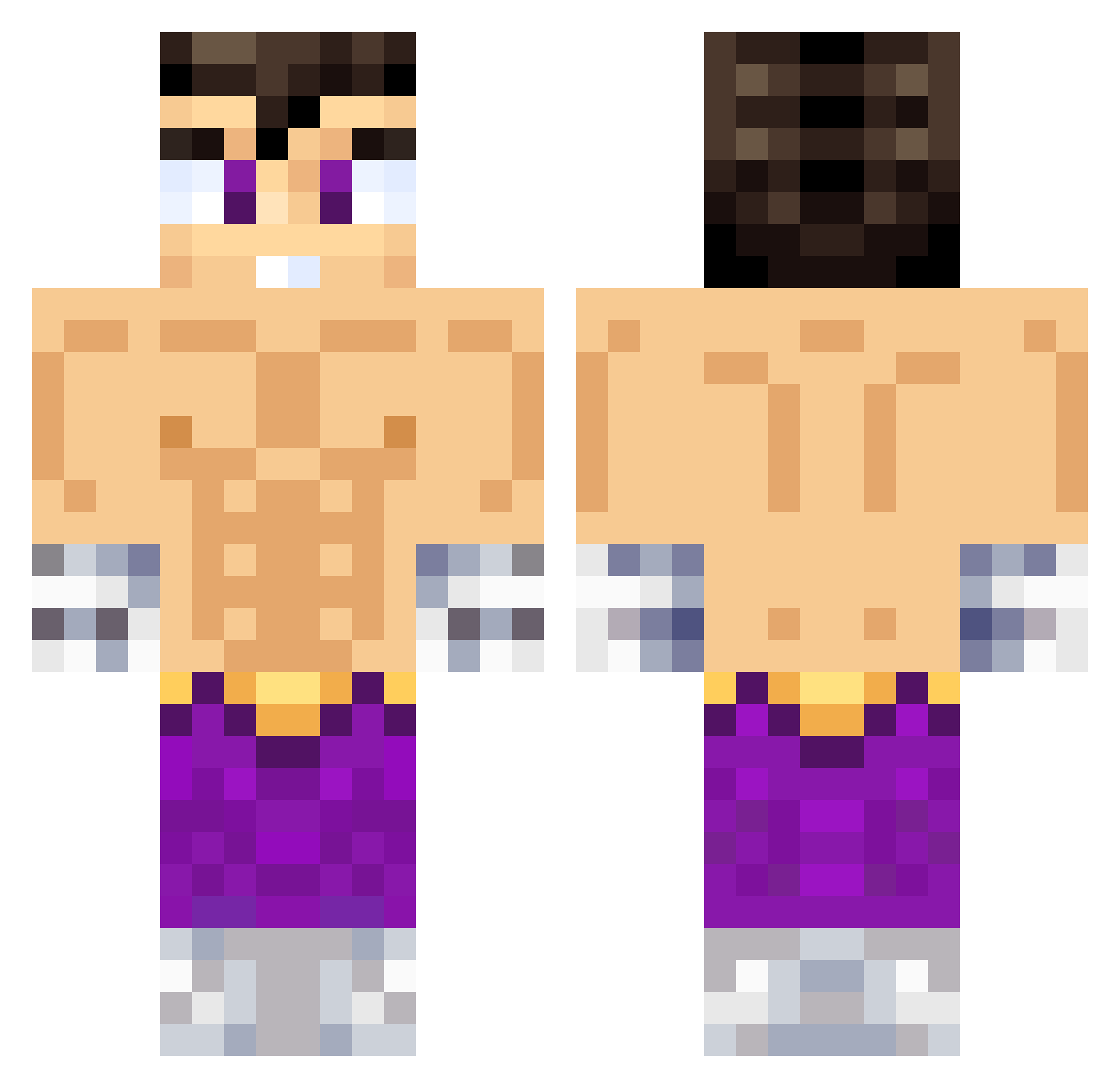
Current Minecraft skin of the player xyztron, loaded from the official Mojang API. Rotate the 3D model with your mouse or finger, then download the skin as a PNG file and use it in Minecraft: Bedrock Edition or Java Edition for free. When xyztron changes their skin, this page updates automatically and the old skin stays in the history below.
Other players with this skin (638)
xyztron was the 577th player we have seen with this skin, first spotted on 27.10.2026. The same skin was seen on these players. Open a nickname to see their current skin and skin history.
 PepoRitch MESSICR7SIU FRD SAMURAI1519 Ophironx Genermike AlexNoSeQuePoner miqcka NotSavage18 Tixifrost Damianreyes Sebysemily Lababagy Tonamsito josecursed Sigh_GOD kinsoniko AlessXXD moisam09 SmarKs324 XenonPVP Juanky01 navotron Krizz777 Mayki117 cocospizza99 marcel01101 b9fs JHOSTD benjarep777 Beto8 VegettaGaymer_ Ivan2913 amdriam santidiaz MAXI201020 Alejotnr realkimpine Clapzypu Lelouch_B Mago811 S3blemus Renga311 Shyyyy04 Alezzz23 Arcade_Dragon destructordepep DiffKeef fazbear666 M4NS1mp skyygato123 Xx_Natan_xX ElWilsonEquisde kev103 VEGETTAGAYMER77 baldomero12 Torvxz NarcoShooter sestevez5 josecito43
More Jin Kazama Minecraft skins
How to install the xyztron skin
- Press the Download button above to save the skin as a PNG file.
- Minecraft: Bedrock Edition (PE): open the Dressing Room from the main menu (or tap your character → Edit Character), go to Classic Skins → Owned, press the + (new skin) button, choose the downloaded PNG and pick the Classic (Steve) model. Works on PC and mobile; consoles cannot import custom skins.
- Minecraft: Java Edition: open the Minecraft Launcher, go to the Skins tab, click New Skin, load the PNG, pick the Classic (Steve) model and press Save & Use. You can also upload it at minecraft.net → Profile → Change Skin.
The skin does not show up after import - what should I do?
Restart Minecraft and open the Dressing Room again - imported skins sometimes appear only after a restart. Also make sure you selected the imported skin and picked the Classic (Steve) model.
Which model should I choose, Classic or Slim?
This skin is designed for the Classic (Steve) model. If you pick the wrong model, the arms of the skin will look stretched or squeezed.
Is the skin of xyztron free to download?
Yes. Press Download, save the PNG file and use it in Minecraft: Bedrock Edition or Java Edition - no payment or registration needed. The skin also works on multiplayer servers and Realms.
More skins
Looking for more? Go back to all Minecraft skins and check the top skins of the week, month and all time, or find any player's skin by nickname.