
xxxx9479 - Minecraft Skins & Skin History
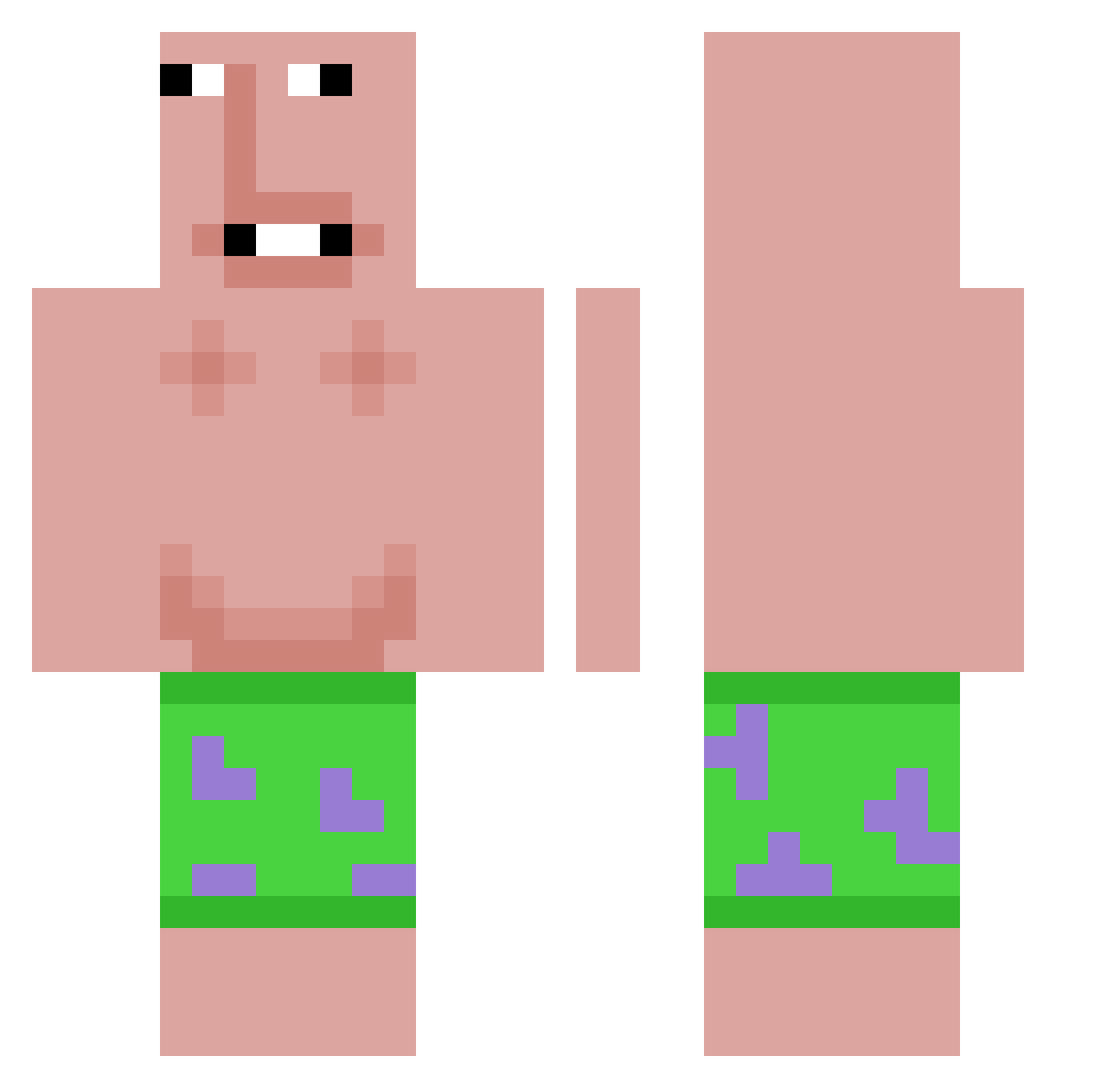
Current Minecraft skin of the player xxxx9479, loaded from the official Mojang API. Rotate the 3D model with your mouse or finger, then download the skin as a PNG file and use it in Minecraft: Bedrock Edition or Java Edition for free. When xxxx9479 changes their skin, this page updates automatically and the old skin stays in the history below.
Other players with this skin (615)
xxxx9479 was the 503rd player we have seen with this skin, first spotted on 18.10.2026. The same skin was seen on these players. Open a nickname to see their current skin and skin history.
 DarkDrippxy Motoloro11 Trees_DWT yvzi666 wallpaper1ehours KimHyeonGyeom Mlgflip _fent_ LPHovo stjstj Allsy varionyx Tukan4ic yrvi Convolvulaceae ketzvni din0e Huijattu Hyp3r_m0k3y bigcilantro_ steviebenn _TundraStorm_ __r1se_ az_Ei6FN_12_252 Artur16 EthanDorts MR0M00N deputy9523 Elma_lol Joz1fBrat1n Vizijus Eatyourteeth Chilip44 cmart3507 GoBroke KingYapper312 CleverFusion FEMBQY shiisuren muwa67 jaehui6969 SHLAISH ShinobuSnipes __Float___ BoBakk999 DAYRON_BN Arez_huakuy bluearchive111 Geqii BigJohn6967 TaylorTrio1454 dalooker41 haydsss idoknow1553 leeminseo0622 KS_kbl luiisapariciio AimarAKS VIPNK21 T0rqueLewith
More Patrick Star Minecraft skins
See all 644 Patrick Star skins
How to install the xxxx9479 skin
- Press the Download button above to save the skin as a PNG file.
- Minecraft: Bedrock Edition (PE): open the Dressing Room from the main menu (or tap your character → Edit Character), go to Classic Skins → Owned, press the + (new skin) button, choose the downloaded PNG and pick the Classic (Steve) model. Works on PC and mobile; consoles cannot import custom skins.
- Minecraft: Java Edition: open the Minecraft Launcher, go to the Skins tab, click New Skin, load the PNG, pick the Classic (Steve) model and press Save & Use. You can also upload it at minecraft.net → Profile → Change Skin.
The skin does not show up after import - what should I do?
Restart Minecraft and open the Dressing Room again - imported skins sometimes appear only after a restart. Also make sure you selected the imported skin and picked the Classic (Steve) model.
Which model should I choose, Classic or Slim?
This skin is designed for the Classic (Steve) model. If you pick the wrong model, the arms of the skin will look stretched or squeezed.
Is the skin of xxxx9479 free to download?
Yes. Press Download, save the PNG file and use it in Minecraft: Bedrock Edition or Java Edition - no payment or registration needed. The skin also works on multiplayer servers and Realms.
More skins
Looking for more? Go back to all Minecraft skins and check the top skins of the week, month and all time, or find any player's skin by nickname.