
xsssx13 - Minecraft Skins & Skin History
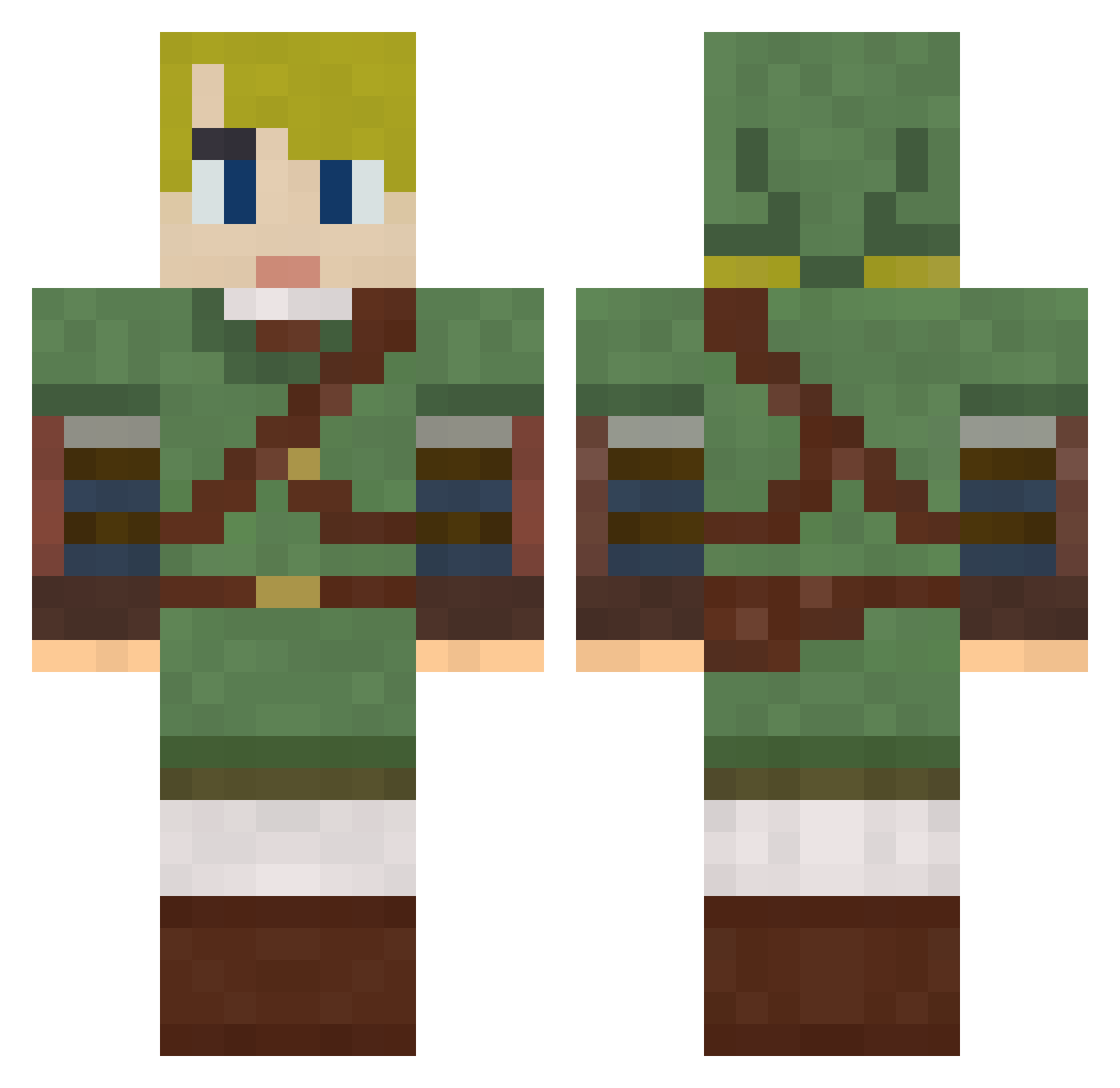
Current Minecraft skin of the player xsssx13, loaded from the official Mojang API. Rotate the 3D model with your mouse or finger, then download the skin as a PNG file and use it in Minecraft: Bedrock Edition or Java Edition for free. When xsssx13 changes their skin, this page updates automatically and the old skin stays in the history below.
Other players with this skin (831)
xsssx13 was the 797th player we have seen with this skin, first spotted on 06.11.2026. The same skin was seen on these players. Open a nickname to see their current skin and skin history.
 sir_wyffleton awesomepinecone robrocraft AHippy thehiddenlotus AaronA756 Leafydon Orkzilla jenniedollxx seba10979 joshuarich96 Velovich RBrooks_28 ironhat JonathanEasy Coyote07 KnightAwp Shindo_55 TineyStiney Mycharacter6 ___Fairy__ boomsaber reacting_acid _Lone_ xeomatrix Paydee55 Mrprezotusa Dbzwes Silverzerox yaaank Mr_Greened cooldudewilliam1 gdude_75 NoFear9491 SublimeDivide diverdude18 LiquidSneeze Datcu jrhighrocks Sirchefu Iarwain2 Herunya Sarahluna51 __Antares__ tackyd CloverTJones warlem RoaranSky Zwerverhenk BobMosses BS_Hammer dstrct hashigo Sbk2012 jodyisawesome Cbacn03 GUSTAVE75 mndairsoft1 IALLucky23 BigFish222
More Zelda Minecraft skins
How to install the xsssx13 skin
- Press the Download button above to save the skin as a PNG file.
- Minecraft: Bedrock Edition (PE): open the Dressing Room from the main menu (or tap your character → Edit Character), go to Classic Skins → Owned, press the + (new skin) button, choose the downloaded PNG and pick the Classic (Steve) model. Works on PC and mobile; consoles cannot import custom skins.
- Minecraft: Java Edition: open the Minecraft Launcher, go to the Skins tab, click New Skin, load the PNG, pick the Classic (Steve) model and press Save & Use. You can also upload it at minecraft.net → Profile → Change Skin.
The skin does not show up after import - what should I do?
Restart Minecraft and open the Dressing Room again - imported skins sometimes appear only after a restart. Also make sure you selected the imported skin and picked the Classic (Steve) model.
Which model should I choose, Classic or Slim?
This skin is designed for the Classic (Steve) model. If you pick the wrong model, the arms of the skin will look stretched or squeezed.
Is the skin of xsssx13 free to download?
Yes. Press Download, save the PNG file and use it in Minecraft: Bedrock Edition or Java Edition - no payment or registration needed. The skin also works on multiplayer servers and Realms.
More skins
Looking for more? Go back to all Minecraft skins and check the top skins of the week, month and all time, or find any player's skin by nickname.