
xoxjennaa7066 - Minecraft Skins & Skin History
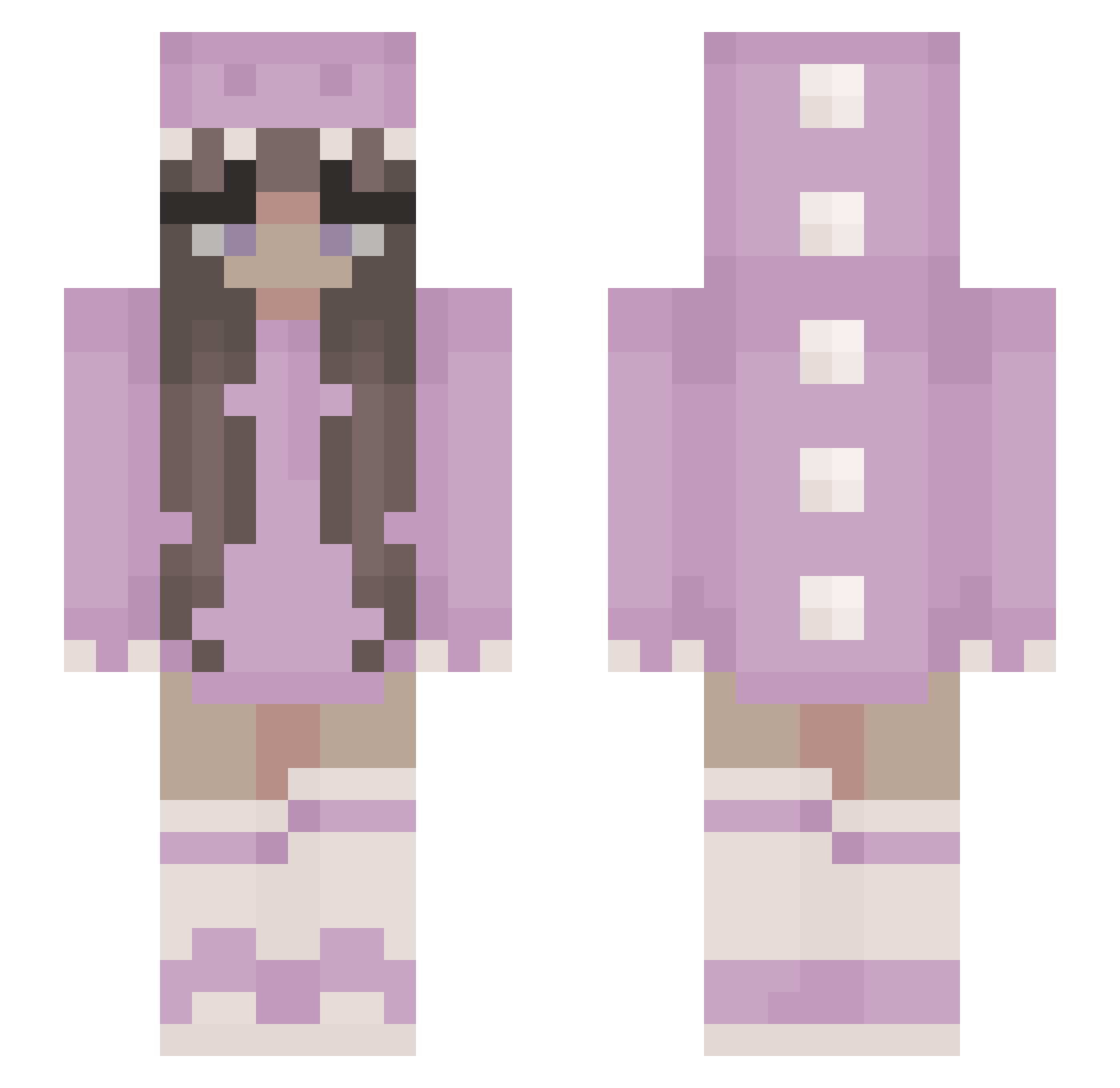
Current Minecraft skin of the player xoxjennaa7066, loaded from the official Mojang API. Rotate the 3D model with your mouse or finger, then download the skin as a PNG file and use it in Minecraft: Bedrock Edition or Java Edition for free. When xoxjennaa7066 changes their skin, this page updates automatically and the old skin stays in the history below.
Other players with this skin (453)
xoxjennaa7066 was the 415th player we have seen with this skin, first spotted on 04.11.2026. The same skin was seen on these players. Open a nickname to see their current skin and skin history.
 Icylefia Lilynotfound479 GamerKarl0909 marbearr RainbowDash8888 mushroom5677 Tofi_1 tos55555 SarahGerber Moshkinz Hazelbooboo ZitroneDodo asiugju pfefferpig PersiaMeow Tulpenmond RememberTheSky Cocobabyd Dariiiiii Cocoloco1129 AllieBanali stinkymiki notKayJay Unicorn_Pickle9 Zylphix kloweth Maeline_hmz Maruuu_x3 eghoran MysteryMissyMiss Lillylove111 Jenny119 Patty72 bbyoung20 Leelgostein abcbrother Anittaa_ Ajkaa_ BabyGirlLilly WilmaCookie hotbrunette2 chicko0815 grzypekhalucynek Bojemaschter alanaaa15 ShaleSeraph namjin_yara FlawlessRedblaze iratiks JuBugsJu Oliwka1122 _K4t13 pinkflaming palu111 Laurannah CycPhoenix CaroooXD CorpseMist anabxla FreezerPearl
More Kigurumi Minecraft skins
How to install the xoxjennaa7066 skin
- Press the Download button above to save the skin as a PNG file.
- Minecraft: Bedrock Edition (PE): open the Dressing Room from the main menu (or tap your character → Edit Character), go to Classic Skins → Owned, press the + (new skin) button, choose the downloaded PNG and pick the Slim (Alex) model. Works on PC and mobile; consoles cannot import custom skins.
- Minecraft: Java Edition: open the Minecraft Launcher, go to the Skins tab, click New Skin, load the PNG, pick the Slim (Alex) model and press Save & Use. You can also upload it at minecraft.net → Profile → Change Skin.
The skin does not show up after import - what should I do?
Restart Minecraft and open the Dressing Room again - imported skins sometimes appear only after a restart. Also make sure you selected the imported skin and picked the Slim (Alex) model.
Which model should I choose, Classic or Slim?
This skin is designed for the Slim (Alex) model. If you pick the wrong model, the arms of the skin will look stretched or squeezed.
Is the skin of xoxjennaa7066 free to download?
Yes. Press Download, save the PNG file and use it in Minecraft: Bedrock Edition or Java Edition - no payment or registration needed. The skin also works on multiplayer servers and Realms.
More skins
Looking for more? Go back to all Minecraft skins and check the top skins of the week, month and all time, or find any player's skin by nickname.