
xHZ7 - Minecraft Skins & Skin History
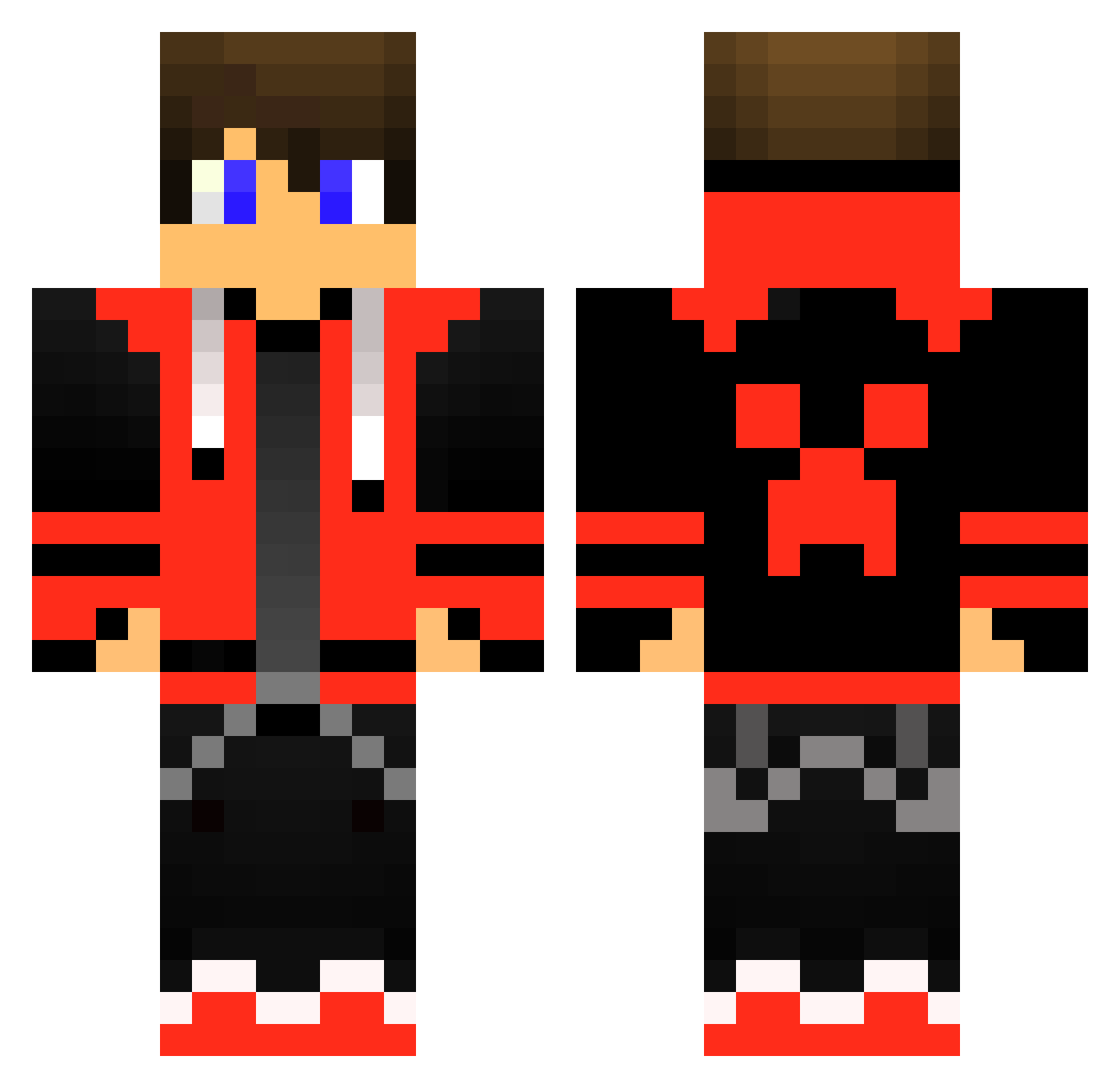
Current Minecraft skin of the player xHZ7, loaded from the official Mojang API. Rotate the 3D model with your mouse or finger, then download the skin as a PNG file and use it in Minecraft: Bedrock Edition or Java Edition for free. When xHZ7 changes their skin, this page updates automatically and the old skin stays in the history below.
Other players with this skin (515)
xHZ7 was the 434th player we have seen with this skin, first spotted on 25.10.2026. The same skin was seen on these players. Open a nickname to see their current skin and skin history.
 Aziz7sh RedShad0w13 HeliosBolt Dealby Yoran08 Russell2050 KakoQc Hotwercho NightJack900 Lelant2008 Killergod756 footballslow123 idohgvr Xlentor7 Kennebro10 LethalWeapon_93 ULUCAYOZGURR58 enasy Ybirakoth Allrounder_HD Do25Me TrueKoman James2618 BOLOLOSUPERPRO luckywolfsbane Nicovala1GOBY Jonthese RedNeck117 Phenyx_ Blynckan__ SigmaJB Logan90o1 DazeyKawai xxxchase YayC Geronemo Schatten_Wolf123 xX_TOOLBOX_Xx masterlilnut FlorianAbr Zipo8600 raphsteige12 jiipee599 Fortress_Creator FlyMoney1174504 SkiTzy_Gamer Marmz2015 ItzNasty11 Piter2249 joeyjwz RedManBlox1234 AcePre iroks7 CSrains BennTheHen GoldRyou Larry_Hotter w11f_wo1f Lukas_WP MadBunnyDK
More Gamer Minecraft skins
How to install the xHZ7 skin
- Press the Download button above to save the skin as a PNG file.
- Minecraft: Bedrock Edition (PE): open the Dressing Room from the main menu (or tap your character → Edit Character), go to Classic Skins → Owned, press the + (new skin) button, choose the downloaded PNG and pick the Classic (Steve) model. Works on PC and mobile; consoles cannot import custom skins.
- Minecraft: Java Edition: open the Minecraft Launcher, go to the Skins tab, click New Skin, load the PNG, pick the Classic (Steve) model and press Save & Use. You can also upload it at minecraft.net → Profile → Change Skin.
The skin does not show up after import - what should I do?
Restart Minecraft and open the Dressing Room again - imported skins sometimes appear only after a restart. Also make sure you selected the imported skin and picked the Classic (Steve) model.
Which model should I choose, Classic or Slim?
This skin is designed for the Classic (Steve) model. If you pick the wrong model, the arms of the skin will look stretched or squeezed.
Is the skin of xHZ7 free to download?
Yes. Press Download, save the PNG file and use it in Minecraft: Bedrock Edition or Java Edition - no payment or registration needed. The skin also works on multiplayer servers and Realms.
More skins
Looking for more? Go back to all Minecraft skins and check the top skins of the week, month and all time, or find any player's skin by nickname.