
xDkpoxD - Minecraft Skins & Skin History
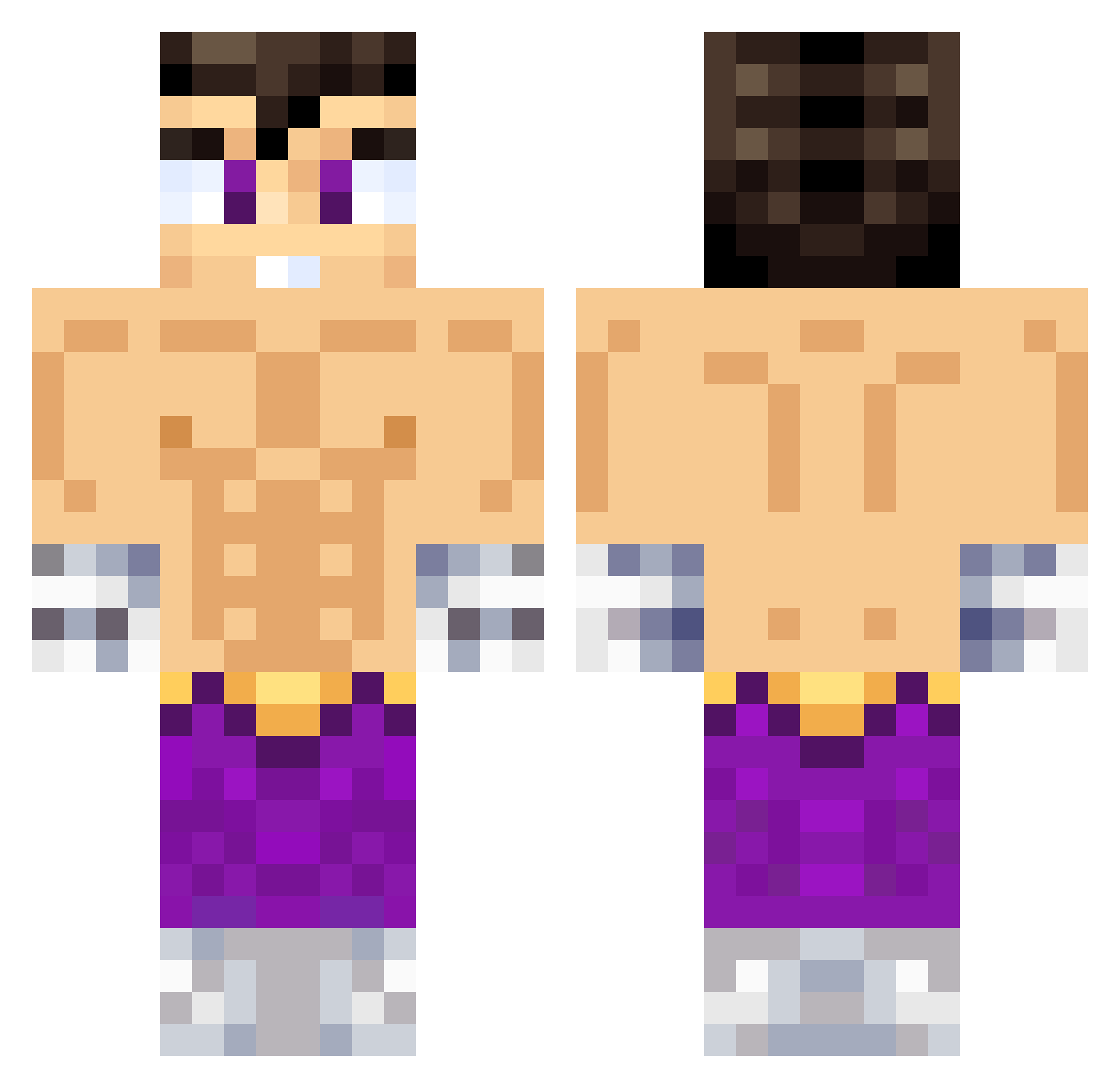
Current Minecraft skin of the player xDkpoxD, loaded from the official Mojang API. Rotate the 3D model with your mouse or finger, then download the skin as a PNG file and use it in Minecraft: Bedrock Edition or Java Edition for free. When xDkpoxD changes their skin, this page updates automatically and the old skin stays in the history below.
Other players with this skin (638)
xDkpoxD was the 529th player we have seen with this skin, first spotted on 21.10.2026. The same skin was seen on these players. Open a nickname to see their current skin and skin history.
 OMAR300PC SANTYNZ TheoHernandez22 TlLINPRO777 Bollituber GassTomX VasiliyOrtiz frvnc01 jelttyy XdreamVz vivimiel StopEmperor777 Ninjafake4325 LuShot_69 VEGETTA777 emaneGOD ElAleman09 baldur2140 j0rgx JDwinter crybqbi zigorak FaZeCr1st1an Adnst GustavoM2004 MarioBrosYT SergioMelo00 Ingenieroo DeadSniper07 ElDongato2 Kaster5428 JounyFn Manu3_3 vtacos__ Santyskt11 AnalKing2023 josecito43 Al3xWTH Bubba_leo EduardoV25 tewalaz Peeluu baldomero12 VEGETTAGAYMER77 kev103 SrJoker5 lobocrak999YT ElWilsonEquisde NeoSanVR M4NS1mp fazbear666 destructordepep CAMPOS_777 Cris_2427 Fofii_ Clapzypu zTobiaS1 amdriam Ivan2913 Elreek
More Jin Kazama Minecraft skins
How to install the xDkpoxD skin
- Press the Download button above to save the skin as a PNG file.
- Minecraft: Bedrock Edition (PE): open the Dressing Room from the main menu (or tap your character → Edit Character), go to Classic Skins → Owned, press the + (new skin) button, choose the downloaded PNG and pick the Classic (Steve) model. Works on PC and mobile; consoles cannot import custom skins.
- Minecraft: Java Edition: open the Minecraft Launcher, go to the Skins tab, click New Skin, load the PNG, pick the Classic (Steve) model and press Save & Use. You can also upload it at minecraft.net → Profile → Change Skin.
The skin does not show up after import - what should I do?
Restart Minecraft and open the Dressing Room again - imported skins sometimes appear only after a restart. Also make sure you selected the imported skin and picked the Classic (Steve) model.
Which model should I choose, Classic or Slim?
This skin is designed for the Classic (Steve) model. If you pick the wrong model, the arms of the skin will look stretched or squeezed.
Is the skin of xDkpoxD free to download?
Yes. Press Download, save the PNG file and use it in Minecraft: Bedrock Edition or Java Edition - no payment or registration needed. The skin also works on multiplayer servers and Realms.
More skins
Looking for more? Go back to all Minecraft skins and check the top skins of the week, month and all time, or find any player's skin by nickname.