
williamcheng1515 - Minecraft Skins & Skin History
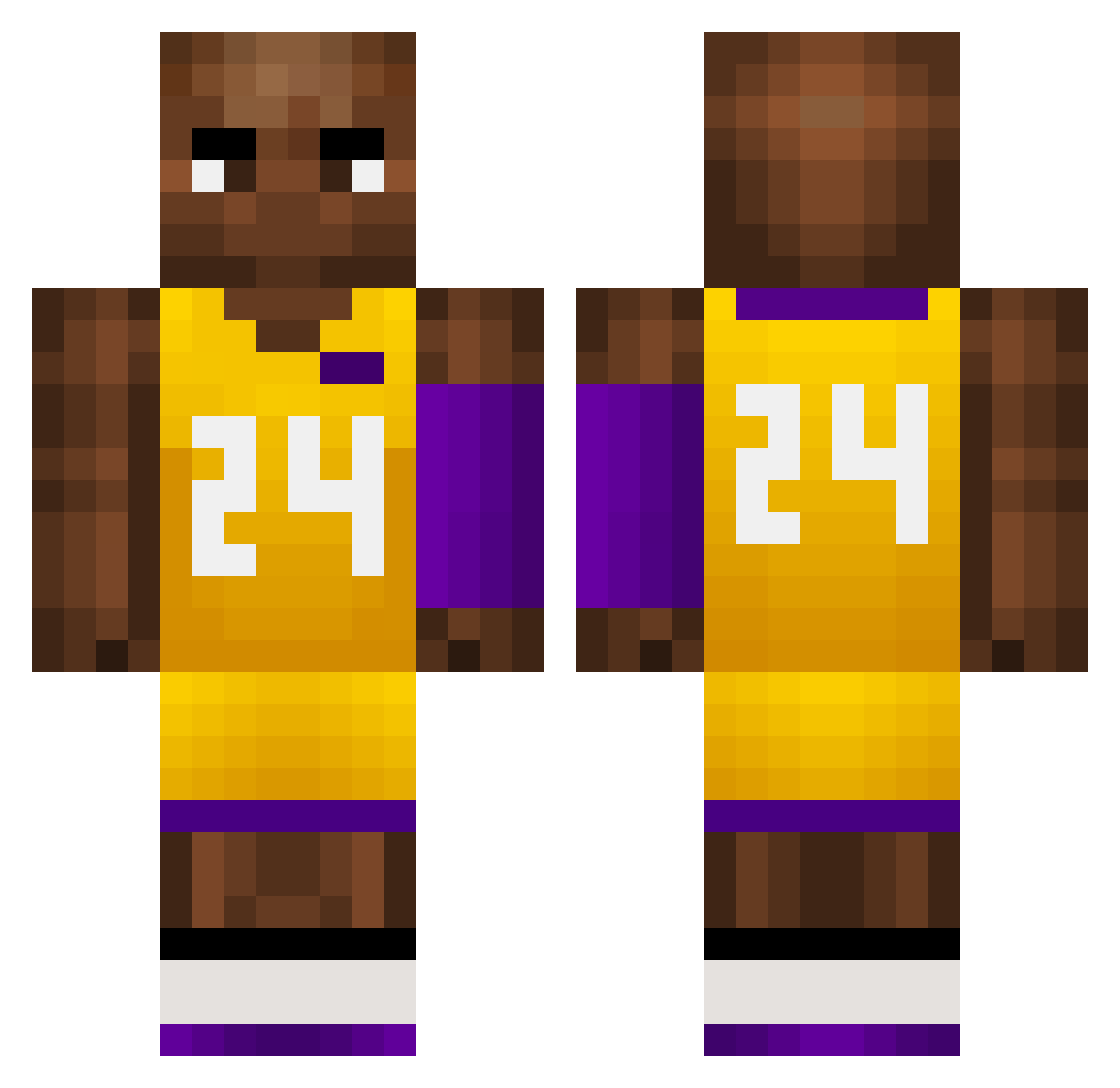
Current Minecraft skin of the player williamcheng1515, loaded from the official Mojang API. Rotate the 3D model with your mouse or finger, then download the skin as a PNG file and use it in Minecraft: Bedrock Edition or Java Edition for free. When williamcheng1515 changes their skin, this page updates automatically and the old skin stays in the history below.
Other players with this skin (757)
williamcheng1515 was the 707th player we have seen with this skin, first spotted on 29.10.2026. The same skin was seen on these players. Open a nickname to see their current skin and skin history.
 SCUM2x EvY866 APD495 14Sonetto bcp524 ShadowPP YY_zero scottf99 HeiManEight CrisYear Francisfenix shadowkz bibissgames aLk152 patchui47 wei_xiao__ RandyWitch firefesse 1no666 SanjiaoMao BzForest kaihei1 aaR754 2ndBestGoodGamer Jake_Gunnar bqK616 originalotis bIackmamba_ Vortex_ClutCh Lying08 Garcesped dlowjee ImTrashBtw224 ye_boi_max Zxydn US_LixOqIesQw414 captainnascar mutup JohnCena50900 schnouk57 ssnot xDingyy wouse051 DPort502 300gRice farkinjimmy huddy2007 yungwelch RobbietheRipper Walter23A BOTVictor1 9Jul devindwan DeAdLY_9292 nokinoa XaddyCorvinus69 goldenpants69 KobeBryant024 WHR23 Krecias
More Kobe Bryant Minecraft skins
How to install the williamcheng1515 skin
- Press the Download button above to save the skin as a PNG file.
- Minecraft: Bedrock Edition (PE): open the Dressing Room from the main menu (or tap your character → Edit Character), go to Classic Skins → Owned, press the + (new skin) button, choose the downloaded PNG and pick the Classic (Steve) model. Works on PC and mobile; consoles cannot import custom skins.
- Minecraft: Java Edition: open the Minecraft Launcher, go to the Skins tab, click New Skin, load the PNG, pick the Classic (Steve) model and press Save & Use. You can also upload it at minecraft.net → Profile → Change Skin.
The skin does not show up after import - what should I do?
Restart Minecraft and open the Dressing Room again - imported skins sometimes appear only after a restart. Also make sure you selected the imported skin and picked the Classic (Steve) model.
Which model should I choose, Classic or Slim?
This skin is designed for the Classic (Steve) model. If you pick the wrong model, the arms of the skin will look stretched or squeezed.
Is the skin of williamcheng1515 free to download?
Yes. Press Download, save the PNG file and use it in Minecraft: Bedrock Edition or Java Edition - no payment or registration needed. The skin also works on multiplayer servers and Realms.
More skins
Looking for more? Go back to all Minecraft skins and check the top skins of the week, month and all time, or find any player's skin by nickname.