
waffy1 - Minecraft Skins & Skin History
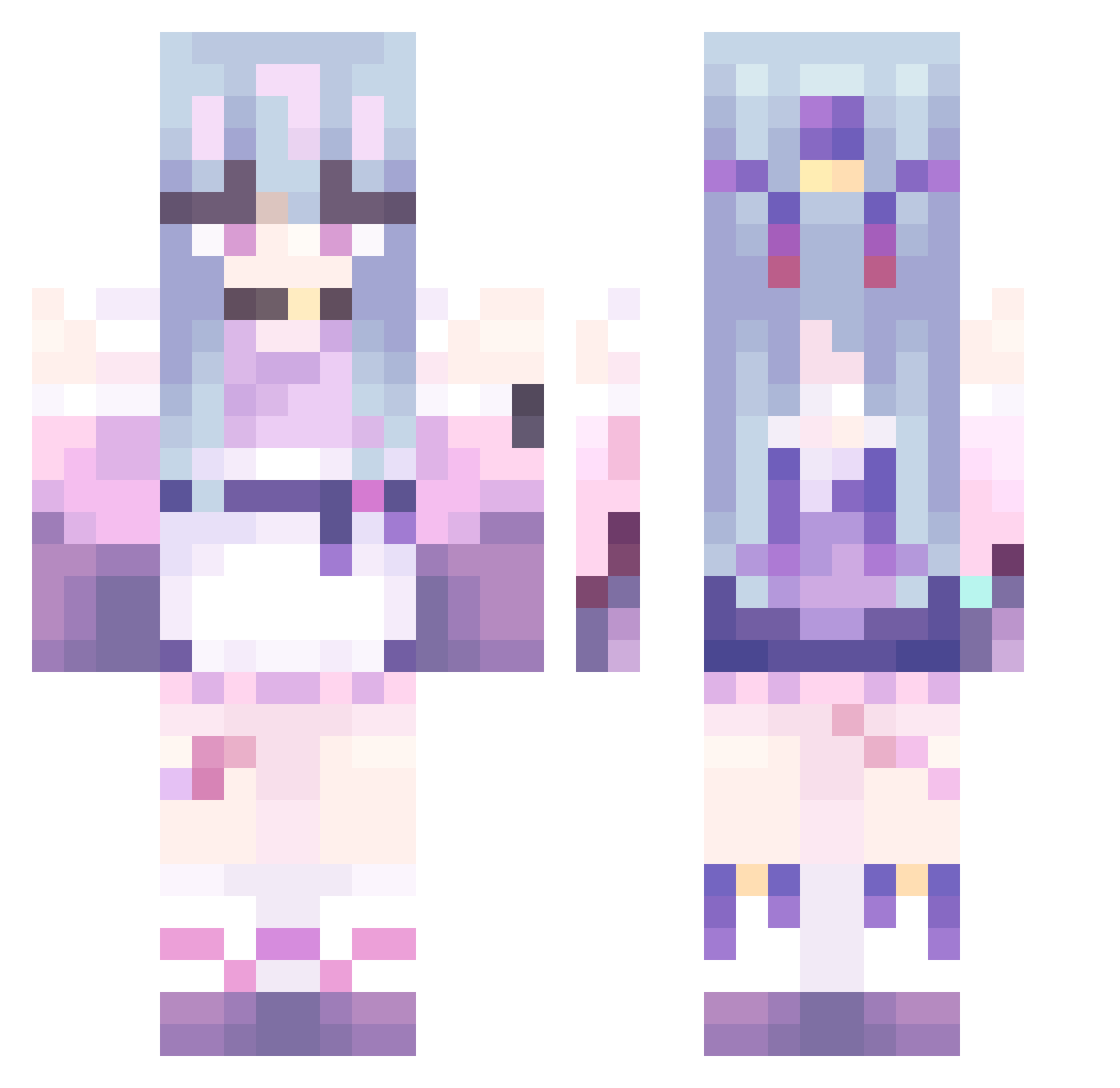
Current Minecraft skin of the player waffy1, loaded from the official Mojang API. Rotate the 3D model with your mouse or finger, then download the skin as a PNG file and use it in Minecraft: Bedrock Edition or Java Edition for free. When waffy1 changes their skin, this page updates automatically and the old skin stays in the history below.
Other players with this skin (479)
waffy1 was the 433rd player we have seen with this skin, first spotted on 28.10.2026. The same skin was seen on these players. Open a nickname to see their current skin and skin history.
 real_winverx 4nedos Kurumi_1649 IsieQ_ Kaeli_Haase SOUTHC77 LingHutao alice668 sakurahy wdznb Tritogenia Beciko minahwinah NVlDIA_RTX5090 Inazma123 xerequinha12 DOGSICK03 lyric2104 BestExtreme_eDew A4zv Uhreek kikioran imdadaderjiji777 QianChengCat Wmoonb legiaaaaaaa Riamaru0531 CatgirlAyq Feer_19 Lamba2727 48763 LoRd_HaWg Mizuno_Runa EXCOU Busiest921 hyuuiiiiia melodiwi nyumm47 Anabanana0219 simon_xin Paolino02 yiqingsheng HuiLiouo xmar13 Tian_yang14 Ic_ho Yu_Ji202 kkkusus insane1999 Doa_01 Drizzy330 becomemoregood Neirello wdnmd2077 HZJX L3leel3 hurenchgold314 4ZUSA Dana1916 MAIMAIMAIMA
More Anime Girl Minecraft skins
See all 13505 Anime Girl skins
How to install the waffy1 skin
- Press the Download button above to save the skin as a PNG file.
- Minecraft: Bedrock Edition (PE): open the Dressing Room from the main menu (or tap your character → Edit Character), go to Classic Skins → Owned, press the + (new skin) button, choose the downloaded PNG and pick the Classic (Steve) model. Works on PC and mobile; consoles cannot import custom skins.
- Minecraft: Java Edition: open the Minecraft Launcher, go to the Skins tab, click New Skin, load the PNG, pick the Classic (Steve) model and press Save & Use. You can also upload it at minecraft.net → Profile → Change Skin.
The skin does not show up after import - what should I do?
Restart Minecraft and open the Dressing Room again - imported skins sometimes appear only after a restart. Also make sure you selected the imported skin and picked the Classic (Steve) model.
Which model should I choose, Classic or Slim?
This skin is designed for the Classic (Steve) model. If you pick the wrong model, the arms of the skin will look stretched or squeezed.
Is the skin of waffy1 free to download?
Yes. Press Download, save the PNG file and use it in Minecraft: Bedrock Edition or Java Edition - no payment or registration needed. The skin also works on multiplayer servers and Realms.
More skins
Looking for more? Go back to all Minecraft skins and check the top skins of the week, month and all time, or find any player's skin by nickname.