
verygoodlooking_ - Minecraft Skins & Skin History
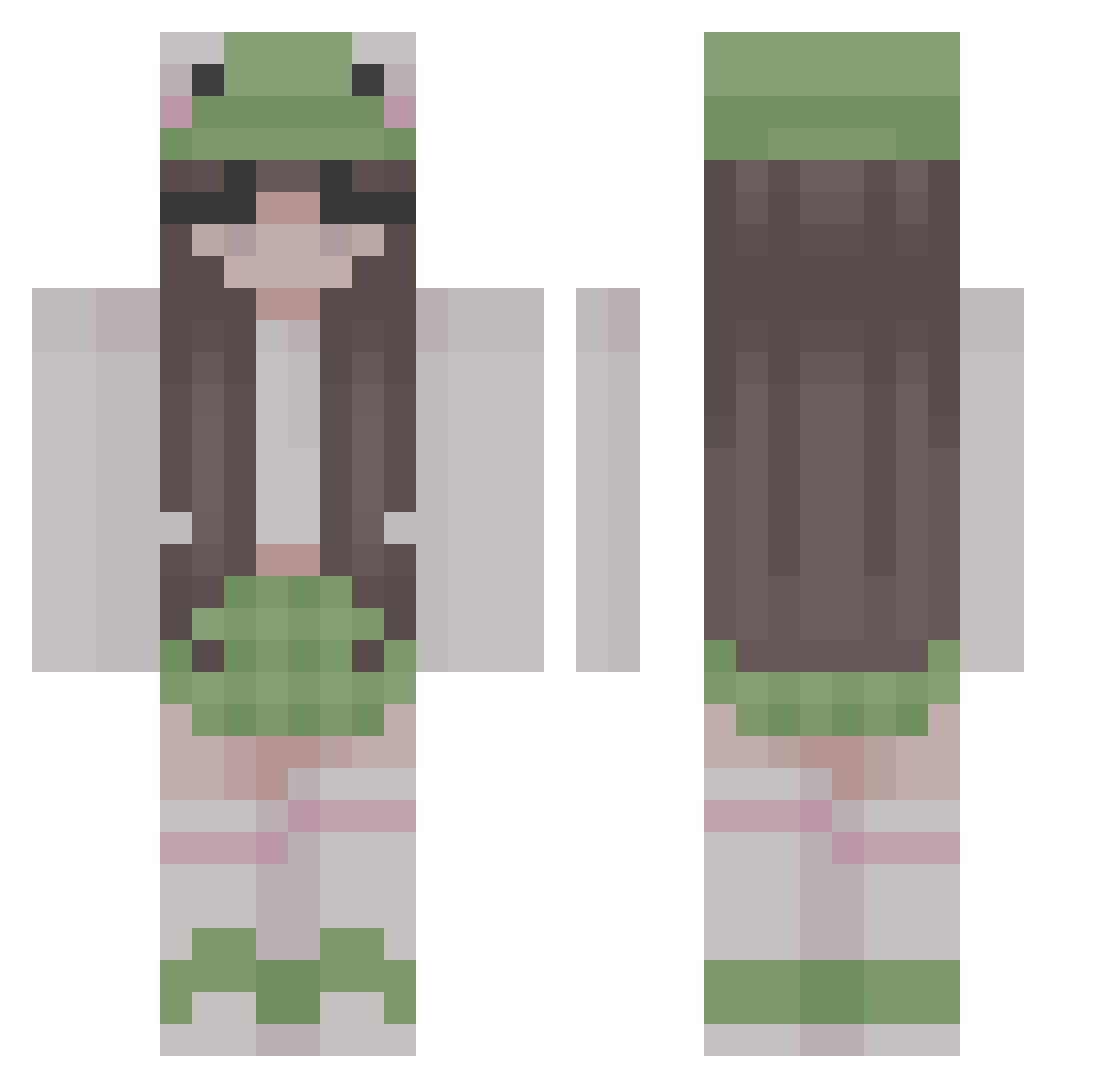
Current Minecraft skin of the player verygoodlooking_, loaded from the official Mojang API. Rotate the 3D model with your mouse or finger, then download the skin as a PNG file and use it in Minecraft: Bedrock Edition or Java Edition for free. When verygoodlooking_ changes their skin, this page updates automatically and the old skin stays in the history below.
Other players with this skin (313)
verygoodlooking_ was the 290th player we have seen with this skin, first spotted on 28.10.2026. The same skin was seen on these players. Open a nickname to see their current skin and skin history.
 Morefine JustxLiv VlekNek leXn13 EggbotFlapJack Jade8245 aahasuss LunaLuPlayz APIKACHU TricKStaR0110 YdNuKeGirl Snake429 Jul3czka_ Ribbit901 ErenXuX DerKoch2904 frogtime419 plant_child LonelyD Alisbar BellaAA1744 soup8624 didonna123 phr0gm yeahxxx RCGrizzy BroccoliJelly5 PICKME52 f_helene Scary_Potato00 daralol shamethankunext Vanesha0 empty2311 Hastymilk590 emilieahd pinkn00dlezx69 kiji_69 Sherry409 Sundaychi georgieissocool BananaCatttt kitten_wizard228 M1LFPLAZA pparas Darkwillow88 Annusha SuperDudeJJ dxco4 larrystan132 crazycatgirl05 Kles06 beaaaaaaa Jana002 therealbuddhaa arcteawreks LaPower Hyvnji oregano23_ wolfinred_
More Frog Hat Minecraft skins
How to install the verygoodlooking_ skin
- Press the Download button above to save the skin as a PNG file.
- Minecraft: Bedrock Edition (PE): open the Dressing Room from the main menu (or tap your character → Edit Character), go to Classic Skins → Owned, press the + (new skin) button, choose the downloaded PNG and pick the Classic (Steve) model. Works on PC and mobile; consoles cannot import custom skins.
- Minecraft: Java Edition: open the Minecraft Launcher, go to the Skins tab, click New Skin, load the PNG, pick the Classic (Steve) model and press Save & Use. You can also upload it at minecraft.net → Profile → Change Skin.
The skin does not show up after import - what should I do?
Restart Minecraft and open the Dressing Room again - imported skins sometimes appear only after a restart. Also make sure you selected the imported skin and picked the Classic (Steve) model.
Which model should I choose, Classic or Slim?
This skin is designed for the Classic (Steve) model. If you pick the wrong model, the arms of the skin will look stretched or squeezed.
Is the skin of verygoodlooking_ free to download?
Yes. Press Download, save the PNG file and use it in Minecraft: Bedrock Edition or Java Edition - no payment or registration needed. The skin also works on multiplayer servers and Realms.
More skins
Looking for more? Go back to all Minecraft skins and check the top skins of the week, month and all time, or find any player's skin by nickname.