
ukcz - Minecraft Skins & Skin History
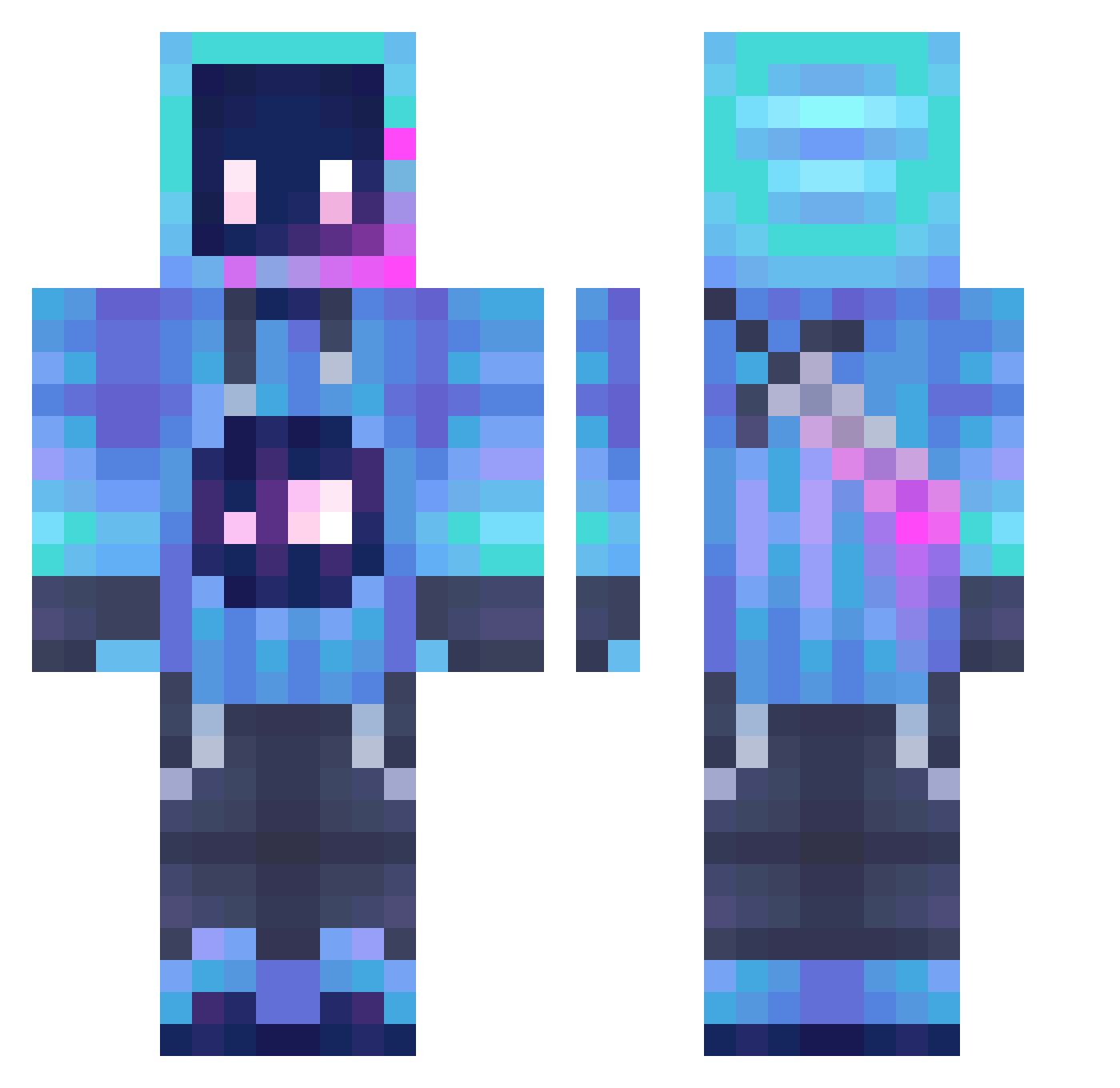
Current Minecraft skin of the player ukcz, loaded from the official Mojang API. Rotate the 3D model with your mouse or finger, then download the skin as a PNG file and use it in Minecraft: Bedrock Edition or Java Edition for free. When ukcz changes their skin, this page updates automatically and the old skin stays in the history below.
Other players with this skin (1250)
ukcz was the 1191st player we have seen with this skin, first spotted on 30.10.2026. The same skin was seen on these players. Open a nickname to see their current skin and skin history.
 BIGHERO_12 F1SHWOOD termiter4 Brazaa GerafLIVE BoraMora Osva4888 Ei_TA crashmath Sawnova Purplldrank Marlon_Jin nekomaru9625 cxcxxc PastaBoxe minchack Cyfleur h_ssh TianGouye Akoasm1 xiaomaomi___ MagmaTime123 RunnExe iMagicK_ Citir_Ceto NTKmusic Loselo MrLok9 L0uis0082lebosss ebola0 Cosmic_Timmy heywassupng sjinbbang gnlgnl LaPl4yer Prietusky Azza90110 SickoLeaf Star_Love__ VySyn JotuxB dani120403 ImNotHilarious Codster1012 AgainBot LnYoXan YTZEnder_Ninja MangoRed_ TWINBROS115 NexGenz LukyFine PlutoL7 Rishat KingWilliam0708 YellowRon LeNoX_rage ZZZSchakslener Msadf_WT vitusthemcplayer Nightmare_22
More Sword Minecraft skins
How to install the ukcz skin
- Press the Download button above to save the skin as a PNG file.
- Minecraft: Bedrock Edition (PE): open the Dressing Room from the main menu (or tap your character → Edit Character), go to Classic Skins → Owned, press the + (new skin) button, choose the downloaded PNG and pick the Classic (Steve) model. Works on PC and mobile; consoles cannot import custom skins.
- Minecraft: Java Edition: open the Minecraft Launcher, go to the Skins tab, click New Skin, load the PNG, pick the Classic (Steve) model and press Save & Use. You can also upload it at minecraft.net → Profile → Change Skin.
The skin does not show up after import - what should I do?
Restart Minecraft and open the Dressing Room again - imported skins sometimes appear only after a restart. Also make sure you selected the imported skin and picked the Classic (Steve) model.
Which model should I choose, Classic or Slim?
This skin is designed for the Classic (Steve) model. If you pick the wrong model, the arms of the skin will look stretched or squeezed.
Is the skin of ukcz free to download?
Yes. Press Download, save the PNG file and use it in Minecraft: Bedrock Edition or Java Edition - no payment or registration needed. The skin also works on multiplayer servers and Realms.
More skins
Looking for more? Go back to all Minecraft skins and check the top skins of the week, month and all time, or find any player's skin by nickname.