
ttvaimzeew1 - Minecraft Skins & Skin History
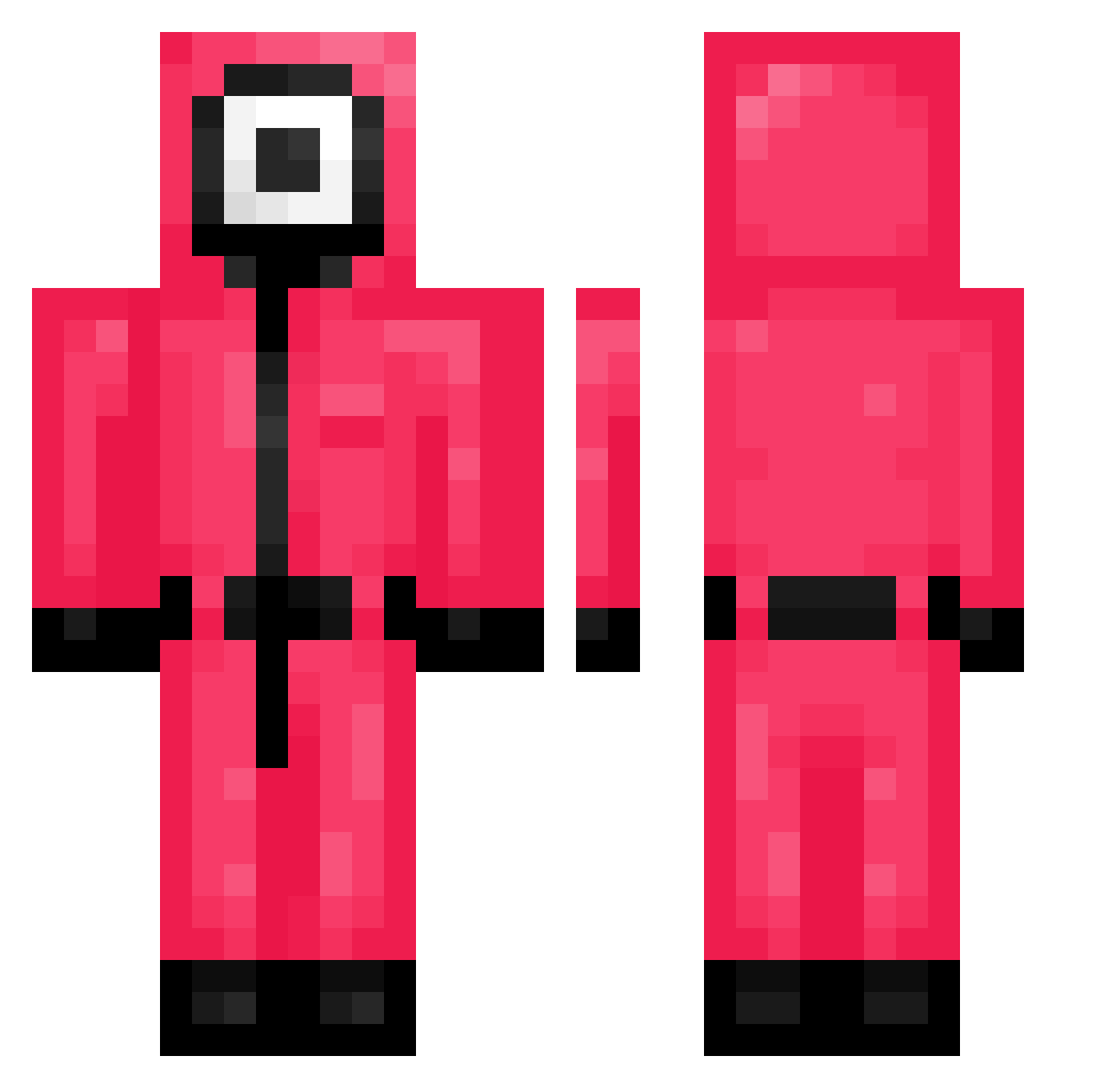
Current Minecraft skin of the player ttvaimzeew1, loaded from the official Mojang API. Rotate the 3D model with your mouse or finger, then download the skin as a PNG file and use it in Minecraft: Bedrock Edition or Java Edition for free. When ttvaimzeew1 changes their skin, this page updates automatically and the old skin stays in the history below.
Other players with this skin (285)
ttvaimzeew1 was the 264th player we have seen with this skin, first spotted on 04.11.2026. The same skin was seen on these players. Open a nickname to see their current skin and skin history.
 ojs3211 Dr3eZz AddySca xneferianx GHOST_0421 xSoullify Curtis0428 npnpnpnp FactAttack HEEMYUNG_43 kimtakong Mikey_Sparks XC380 GASLIGHT_annie theminecrafter69 guardianmaster Locker105 DrSteveLee saillon flyppa2009 NenFaze filippobadboy MatysG wani1011 samsaah HEROBNE JuventusJuve sintomas TheLONELYdude __Matyas__ FirstNutthakorn irishkid2008 ByGuimYT InfernoReaper_X1 KaykeSlayk DerDieDasNiklas icetuna99 vebizzz d33rling Ayathe Tommythelucky Luxiness BiggaJoo11 WAR_BL1DE agitatedtuna1 pigeon0411 Cronic_Zombie Hyehah RTRocky Tahleike BBQTV BND_Z B9Blue Erick456 nerd_25 Schosie AJ_action_KING Giovyskk Gumbau_pro06 YumaTrixz
More Guard Minecraft skins
How to install the ttvaimzeew1 skin
- Press the Download button above to save the skin as a PNG file.
- Minecraft: Bedrock Edition (PE): open the Dressing Room from the main menu (or tap your character → Edit Character), go to Classic Skins → Owned, press the + (new skin) button, choose the downloaded PNG and pick the Classic (Steve) model. Works on PC and mobile; consoles cannot import custom skins.
- Minecraft: Java Edition: open the Minecraft Launcher, go to the Skins tab, click New Skin, load the PNG, pick the Classic (Steve) model and press Save & Use. You can also upload it at minecraft.net → Profile → Change Skin.
The skin does not show up after import - what should I do?
Restart Minecraft and open the Dressing Room again - imported skins sometimes appear only after a restart. Also make sure you selected the imported skin and picked the Classic (Steve) model.
Which model should I choose, Classic or Slim?
This skin is designed for the Classic (Steve) model. If you pick the wrong model, the arms of the skin will look stretched or squeezed.
Is the skin of ttvaimzeew1 free to download?
Yes. Press Download, save the PNG file and use it in Minecraft: Bedrock Edition or Java Edition - no payment or registration needed. The skin also works on multiplayer servers and Realms.
More skins
Looking for more? Go back to all Minecraft skins and check the top skins of the week, month and all time, or find any player's skin by nickname.