
tomtoelicker99 - Minecraft Skins & Skin History
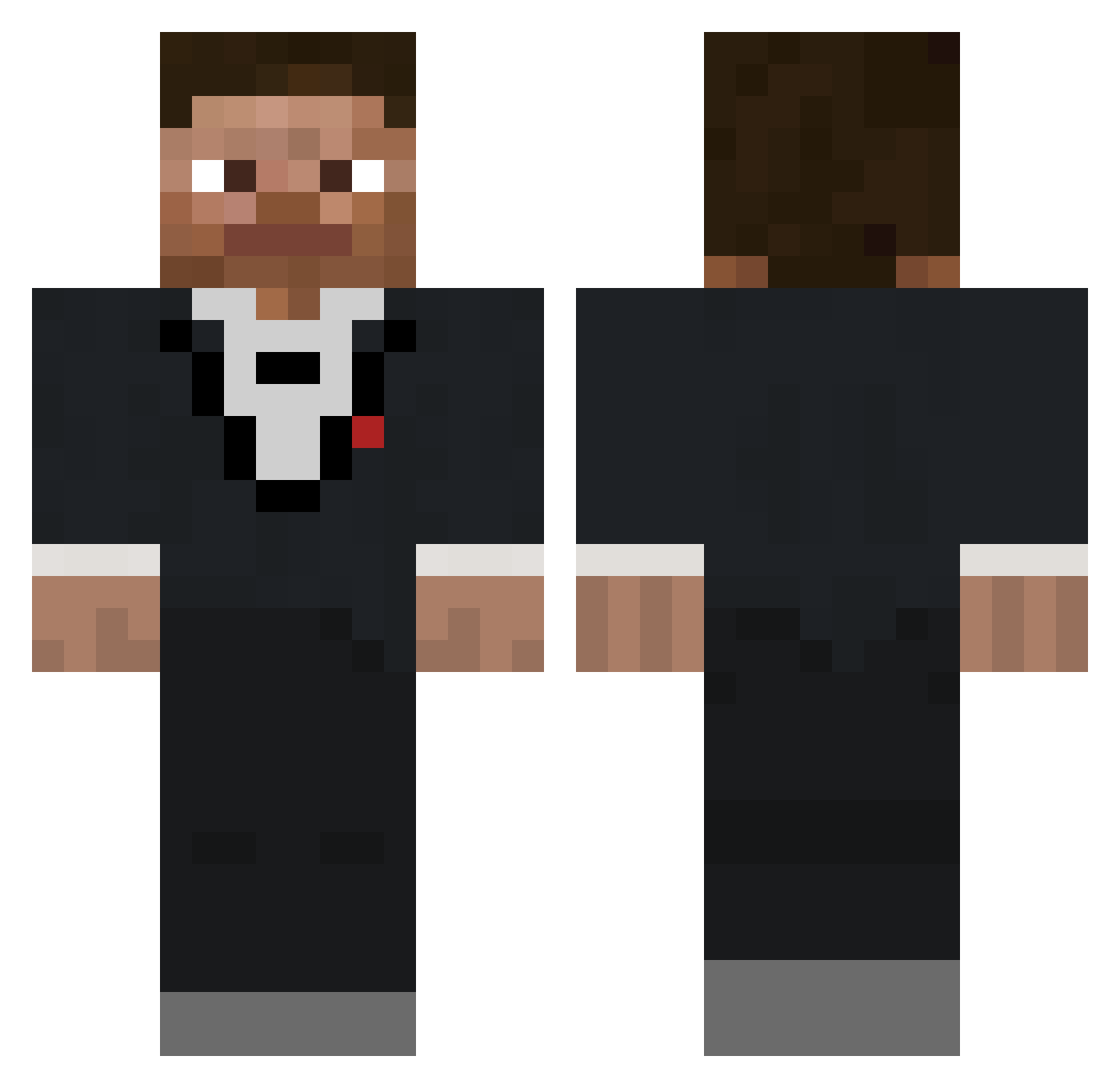
Current Minecraft skin of the player tomtoelicker99, loaded from the official Mojang API. Rotate the 3D model with your mouse or finger, then download the skin as a PNG file and use it in Minecraft: Bedrock Edition or Java Edition for free. When tomtoelicker99 changes their skin, this page updates automatically and the old skin stays in the history below.
Other players with this skin (403)
tomtoelicker99 was the 337th player we have seen with this skin, first spotted on 22.10.2026. The same skin was seen on these players. Open a nickname to see their current skin and skin history.
 scizirious OlivLivv BlackwaterUS156 probles nyoomKai SG_Nathan Tullinater JimFKennedy ZeeDemon Manfred935 ChosenInferno SGD3 ForSkinPuller swtip SwagJuju ritoruri5834 Eman12_YT Pigato Neatful unuselessGamer DeathValley78 Audacioso Agent__XY Maccccaroni Crazyravn12 TengoPapeles Ectik Aldennator Snipermonkey775 Karyy Bed_Sheets01 Ninja_4166 SL_Beauregard Merkus_1324 Alexmp33 theDeivit Florisgrif Pugsley101 Kurusu1 Loading212 Slayerofnight33 CSmith53 tuxedostevekid I_L0ve_Women ItzChristine04 Archer2191 Giorno_Giovanna4 CROXGROW sam0650 creepeking123 itsCael mi_llamo_lucky Xx_9yroldpro_xX Willyr0 Yarr0s Mob77 MAL_QoXimp Quitiaan mcar__ ArtieWood
How to install the tomtoelicker99 skin
- Press the Download button above to save the skin as a PNG file.
- Minecraft: Bedrock Edition (PE): open the Dressing Room from the main menu (or tap your character → Edit Character), go to Classic Skins → Owned, press the + (new skin) button, choose the downloaded PNG and pick the Classic (Steve) model. Works on PC and mobile; consoles cannot import custom skins.
- Minecraft: Java Edition: open the Minecraft Launcher, go to the Skins tab, click New Skin, load the PNG, pick the Classic (Steve) model and press Save & Use. You can also upload it at minecraft.net → Profile → Change Skin.
The skin does not show up after import - what should I do?
Restart Minecraft and open the Dressing Room again - imported skins sometimes appear only after a restart. Also make sure you selected the imported skin and picked the Classic (Steve) model.
Which model should I choose, Classic or Slim?
This skin is designed for the Classic (Steve) model. If you pick the wrong model, the arms of the skin will look stretched or squeezed.
Is the skin of tomtoelicker99 free to download?
Yes. Press Download, save the PNG file and use it in Minecraft: Bedrock Edition or Java Edition - no payment or registration needed. The skin also works on multiplayer servers and Realms.
More skins
Looking for more? Go back to all Minecraft skins and check the top skins of the week, month and all time, or find any player's skin by nickname.