
tominasss - Minecraft Skins & Skin History
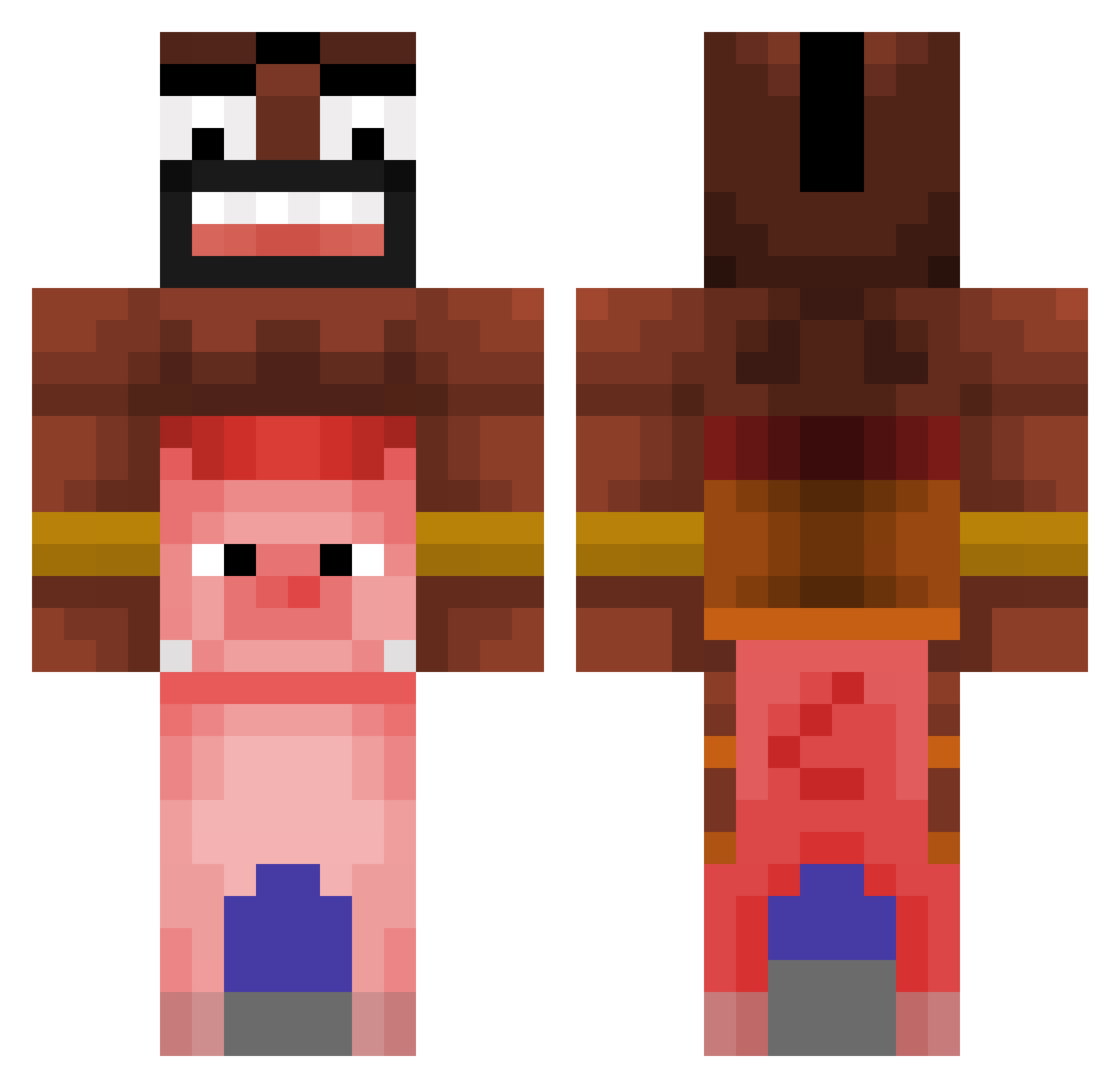
Current Minecraft skin of the player tominasss, loaded from the official Mojang API. Rotate the 3D model with your mouse or finger, then download the skin as a PNG file and use it in Minecraft: Bedrock Edition or Java Edition for free. When tominasss changes their skin, this page updates automatically and the old skin stays in the history below.
Other players with this skin (366)
tominasss was the 255th player we have seen with this skin, first spotted on 12.10.2026. The same skin was seen on these players. Open a nickname to see their current skin and skin history.
 LaMoutarde21 Pianggg L04fz mazrmii 2507ms 8Bitti Baki72 Giga_chin ShakalEpta OsaWon P0dders EwX1 hwanheeanti ohyoons ogshein DFonzz DNKAARA Pearrio CristoPG ImDysper Elusify Terboham Baptistouu Zirael31 DaddoReal Woodybuzz77 mufHaQ eonholee TM_ZaNK Squirrelfish0000 Exotick231 HedaQLF Natfante WartyClock9 tem4ek_d Pinktttt imdedd Paiipin Lil_Manolet PAPASLONG1 BinTinderLvl10 FlexOx NeatSpark68 TommyJhonson Hashogu RyderRocks12 lllai patysexual Lubch0 KeySave Zlati_Dim CatMilk3 lampa223 franksyolo WaterGhost917 Samuraii_Knight Alga20 Restarter_ Giulytetonalinda Lost_miner0
More Piggyback Minecraft skins
How to install the tominasss skin
- Press the Download button above to save the skin as a PNG file.
- Minecraft: Bedrock Edition (PE): open the Dressing Room from the main menu (or tap your character → Edit Character), go to Classic Skins → Owned, press the + (new skin) button, choose the downloaded PNG and pick the Classic (Steve) model. Works on PC and mobile; consoles cannot import custom skins.
- Minecraft: Java Edition: open the Minecraft Launcher, go to the Skins tab, click New Skin, load the PNG, pick the Classic (Steve) model and press Save & Use. You can also upload it at minecraft.net → Profile → Change Skin.
The skin does not show up after import - what should I do?
Restart Minecraft and open the Dressing Room again - imported skins sometimes appear only after a restart. Also make sure you selected the imported skin and picked the Classic (Steve) model.
Which model should I choose, Classic or Slim?
This skin is designed for the Classic (Steve) model. If you pick the wrong model, the arms of the skin will look stretched or squeezed.
Is the skin of tominasss free to download?
Yes. Press Download, save the PNG file and use it in Minecraft: Bedrock Edition or Java Edition - no payment or registration needed. The skin also works on multiplayer servers and Realms.
More skins
Looking for more? Go back to all Minecraft skins and check the top skins of the week, month and all time, or find any player's skin by nickname.