
suci0015 - Minecraft Skins & Skin History
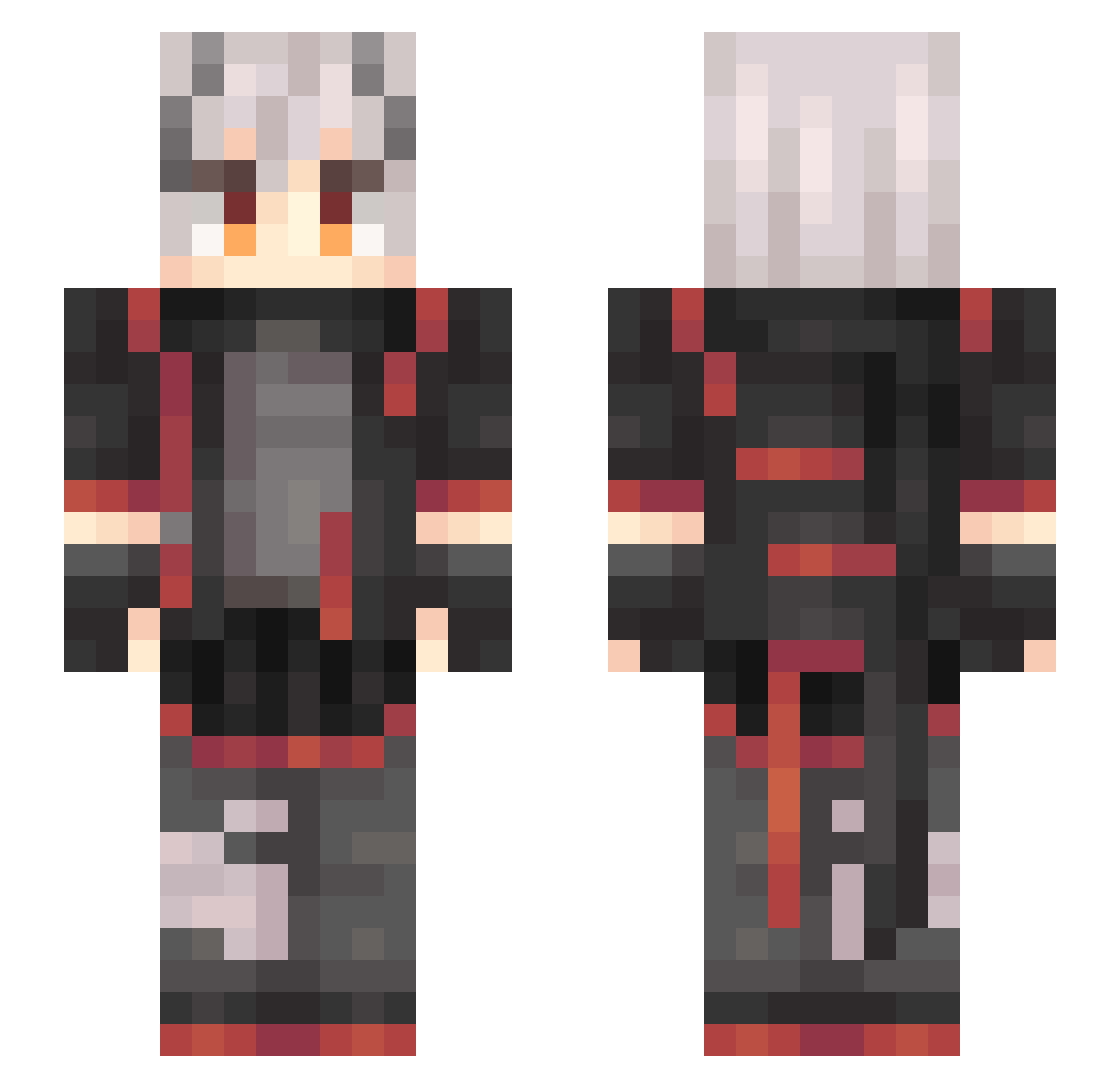
Current Minecraft skin of the player suci0015, loaded from the official Mojang API. Rotate the 3D model with your mouse or finger, then download the skin as a PNG file and use it in Minecraft: Bedrock Edition or Java Edition for free. When suci0015 changes their skin, this page updates automatically and the old skin stays in the history below.
Other players with this skin (637)
suci0015 was the 619th player we have seen with this skin, first spotted on 02.11.2026. The same skin was seen on these players. Open a nickname to see their current skin and skin history.
 TheEternals_Seox Ulrica92013 RELeiKeSi Nokkpitch xingzhou555 Hank_XY Alaric_Xu Miken7 HimenoSena4 QiZi566 rianol Kachinnev dl_xyf YearlongBull494 _EsII_ yufeng001 Hua_cy Minatoisgod G_G_long Rshir SIMONKOALA xiaogao_jun SIXAND wenning_SAMA HahahahaHades gk_agent HeiYeWa VerStecken233 miumiu112233 texas0v0 RAaaaaaINn Xiao_Sakura xingk1 Coconut_Man1 qingyu223 jackwalker12 walrus11 Azerothy12 ma_tou_zhen_cai ZZL30KeZhiChuang lwzheng CunMa FBI_XiYang IcyFiry8 Hecksplosion marshfant szz799 ButterfliesCity LINWEICAI nukacola_exe HostGod AnWuYue TheNumber blackcoffee3157 _Skorge Ethereal_Zs SuperSuper247 AshBWither antios76 OvO_1919
More Cyberpunk Minecraft skins
How to install the suci0015 skin
- Press the Download button above to save the skin as a PNG file.
- Minecraft: Bedrock Edition (PE): open the Dressing Room from the main menu (or tap your character → Edit Character), go to Classic Skins → Owned, press the + (new skin) button, choose the downloaded PNG and pick the Slim (Alex) model. Works on PC and mobile; consoles cannot import custom skins.
- Minecraft: Java Edition: open the Minecraft Launcher, go to the Skins tab, click New Skin, load the PNG, pick the Slim (Alex) model and press Save & Use. You can also upload it at minecraft.net → Profile → Change Skin.
The skin does not show up after import - what should I do?
Restart Minecraft and open the Dressing Room again - imported skins sometimes appear only after a restart. Also make sure you selected the imported skin and picked the Slim (Alex) model.
Which model should I choose, Classic or Slim?
This skin is designed for the Slim (Alex) model. If you pick the wrong model, the arms of the skin will look stretched or squeezed.
Is the skin of suci0015 free to download?
Yes. Press Download, save the PNG file and use it in Minecraft: Bedrock Edition or Java Edition - no payment or registration needed. The skin also works on multiplayer servers and Realms.
More skins
Looking for more? Go back to all Minecraft skins and check the top skins of the week, month and all time, or find any player's skin by nickname.