
suares7 - Minecraft Skins & Skin History
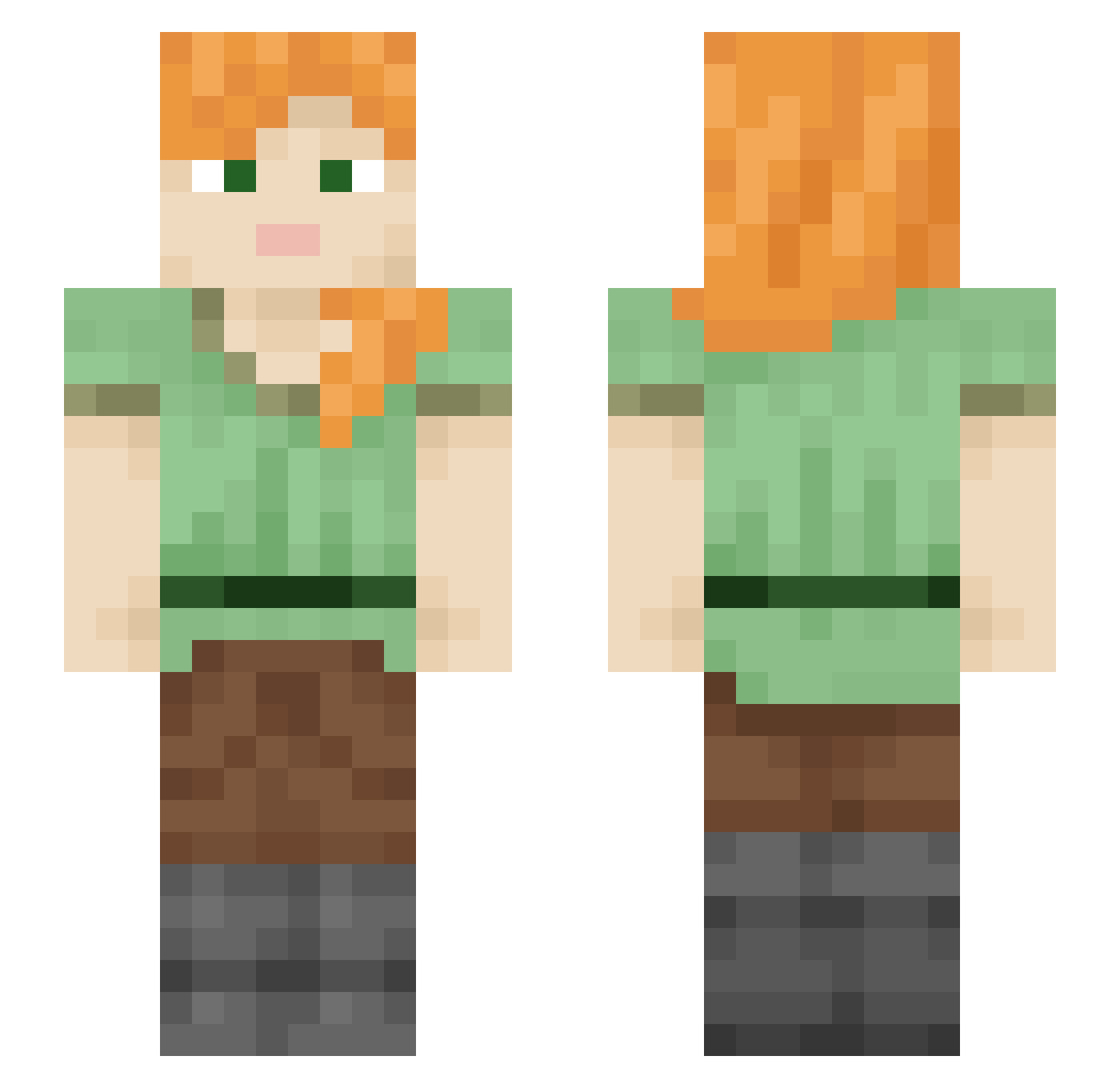
Current Minecraft skin of the player suares7, loaded from the official Mojang API. Rotate the 3D model with your mouse or finger, then download the skin as a PNG file and use it in Minecraft: Bedrock Edition or Java Edition for free. When suares7 changes their skin, this page updates automatically and the old skin stays in the history below.
Other players with this skin (2240)
suares7 was the 1688th player we have seen with this skin, first spotted on 16.10.2026. The same skin was seen on these players. Open a nickname to see their current skin and skin history.
 Geraniol tmp7859 NoeLostBee 4flowers Pinkgost3535 spinales Gultor26 _Axin_ SebastHJ inkilu Crossbill nervus obesegorilla68 lisior115 Curted Axebreaker westy1998 7Drizzt7 bitingchomping AnickaAnicka brictp DISCOZTOO sy0923 Aroras criolloS _Shadow__Night_ phy1472 Arc dxcn SaltyZia GIK1975 Jiynq dbstjrud 5zop zhangjinrui Sacrifices fdla MyleNuokkari2 Snowplowed motif91 cuzl BlueMoon_15 rawbiesanl663r kleyyBUBALU Ottitoh mimi0010 MarcelS Smithsonian schulz809 idknale chocoratbar HeiseNZergPHD Shogo_ pillary sutor humam Memd14 goldme Margolo24 Zapach
How to install the suares7 skin
- Press the Download button above to save the skin as a PNG file.
- Minecraft: Bedrock Edition (PE): open the Dressing Room from the main menu (or tap your character → Edit Character), go to Classic Skins → Owned, press the + (new skin) button, choose the downloaded PNG and pick the Slim (Alex) model. Works on PC and mobile; consoles cannot import custom skins.
- Minecraft: Java Edition: open the Minecraft Launcher, go to the Skins tab, click New Skin, load the PNG, pick the Slim (Alex) model and press Save & Use. You can also upload it at minecraft.net → Profile → Change Skin.
The skin does not show up after import - what should I do?
Restart Minecraft and open the Dressing Room again - imported skins sometimes appear only after a restart. Also make sure you selected the imported skin and picked the Slim (Alex) model.
Which model should I choose, Classic or Slim?
This skin is designed for the Slim (Alex) model. If you pick the wrong model, the arms of the skin will look stretched or squeezed.
Is the skin of suares7 free to download?
Yes. Press Download, save the PNG file and use it in Minecraft: Bedrock Edition or Java Edition - no payment or registration needed. The skin also works on multiplayer servers and Realms.
More skins
Looking for more? Go back to all Minecraft skins and check the top skins of the week, month and all time, or find any player's skin by nickname.