
shooby315 - Minecraft Skins & Skin History
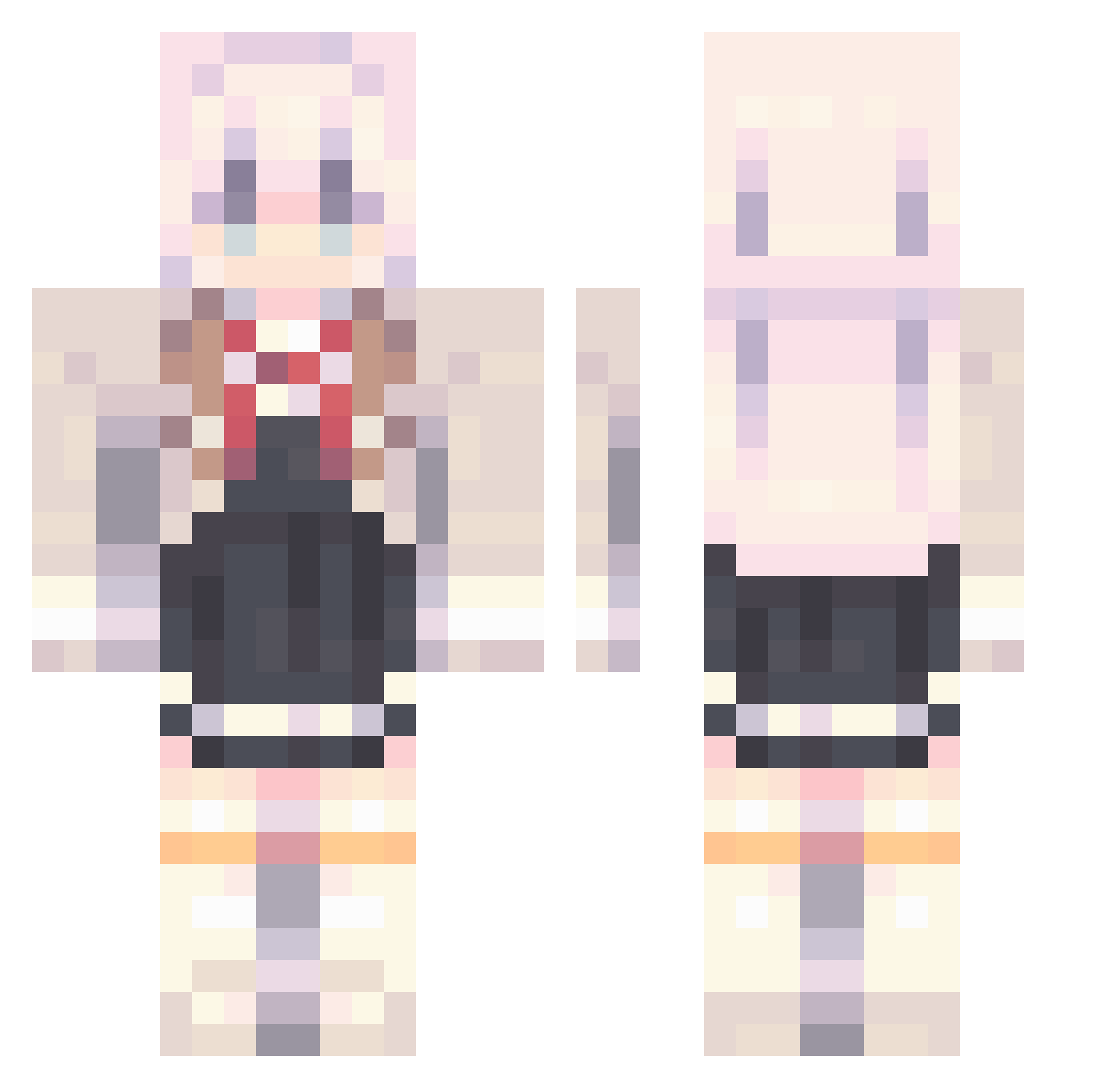
Current Minecraft skin of the player shooby315, loaded from the official Mojang API. Rotate the 3D model with your mouse or finger, then download the skin as a PNG file and use it in Minecraft: Bedrock Edition or Java Edition for free. When shooby315 changes their skin, this page updates automatically and the old skin stays in the history below.
Other players with this skin (934)
shooby315 was the 924th player we have seen with this skin, first spotted on 02.11.2026. The same skin was seen on these players. Open a nickname to see their current skin and skin history.
 Levyai Minecraft_laoao dogEeer FMaxwell iLauraGHG S1mpleter shangshanshannan aiquan Coltcontrol Hezymjfz schokion i1I_1II Linzifeng KurobaSenko XWangTAT Satalin69 NoNameSry el_fax_10 TIANYAN49 Kamon00 muchen123456 Chen_Jing_sheng Kirito099 xdn_t Zyoe baibaijun1202 baolong353 wenzhijin alxmy waive211 cj9v Imgay1108 Mkaqwe Yoongz6 AlyaKujou_ Funbocchi jrhc arcanja_elektra wonky9 HighlyMilitant LunaWriter_ Starlight_Alice Karjalakattinne Lemon_J1 SorryForSnow Der_Moox Austrclian kiss_Kaneki yun0616 AlisaMikhailovna AT0M_2 Clouds52 Nosens22 phonyi fallusion oGot WVWVWW_ skyaspiration absol258 ClaireGT
More School Uniform Minecraft skins
See all 6769 School Uniform skins
How to install the shooby315 skin
- Press the Download button above to save the skin as a PNG file.
- Minecraft: Bedrock Edition (PE): open the Dressing Room from the main menu (or tap your character → Edit Character), go to Classic Skins → Owned, press the + (new skin) button, choose the downloaded PNG and pick the Classic (Steve) model. Works on PC and mobile; consoles cannot import custom skins.
- Minecraft: Java Edition: open the Minecraft Launcher, go to the Skins tab, click New Skin, load the PNG, pick the Classic (Steve) model and press Save & Use. You can also upload it at minecraft.net → Profile → Change Skin.
The skin does not show up after import - what should I do?
Restart Minecraft and open the Dressing Room again - imported skins sometimes appear only after a restart. Also make sure you selected the imported skin and picked the Classic (Steve) model.
Which model should I choose, Classic or Slim?
This skin is designed for the Classic (Steve) model. If you pick the wrong model, the arms of the skin will look stretched or squeezed.
Is the skin of shooby315 free to download?
Yes. Press Download, save the PNG file and use it in Minecraft: Bedrock Edition or Java Edition - no payment or registration needed. The skin also works on multiplayer servers and Realms.
More skins
Looking for more? Go back to all Minecraft skins and check the top skins of the week, month and all time, or find any player's skin by nickname.