
sambuu88 - Minecraft Skins & Skin History
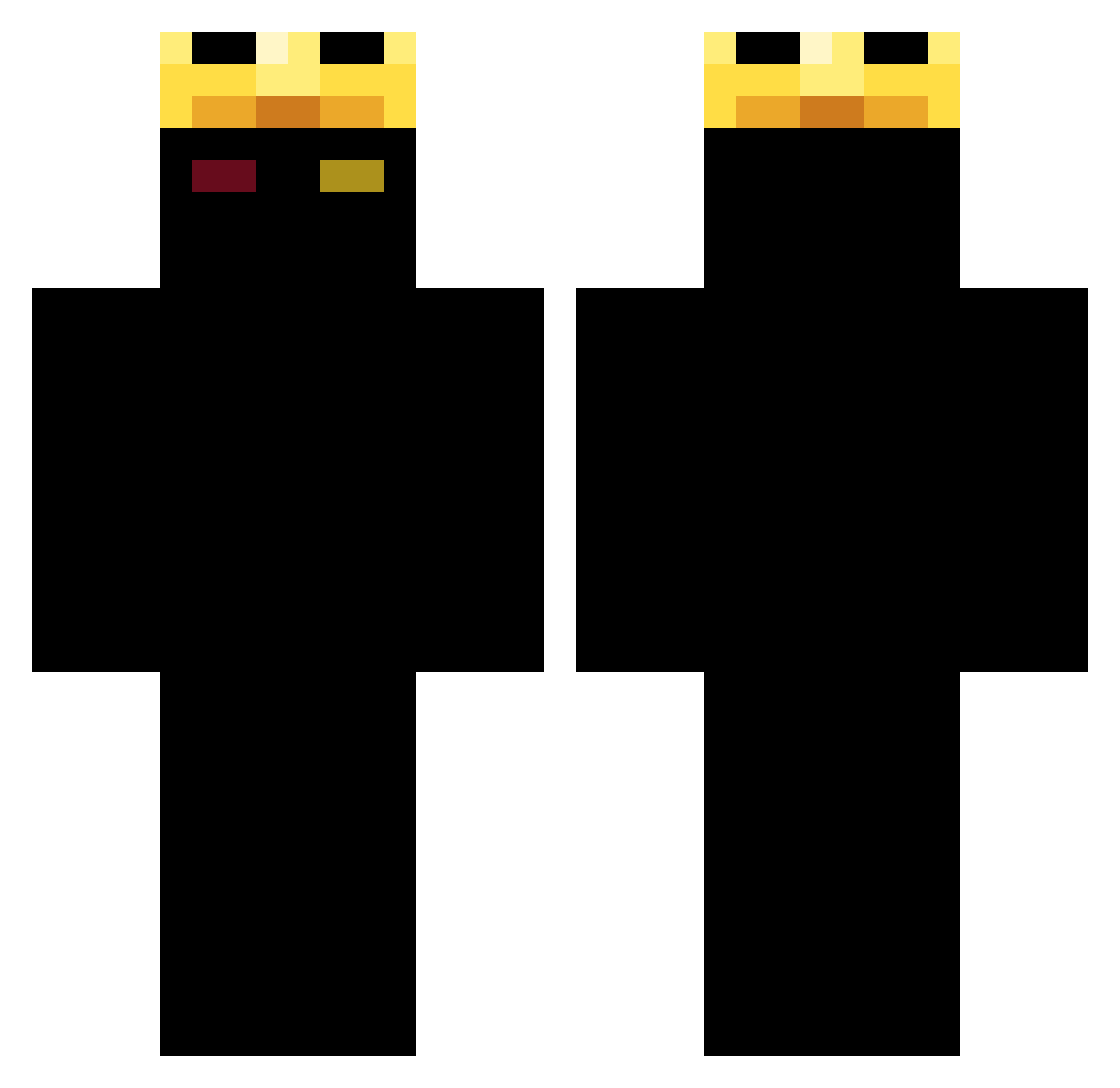
Current Minecraft skin of the player sambuu88, loaded from the official Mojang API. Rotate the 3D model with your mouse or finger, then download the skin as a PNG file and use it in Minecraft: Bedrock Edition or Java Edition for free. When sambuu88 changes their skin, this page updates automatically and the old skin stays in the history below.
Other players with this skin (393)
sambuu88 was the 311th player we have seen with this skin, first spotted on 18.10.2026. The same skin was seen on these players. Open a nickname to see their current skin and skin history.
 hasoon24 maxooo55 StormGhost_IV Fungo1 REVERSEszz 6ltp WorldSaint01 RaVeSavage supr1sepkrl7 sneakylin TKINGxxxx ultravolt2 yuhhamir Kirito_LyM Ewnd SEAN963 Samuelard0 hasaner ethanj6687 RosettenLecker77 jaewon732 EntidadeZero itismemom ZWLD_CYYYKING fastboyabi _M_R_ film222 M1Doxxed djishimm InsectBear9071 Lola_Jada_ HardSpore Amir_Assassin GoofyBanana_ Wundro Sisypho_ GreatttBasss DarkStorm6900 abfalex PasandaGo imbenryan MrRedstep Gamingleader547 BLESSED_KASUMI DimeFelony perxk A7med_56 DemonCM PhoenixPT _Hades1989 AshKash88 BayramaPompaa michlejacksonhe HoangDatDeyy Roccy2125 staslukas Imak7777 Feanor31 elz0zzz AltosAlta
More Ranboo Minecraft skins
How to install the sambuu88 skin
- Press the Download button above to save the skin as a PNG file.
- Minecraft: Bedrock Edition (PE): open the Dressing Room from the main menu (or tap your character → Edit Character), go to Classic Skins → Owned, press the + (new skin) button, choose the downloaded PNG and pick the Classic (Steve) model. Works on PC and mobile; consoles cannot import custom skins.
- Minecraft: Java Edition: open the Minecraft Launcher, go to the Skins tab, click New Skin, load the PNG, pick the Classic (Steve) model and press Save & Use. You can also upload it at minecraft.net → Profile → Change Skin.
The skin does not show up after import - what should I do?
Restart Minecraft and open the Dressing Room again - imported skins sometimes appear only after a restart. Also make sure you selected the imported skin and picked the Classic (Steve) model.
Which model should I choose, Classic or Slim?
This skin is designed for the Classic (Steve) model. If you pick the wrong model, the arms of the skin will look stretched or squeezed.
Is the skin of sambuu88 free to download?
Yes. Press Download, save the PNG file and use it in Minecraft: Bedrock Edition or Java Edition - no payment or registration needed. The skin also works on multiplayer servers and Realms.
More skins
Looking for more? Go back to all Minecraft skins and check the top skins of the week, month and all time, or find any player's skin by nickname.