
ryxz09 - Minecraft Skins & Skin History
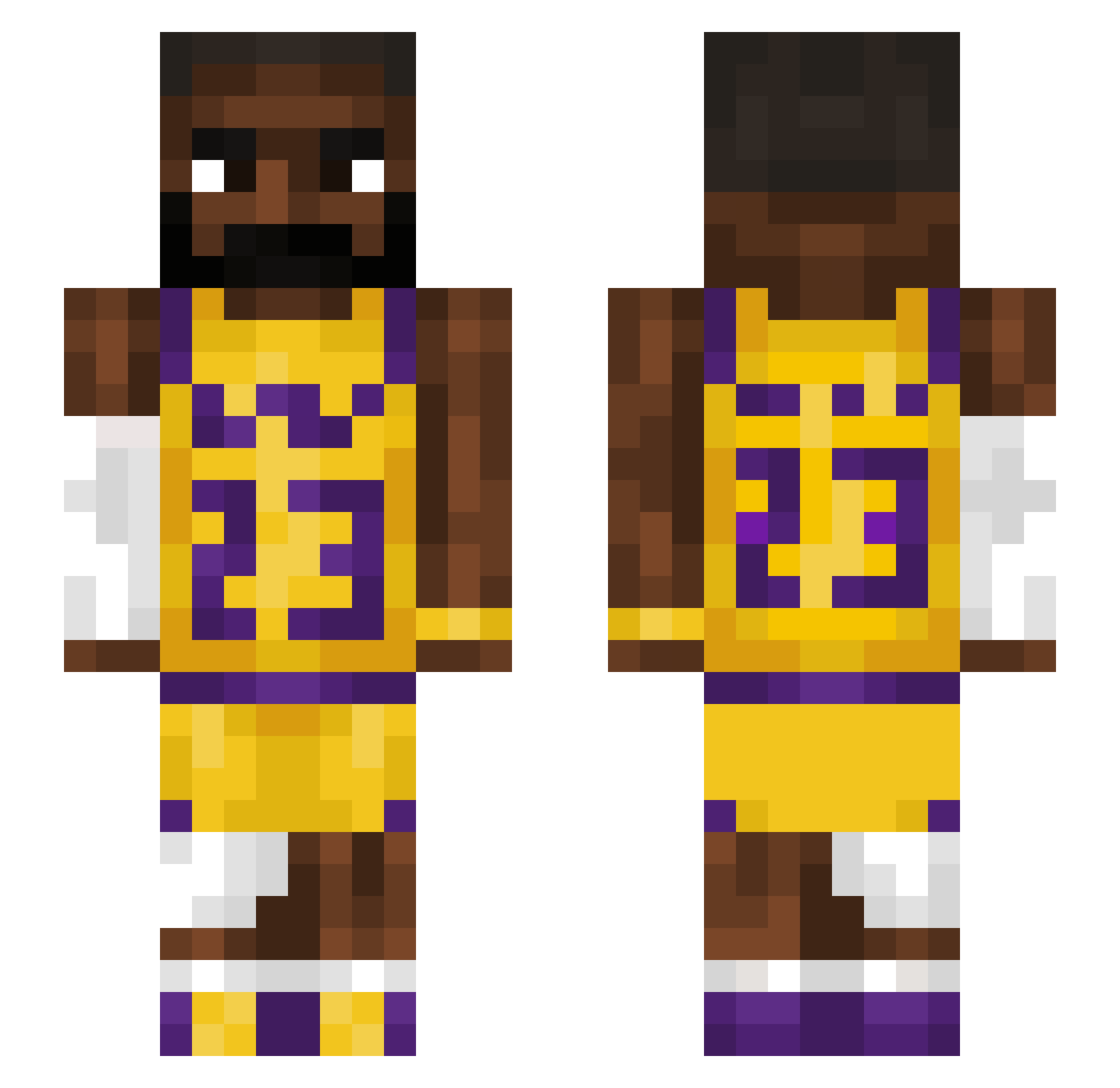
Current Minecraft skin of the player ryxz09, loaded from the official Mojang API. Rotate the 3D model with your mouse or finger, then download the skin as a PNG file and use it in Minecraft: Bedrock Edition or Java Edition for free. When ryxz09 changes their skin, this page updates automatically and the old skin stays in the history below.
Other players with this skin (1541)
ryxz09 was the 1394th player we have seen with this skin, first spotted on 31.10.2026. The same skin was seen on these players. Open a nickname to see their current skin and skin history.
 charles_qt 3adyyyyy xjf1 WakeaWake bryansins marmeniy16 HuyThuHai Ohgee908 Qyong Meqhn plulol Matuch45 ichisashi rybohh NaTeR_BaTeR Gunners_FDS REVIENTAPOLLITAS c0b41t_ SweatyButcher666 Beancan_racott69 Toxana17 morbidity_ Rikkoo8 hnnhxl Ghever Flajky TOSUPLIFT ryleiann2 M3xicanSloth Zanthosaur Beauvice lachynic BigNightmare001 2018Leblockjames Cyslider2 MOZ0711 afhaalrijst SCOOBYDOO1230 ttv172_ryet natvideogamer bigapi TRZ00 mohj12 jacobsoto05 rennuel pandapaco MeatStroker27 efe14100 Benosss16 Crisitan Gabe45678 xBren10x noxonka papisok CosyAardvark Gabo67 mattp17 Starppy KRON1C1 yr2_
More Lakers Minecraft skins
How to install the ryxz09 skin
- Press the Download button above to save the skin as a PNG file.
- Minecraft: Bedrock Edition (PE): open the Dressing Room from the main menu (or tap your character → Edit Character), go to Classic Skins → Owned, press the + (new skin) button, choose the downloaded PNG and pick the Slim (Alex) model. Works on PC and mobile; consoles cannot import custom skins.
- Minecraft: Java Edition: open the Minecraft Launcher, go to the Skins tab, click New Skin, load the PNG, pick the Slim (Alex) model and press Save & Use. You can also upload it at minecraft.net → Profile → Change Skin.
The skin does not show up after import - what should I do?
Restart Minecraft and open the Dressing Room again - imported skins sometimes appear only after a restart. Also make sure you selected the imported skin and picked the Slim (Alex) model.
Which model should I choose, Classic or Slim?
This skin is designed for the Slim (Alex) model. If you pick the wrong model, the arms of the skin will look stretched or squeezed.
Is the skin of ryxz09 free to download?
Yes. Press Download, save the PNG file and use it in Minecraft: Bedrock Edition or Java Edition - no payment or registration needed. The skin also works on multiplayer servers and Realms.
More skins
Looking for more? Go back to all Minecraft skins and check the top skins of the week, month and all time, or find any player's skin by nickname.