
rxhkyb - Minecraft Skins & Skin History
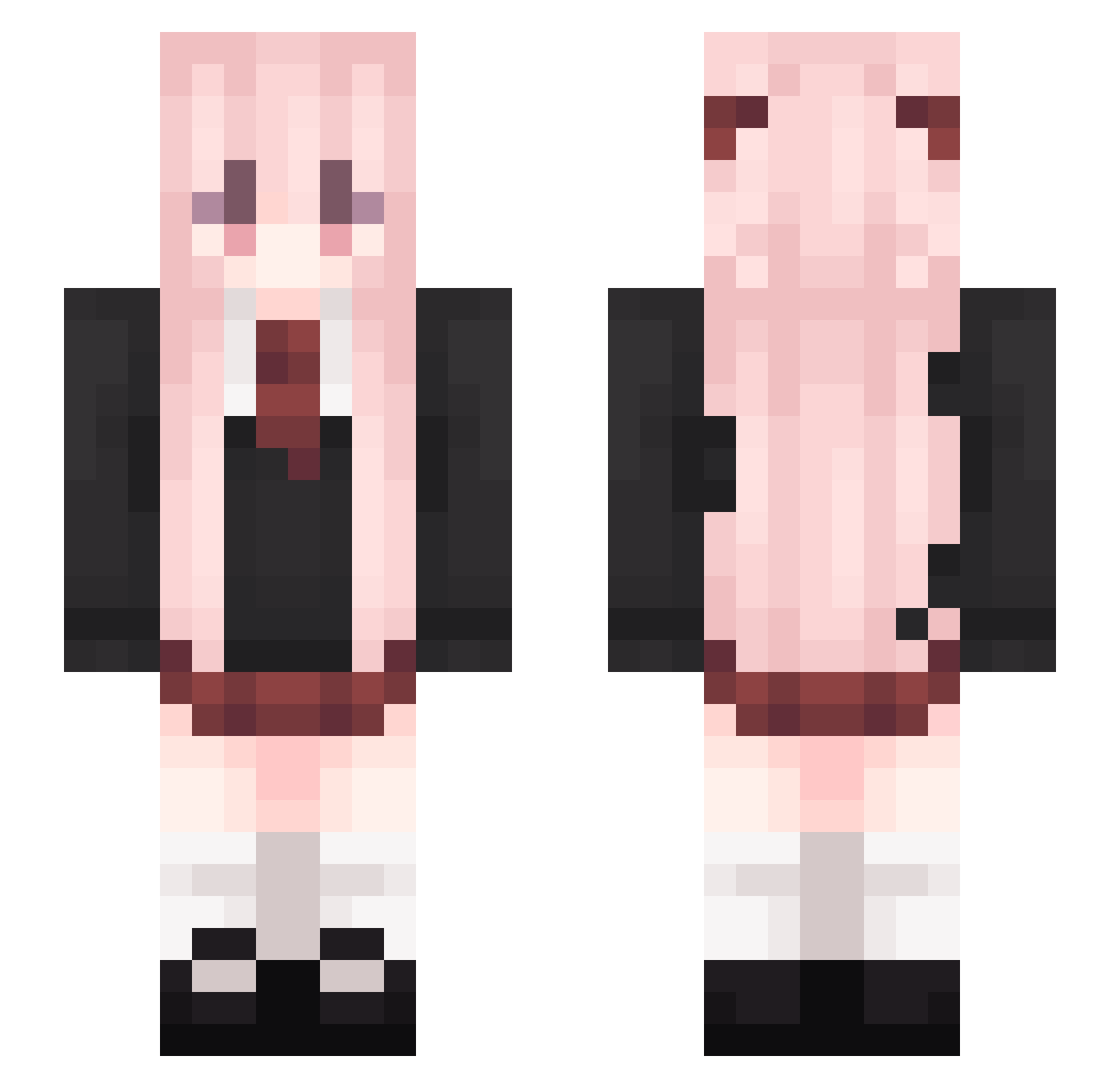
Current Minecraft skin of the player rxhkyb, loaded from the official Mojang API. Rotate the 3D model with your mouse or finger, then download the skin as a PNG file and use it in Minecraft: Bedrock Edition or Java Edition for free. When rxhkyb changes their skin, this page updates automatically and the old skin stays in the history below.
Other players with this skin (541)
rxhkyb was the 490th player we have seen with this skin, first spotted on 30.10.2026. The same skin was seen on these players. Open a nickname to see their current skin and skin history.
 Kornblumen_Donut Thor3698 awliera BXTQwQ Yosennnnn Xiafufu Ypabo mio029 SharkRabbit_02 Xiaolinxi icebety iona312 charlotte930 cikeyzOvO gIL237 Vincylee SeoY_03 DKTTHMM sqks33 zwhovo CYM0310 Ivy12138 LG__der mtyly2333 Sprogog HuiStay Hotfish_ hayabuu LOG9X swl3992 pleaseloveme05 QCKNH233 kklove12138 SYattt crampfish s9527j xinxin1260 VapeHelper zetern Sardincat Cool_Maple DM_ding addddd114514 The_FlowerO yuxinhai ApersonInsane Electrician001 QingfengCoke TenFlower Satono_Crown xingheqwqqq PH7_8 Zchking tuxingx S0610YX DucksOnQwuak chengzi111111 LovePCC zhou112 YeMoRan
More School Uniform Minecraft skins
See all 6994 School Uniform skins
How to install the rxhkyb skin
- Press the Download button above to save the skin as a PNG file.
- Minecraft: Bedrock Edition (PE): open the Dressing Room from the main menu (or tap your character → Edit Character), go to Classic Skins → Owned, press the + (new skin) button, choose the downloaded PNG and pick the Slim (Alex) model. Works on PC and mobile; consoles cannot import custom skins.
- Minecraft: Java Edition: open the Minecraft Launcher, go to the Skins tab, click New Skin, load the PNG, pick the Slim (Alex) model and press Save & Use. You can also upload it at minecraft.net → Profile → Change Skin.
The skin does not show up after import - what should I do?
Restart Minecraft and open the Dressing Room again - imported skins sometimes appear only after a restart. Also make sure you selected the imported skin and picked the Slim (Alex) model.
Which model should I choose, Classic or Slim?
This skin is designed for the Slim (Alex) model. If you pick the wrong model, the arms of the skin will look stretched or squeezed.
Is the skin of rxhkyb free to download?
Yes. Press Download, save the PNG file and use it in Minecraft: Bedrock Edition or Java Edition - no payment or registration needed. The skin also works on multiplayer servers and Realms.
More skins
Looking for more? Go back to all Minecraft skins and check the top skins of the week, month and all time, or find any player's skin by nickname.