
rwlalHCW - Minecraft Skins & Skin History
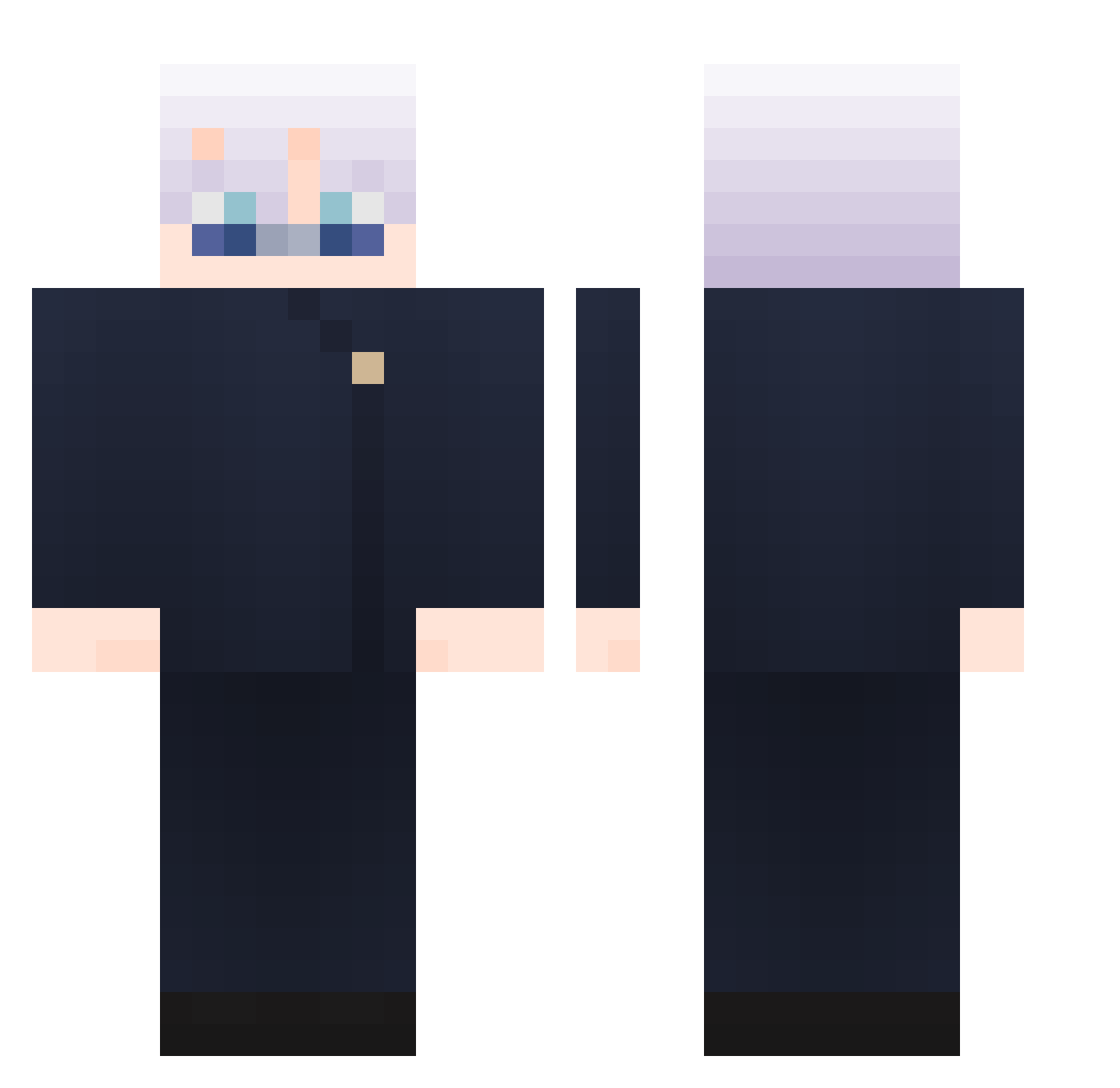
Current Minecraft skin of the player rwlalHCW, loaded from the official Mojang API. Rotate the 3D model with your mouse or finger, then download the skin as a PNG file and use it in Minecraft: Bedrock Edition or Java Edition for free. When rwlalHCW changes their skin, this page updates automatically and the old skin stays in the history below.
Other players with this skin (1028)
rwlalHCW was the 959th player we have seen with this skin, first spotted on 29.10.2026. The same skin was seen on these players. Open a nickname to see their current skin and skin history.
 IamSunY OG_Tobi AbsentManx BIGBADMOON Noobcraft09 JDBreezy502 pczimzy 503N SKY1217 KECHENYU kilou00 rocket8299 _Isla9_ Soorth Ashdoggg Woody_Woodpecker Burak714 Wei_0805 likeread69 StarLightZinG JaZ4KK Britzgun BabyArmadilo S4nZ422 hazomy_benek_nor Gabi_gdo ri7x level060 cwxwr CrypticWolf1 BoomerHumourr V1gua DCRXZ ManuLMLM Xin1001 peppermint0w0 Kev1n0318 J4GG3R00 BOIA007 elanlee user_____name DaitoStaz WhirlMC Renely_UWU suchang0015 ignflash sabreena330 Zbolicious Huskeyyyy quondawg karmaakabane0125 Pola_YT DDUBi69 Louis_boss THEINLAO HaHaYANG winpalistin SaTiiiii zKaleel mvnv
More Satoru Gojo Minecraft skins
See all 1360 Satoru Gojo skins
How to install the rwlalHCW skin
- Press the Download button above to save the skin as a PNG file.
- Minecraft: Bedrock Edition (PE): open the Dressing Room from the main menu (or tap your character → Edit Character), go to Classic Skins → Owned, press the + (new skin) button, choose the downloaded PNG and pick the Classic (Steve) model. Works on PC and mobile; consoles cannot import custom skins.
- Minecraft: Java Edition: open the Minecraft Launcher, go to the Skins tab, click New Skin, load the PNG, pick the Classic (Steve) model and press Save & Use. You can also upload it at minecraft.net → Profile → Change Skin.
The skin does not show up after import - what should I do?
Restart Minecraft and open the Dressing Room again - imported skins sometimes appear only after a restart. Also make sure you selected the imported skin and picked the Classic (Steve) model.
Which model should I choose, Classic or Slim?
This skin is designed for the Classic (Steve) model. If you pick the wrong model, the arms of the skin will look stretched or squeezed.
Is the skin of rwlalHCW free to download?
Yes. Press Download, save the PNG file and use it in Minecraft: Bedrock Edition or Java Edition - no payment or registration needed. The skin also works on multiplayer servers and Realms.
More skins
Looking for more? Go back to all Minecraft skins and check the top skins of the week, month and all time, or find any player's skin by nickname.