
rusti1101 - Minecraft Skins & Skin History
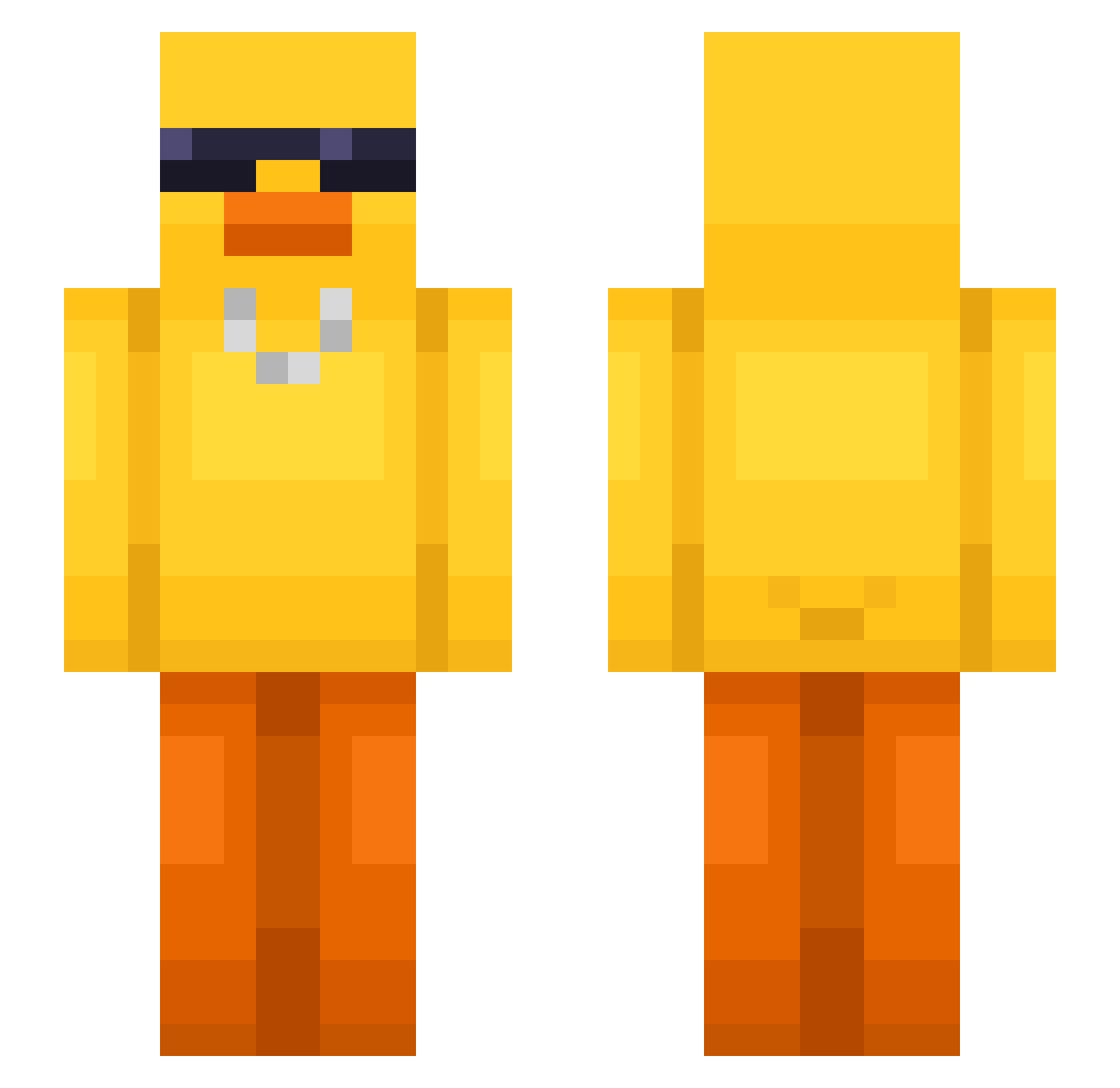
Current Minecraft skin of the player rusti1101, loaded from the official Mojang API. Rotate the 3D model with your mouse or finger, then download the skin as a PNG file and use it in Minecraft: Bedrock Edition or Java Edition for free. When rusti1101 changes their skin, this page updates automatically and the old skin stays in the history below.
Other players with this skin (631)
rusti1101 was the 478th player we have seen with this skin, first spotted on 15.10.2026. The same skin was seen on these players. Open a nickname to see their current skin and skin history.
 Carius025 aeerdekook Invis_Pinguin37 Solaram s2ungzu Lrkaann seaweedcreamm CurvedBadge4716 makka13 Stuwxe liangA1 Tw_YoungMaster haobunbun TSaelin Pamcio gmlth1249 zcoxs pleasedgibbo69 Poundtxwn comely95 Basstln PatronMatron dbwkdgh1234 PurpleBear6072 Mxcha_22 qpalzm102938 ChibitoRR GyMgYm7 remusuki toin1234 RainTomaBot jinhee_121 kr00s0s amillburn A_Seven7 yedyo The_X_Face wnsgml_212 Ledovla sangji12 LOPYSEVEN007 whoisrolo LIYumYumS2 memikowy OverBurntToast ricardindaquebra haribo09 Chapis33 Enzo2600_ RYUHYUN2 NeonXD575 JuanCho3445 diogo089 itzyanis prakdante Agatomit TopHatToe Bewyed NavyRangerNinja ElRubio14
More Chain Minecraft skins
How to install the rusti1101 skin
- Press the Download button above to save the skin as a PNG file.
- Minecraft: Bedrock Edition (PE): open the Dressing Room from the main menu (or tap your character → Edit Character), go to Classic Skins → Owned, press the + (new skin) button, choose the downloaded PNG and pick the Slim (Alex) model. Works on PC and mobile; consoles cannot import custom skins.
- Minecraft: Java Edition: open the Minecraft Launcher, go to the Skins tab, click New Skin, load the PNG, pick the Slim (Alex) model and press Save & Use. You can also upload it at minecraft.net → Profile → Change Skin.
The skin does not show up after import - what should I do?
Restart Minecraft and open the Dressing Room again - imported skins sometimes appear only after a restart. Also make sure you selected the imported skin and picked the Slim (Alex) model.
Which model should I choose, Classic or Slim?
This skin is designed for the Slim (Alex) model. If you pick the wrong model, the arms of the skin will look stretched or squeezed.
Is the skin of rusti1101 free to download?
Yes. Press Download, save the PNG file and use it in Minecraft: Bedrock Edition or Java Edition - no payment or registration needed. The skin also works on multiplayer servers and Realms.
More skins
Looking for more? Go back to all Minecraft skins and check the top skins of the week, month and all time, or find any player's skin by nickname.