
reallyCats - Minecraft Skins & Skin History
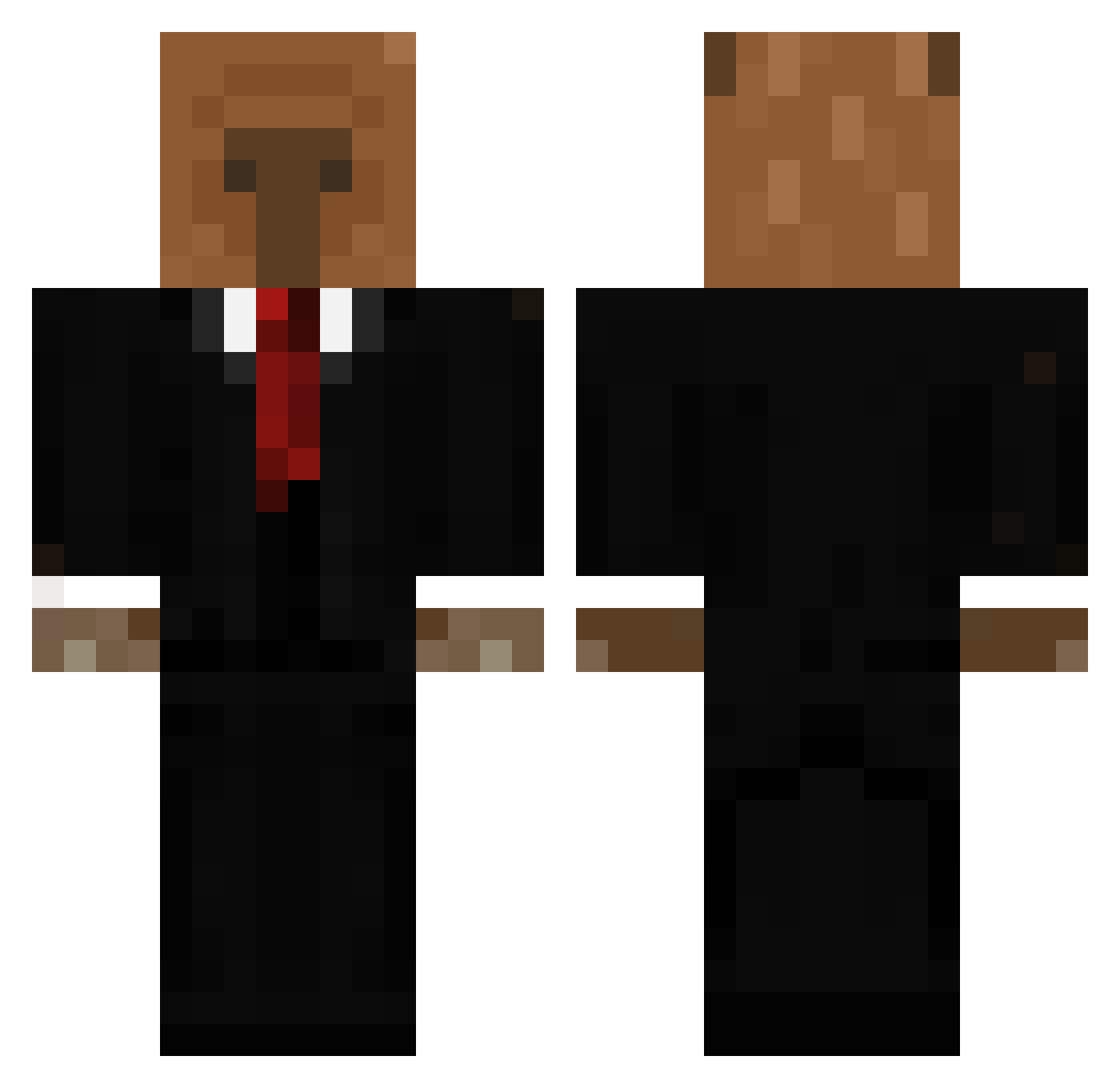
Current Minecraft skin of the player reallyCats, loaded from the official Mojang API. Rotate the 3D model with your mouse or finger, then download the skin as a PNG file and use it in Minecraft: Bedrock Edition or Java Edition for free. When reallyCats changes their skin, this page updates automatically and the old skin stays in the history below.
Other players with this skin (696)
reallyCats was the 556th player we have seen with this skin, first spotted on 21.10.2026. The same skin was seen on these players. Open a nickname to see their current skin and skin history.
 Laxoo santulo3000 orest_123 BigGMagee Piojocalvomaster Manolinger Merumo_ LeFuto Lukadaway Ne0n_69 m4tias_xd Pepinitico dakatakfx gatofacha8018 AaronKing777 elise_hm MeliMelMel Ferino11 LZ_Magik KFZ_Mechaniker fyrman LINPPKK inFINNity2012 ACE_O NezinauXD marianod02 chrupacz2006 pogcapybara Mortalha Chicha69 Rohlikjegud allodagoat SH3NNAN Bruh_Momment95 drgnq3 ForzaAntonio999 Effio Totoya_1 Damn09 76th Flashka00 _Raiga kupferkanonchen Thexet XenoHelix elFelfranco fishpebble_soup Kapibara_Uno angdvl BENEEmusic Faze_Canaille Kingsebona KDC1962 Ichio91 IanisZKI GabiFdez Torpedin1975 gabi42069 machka1 tacoyaggi_7
More Business Bear Minecraft skins
See all 11 Business Bear skins
How to install the reallyCats skin
- Press the Download button above to save the skin as a PNG file.
- Minecraft: Bedrock Edition (PE): open the Dressing Room from the main menu (or tap your character → Edit Character), go to Classic Skins → Owned, press the + (new skin) button, choose the downloaded PNG and pick the Classic (Steve) model. Works on PC and mobile; consoles cannot import custom skins.
- Minecraft: Java Edition: open the Minecraft Launcher, go to the Skins tab, click New Skin, load the PNG, pick the Classic (Steve) model and press Save & Use. You can also upload it at minecraft.net → Profile → Change Skin.
The skin does not show up after import - what should I do?
Restart Minecraft and open the Dressing Room again - imported skins sometimes appear only after a restart. Also make sure you selected the imported skin and picked the Classic (Steve) model.
Which model should I choose, Classic or Slim?
This skin is designed for the Classic (Steve) model. If you pick the wrong model, the arms of the skin will look stretched or squeezed.
Is the skin of reallyCats free to download?
Yes. Press Download, save the PNG file and use it in Minecraft: Bedrock Edition or Java Edition - no payment or registration needed. The skin also works on multiplayer servers and Realms.
More skins
Looking for more? Go back to all Minecraft skins and check the top skins of the week, month and all time, or find any player's skin by nickname.