
qwq147 - Minecraft Skins & Skin History
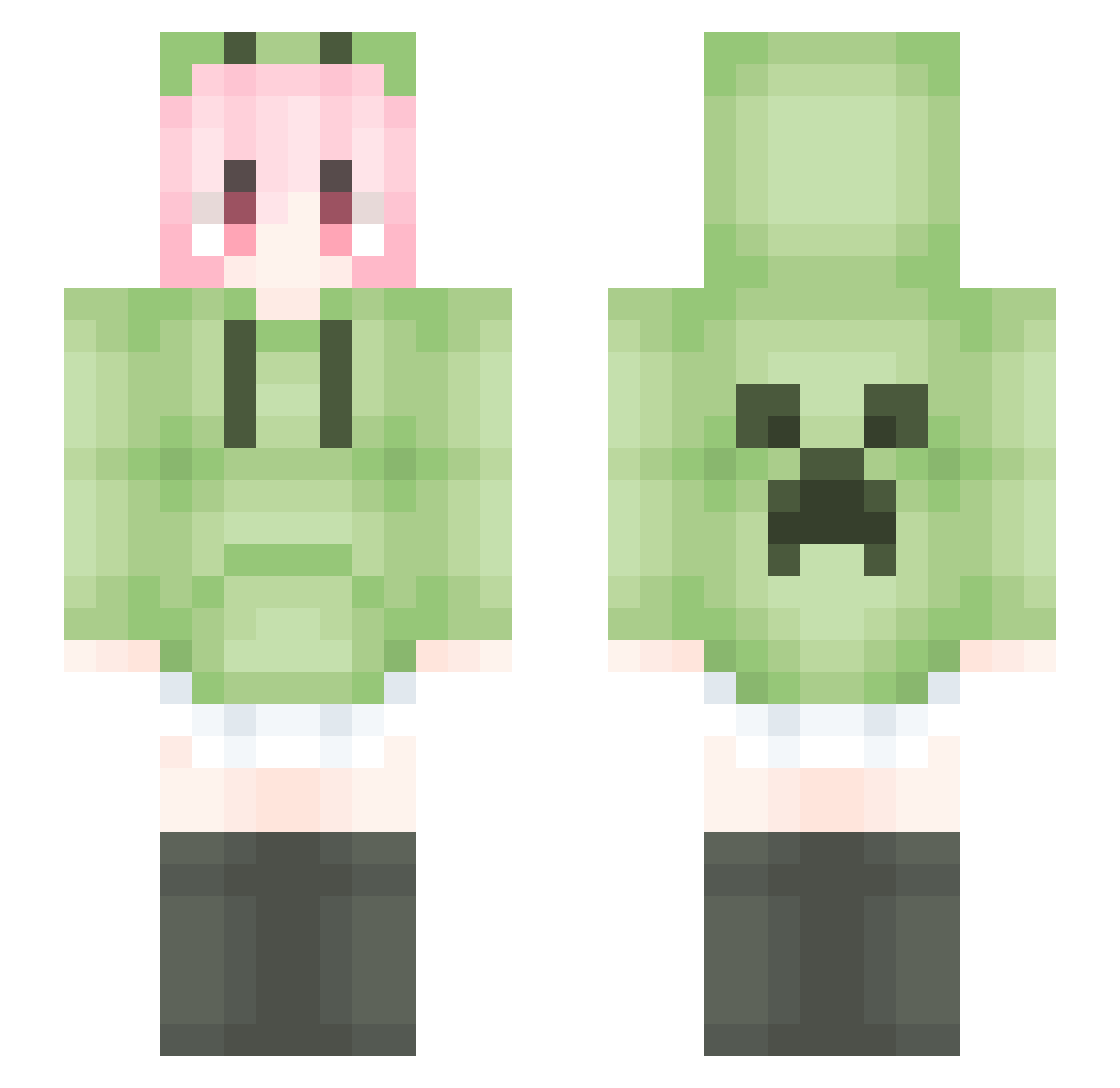
Current Minecraft skin of the player qwq147, loaded from the official Mojang API. Rotate the 3D model with your mouse or finger, then download the skin as a PNG file and use it in Minecraft: Bedrock Edition or Java Edition for free. When qwq147 changes their skin, this page updates automatically and the old skin stays in the history below.
Other players with this skin (1854)
qwq147 was the 1806th player we have seen with this skin, first spotted on 08.11.2026. The same skin was seen on these players. Open a nickname to see their current skin and skin history.
 Zephyroam Voncneess Li_fa_ NT_J ExoticLoti Tipple_cat emoshunter misakki1 Terrxxx Mangzai_ Zzztree 1_19_2 weifl iD_Java X_XIAOLE YuTianLee Minecrafts2637 5nw4y icbw maomibread kk5kk2 PandaPlebDK Ming_Wei_0324 HBPDM Chihiro_57 swdan9 ylh2333 plmqaz yae_ei_ ShaoJi_2404 ggggake daonima TonyClamp7 Diancie_cute cherrie4613 Enterprise0528 XIAOJIULI LiquidBounceB129 czq1o hungrycreeper Qingli_2 villager028 wtcis24 Frozeneternal lu9873 yinwenxu MgHmang Miragesk Xiaodaier123 Fzzzo Evening_ Searay123456 Lucky_Land a124ea ddd2469 WanDou_King LilyM712 formag_dahua mikaOVO Yanggggg_
More Anime Girl Minecraft skins
See all 14113 Anime Girl skins
How to install the qwq147 skin
- Press the Download button above to save the skin as a PNG file.
- Minecraft: Bedrock Edition (PE): open the Dressing Room from the main menu (or tap your character → Edit Character), go to Classic Skins → Owned, press the + (new skin) button, choose the downloaded PNG and pick the Slim (Alex) model. Works on PC and mobile; consoles cannot import custom skins.
- Minecraft: Java Edition: open the Minecraft Launcher, go to the Skins tab, click New Skin, load the PNG, pick the Slim (Alex) model and press Save & Use. You can also upload it at minecraft.net → Profile → Change Skin.
The skin does not show up after import - what should I do?
Restart Minecraft and open the Dressing Room again - imported skins sometimes appear only after a restart. Also make sure you selected the imported skin and picked the Slim (Alex) model.
Which model should I choose, Classic or Slim?
This skin is designed for the Slim (Alex) model. If you pick the wrong model, the arms of the skin will look stretched or squeezed.
Is the skin of qwq147 free to download?
Yes. Press Download, save the PNG file and use it in Minecraft: Bedrock Edition or Java Edition - no payment or registration needed. The skin also works on multiplayer servers and Realms.
More skins
Looking for more? Go back to all Minecraft skins and check the top skins of the week, month and all time, or find any player's skin by nickname.