
qOnOp - Minecraft Skins & Skin History
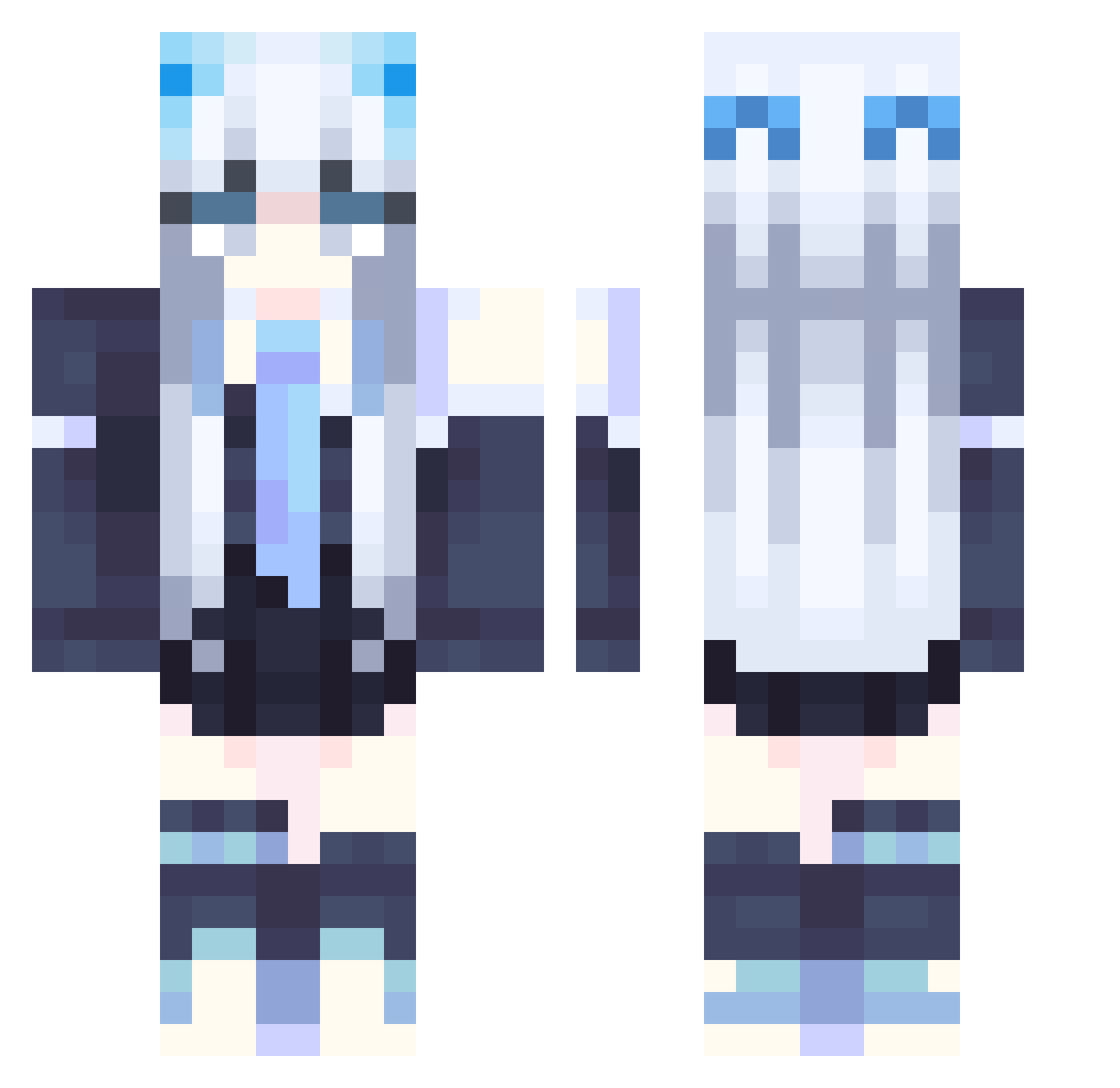
Current Minecraft skin of the player qOnOp, loaded from the official Mojang API. Rotate the 3D model with your mouse or finger, then download the skin as a PNG file and use it in Minecraft: Bedrock Edition or Java Edition for free. When qOnOp changes their skin, this page updates automatically and the old skin stays in the history below.
Other players with this skin (358)
qOnOp was the 265th player we have seen with this skin, first spotted on 18.10.2026. The same skin was seen on these players. Open a nickname to see their current skin and skin history.
 Jasmine0x hunt_t JaGuLas MissMinarel meatboy0311 LiLiRi030 Yueshen66 _MiHotel_ Astell3 Akeiru_ qph123 TesciowaTymka cherryqwq512 linhoawa MSMMC123 nightstars701 Kyu_1817 Xpeach3055 DragonChen DingTing Pantaru LepTan Apigdog Jerganea Auttecr_Gaure426 Giny_71 mokcandy1726 EuterpeMuse Naminmin emmmm2005 EVTPINKBAT Crisp_ovo makissse shizukunoki Entity603 Small_ANSON wengyaan plantern chestertf ArleneLin0109 suchengl Todestorte LightLy_0 kouhei61 melonmeon LiaM109 Eternal_Frozen sumiiiowo PDLGORL rooftop9680 Water_1801 corv1n_ Delfynis LauraIceBerg neawen legdermj momo091718 MiracleZx Mint___Latte MiraiHellsing
More School Uniform Minecraft skins
See all 7166 School Uniform skins
How to install the qOnOp skin
- Press the Download button above to save the skin as a PNG file.
- Minecraft: Bedrock Edition (PE): open the Dressing Room from the main menu (or tap your character → Edit Character), go to Classic Skins → Owned, press the + (new skin) button, choose the downloaded PNG and pick the Classic (Steve) model. Works on PC and mobile; consoles cannot import custom skins.
- Minecraft: Java Edition: open the Minecraft Launcher, go to the Skins tab, click New Skin, load the PNG, pick the Classic (Steve) model and press Save & Use. You can also upload it at minecraft.net → Profile → Change Skin.
The skin does not show up after import - what should I do?
Restart Minecraft and open the Dressing Room again - imported skins sometimes appear only after a restart. Also make sure you selected the imported skin and picked the Classic (Steve) model.
Which model should I choose, Classic or Slim?
This skin is designed for the Classic (Steve) model. If you pick the wrong model, the arms of the skin will look stretched or squeezed.
Is the skin of qOnOp free to download?
Yes. Press Download, save the PNG file and use it in Minecraft: Bedrock Edition or Java Edition - no payment or registration needed. The skin also works on multiplayer servers and Realms.
More skins
Looking for more? Go back to all Minecraft skins and check the top skins of the week, month and all time, or find any player's skin by nickname.