
orchaatuhtuh - Minecraft Skins & Skin History
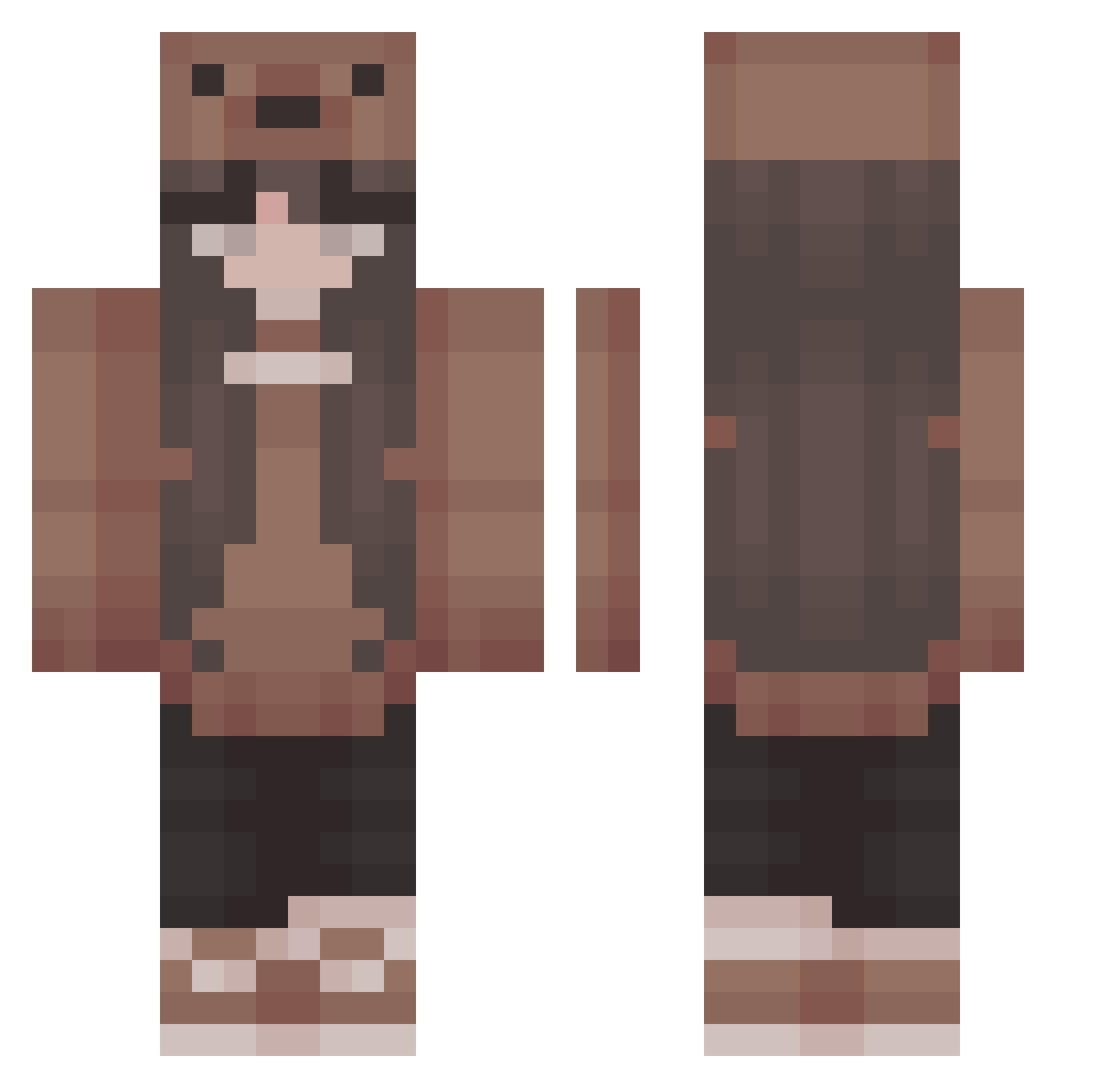
Current Minecraft skin of the player orchaatuhtuh, loaded from the official Mojang API. Rotate the 3D model with your mouse or finger, then download the skin as a PNG file and use it in Minecraft: Bedrock Edition or Java Edition for free. When orchaatuhtuh changes their skin, this page updates automatically and the old skin stays in the history below.
Other players with this skin (401)
orchaatuhtuh was the 336th player we have seen with this skin, first spotted on 18.10.2026. The same skin was seen on these players. Open a nickname to see their current skin and skin history.
 5_Angel Fancuss FinnFinnSwimSwim Iwasawa L0v3lyz creeperboykevin ryvnit viancasocool sleepycelestee katm030 filippag mazz1358 NightSlayer2110 2dsimponlyyyyy Lee_05 kerridwenjr ButterflyCricket Feelix82 kcbubblegum rinna7521 majda39 truejoan MoldyBraid tingyu0516 Cupcake444 moonglowww AbbeyDaddy PinkSparkling h0rtens1a Cheryphie __Popcorn alanaam05 MaggotMistress autulynn rremiyu xkimmmi verca323123 Bhavs99 Cupcakegirl0505 Chocalotte _M_21 Its_3m tiffy_c Sarcia666 MonstersMink HoTaters KateTheSunFlower Mede3009 Jeneral7 sspooks TheCharacterC clarinettt pukerat_ gismadd iOwOpad amandalangford Cluckyy 69Cyan69 lucky67670 Heshii
More Cute Minecraft skins
How to install the orchaatuhtuh skin
- Press the Download button above to save the skin as a PNG file.
- Minecraft: Bedrock Edition (PE): open the Dressing Room from the main menu (or tap your character → Edit Character), go to Classic Skins → Owned, press the + (new skin) button, choose the downloaded PNG and pick the Classic (Steve) model. Works on PC and mobile; consoles cannot import custom skins.
- Minecraft: Java Edition: open the Minecraft Launcher, go to the Skins tab, click New Skin, load the PNG, pick the Classic (Steve) model and press Save & Use. You can also upload it at minecraft.net → Profile → Change Skin.
The skin does not show up after import - what should I do?
Restart Minecraft and open the Dressing Room again - imported skins sometimes appear only after a restart. Also make sure you selected the imported skin and picked the Classic (Steve) model.
Which model should I choose, Classic or Slim?
This skin is designed for the Classic (Steve) model. If you pick the wrong model, the arms of the skin will look stretched or squeezed.
Is the skin of orchaatuhtuh free to download?
Yes. Press Download, save the PNG file and use it in Minecraft: Bedrock Edition or Java Edition - no payment or registration needed. The skin also works on multiplayer servers and Realms.
More skins
Looking for more? Go back to all Minecraft skins and check the top skins of the week, month and all time, or find any player's skin by nickname.