
oKA102 - Minecraft Skins & Skin History
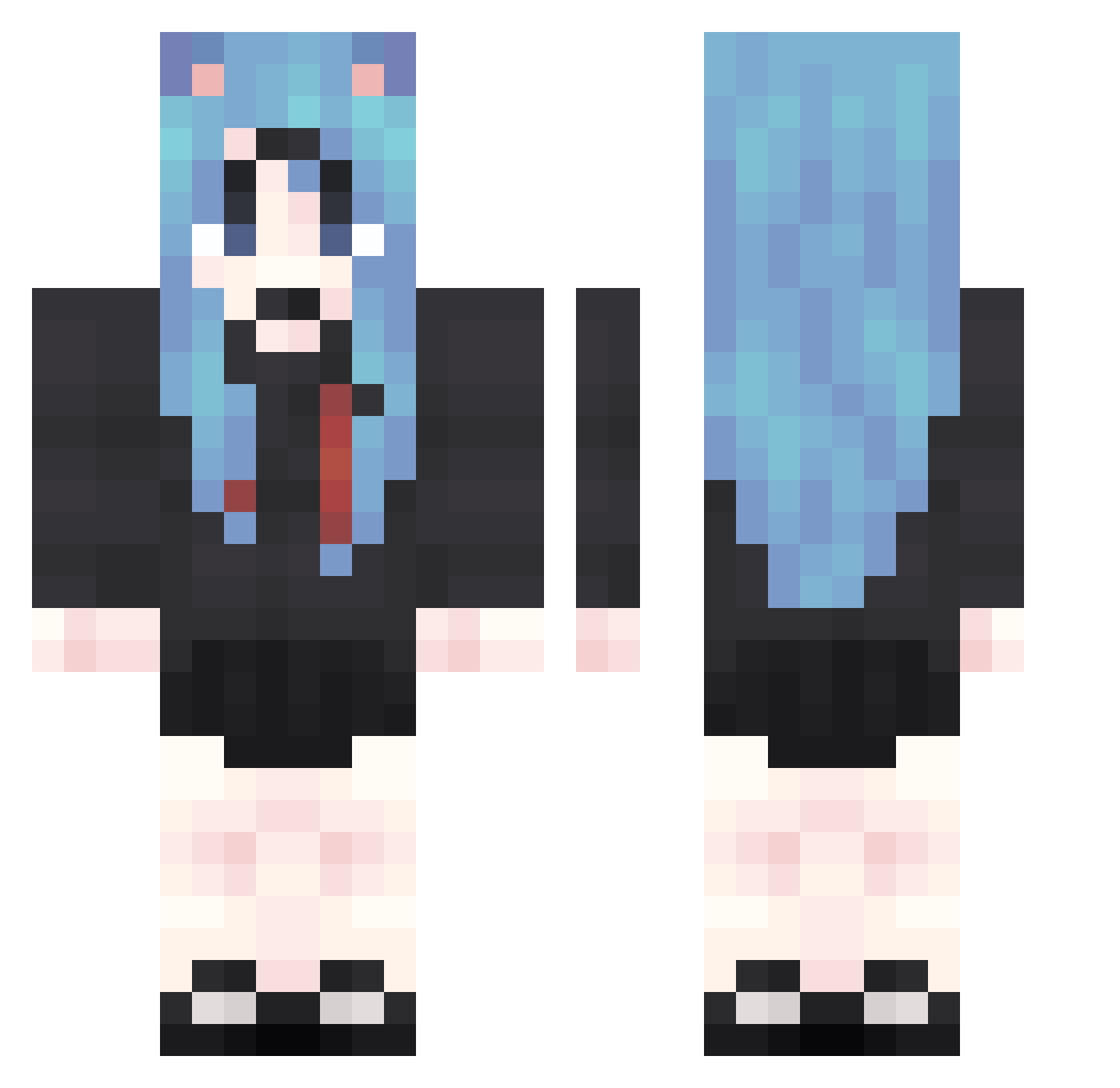
Current Minecraft skin of the player oKA102, loaded from the official Mojang API. Rotate the 3D model with your mouse or finger, then download the skin as a PNG file and use it in Minecraft: Bedrock Edition or Java Edition for free. When oKA102 changes their skin, this page updates automatically and the old skin stays in the history below.
Other players with this skin (1874)
oKA102 was the 1607th player we have seen with this skin, first spotted on 28.10.2026. The same skin was seen on these players. Open a nickname to see their current skin and skin history.
 HPL394 uAT766 rXc234 Jby799 Yrh876 VQx870 moA898 rgG164 GWL624 rVJ690 Bvh403 apI971 nar249 Eub654 PgJ838 asW775 OhZ738 uGy389 gMs500 KUc386 OcB787 lck575 kXT162 kjQ641 CBs661 PQC913 pka773 lDm390 Bne594 JUz345 WeT214 mgM693 psE785 dim460 mvY375 aVR478 oYH907 PzZ352 Zaj60 ttx529 DgD365 NPj134 Vkc511 uqc399 rWU315 KEO979 LLs303 qZC77 vDz54 xZV600 GRf802 bdt523 eoZ828 VqM579 Ber377 GyF646 cjM433 MQk648 vhF430 IIg589
More School Uniform Minecraft skins
See all 7162 School Uniform skins
How to install the oKA102 skin
- Press the Download button above to save the skin as a PNG file.
- Minecraft: Bedrock Edition (PE): open the Dressing Room from the main menu (or tap your character → Edit Character), go to Classic Skins → Owned, press the + (new skin) button, choose the downloaded PNG and pick the Classic (Steve) model. Works on PC and mobile; consoles cannot import custom skins.
- Minecraft: Java Edition: open the Minecraft Launcher, go to the Skins tab, click New Skin, load the PNG, pick the Classic (Steve) model and press Save & Use. You can also upload it at minecraft.net → Profile → Change Skin.
The skin does not show up after import - what should I do?
Restart Minecraft and open the Dressing Room again - imported skins sometimes appear only after a restart. Also make sure you selected the imported skin and picked the Classic (Steve) model.
Which model should I choose, Classic or Slim?
This skin is designed for the Classic (Steve) model. If you pick the wrong model, the arms of the skin will look stretched or squeezed.
Is the skin of oKA102 free to download?
Yes. Press Download, save the PNG file and use it in Minecraft: Bedrock Edition or Java Edition - no payment or registration needed. The skin also works on multiplayer servers and Realms.
More skins
Looking for more? Go back to all Minecraft skins and check the top skins of the week, month and all time, or find any player's skin by nickname.