
nimunarin - Minecraft Skins & Skin History
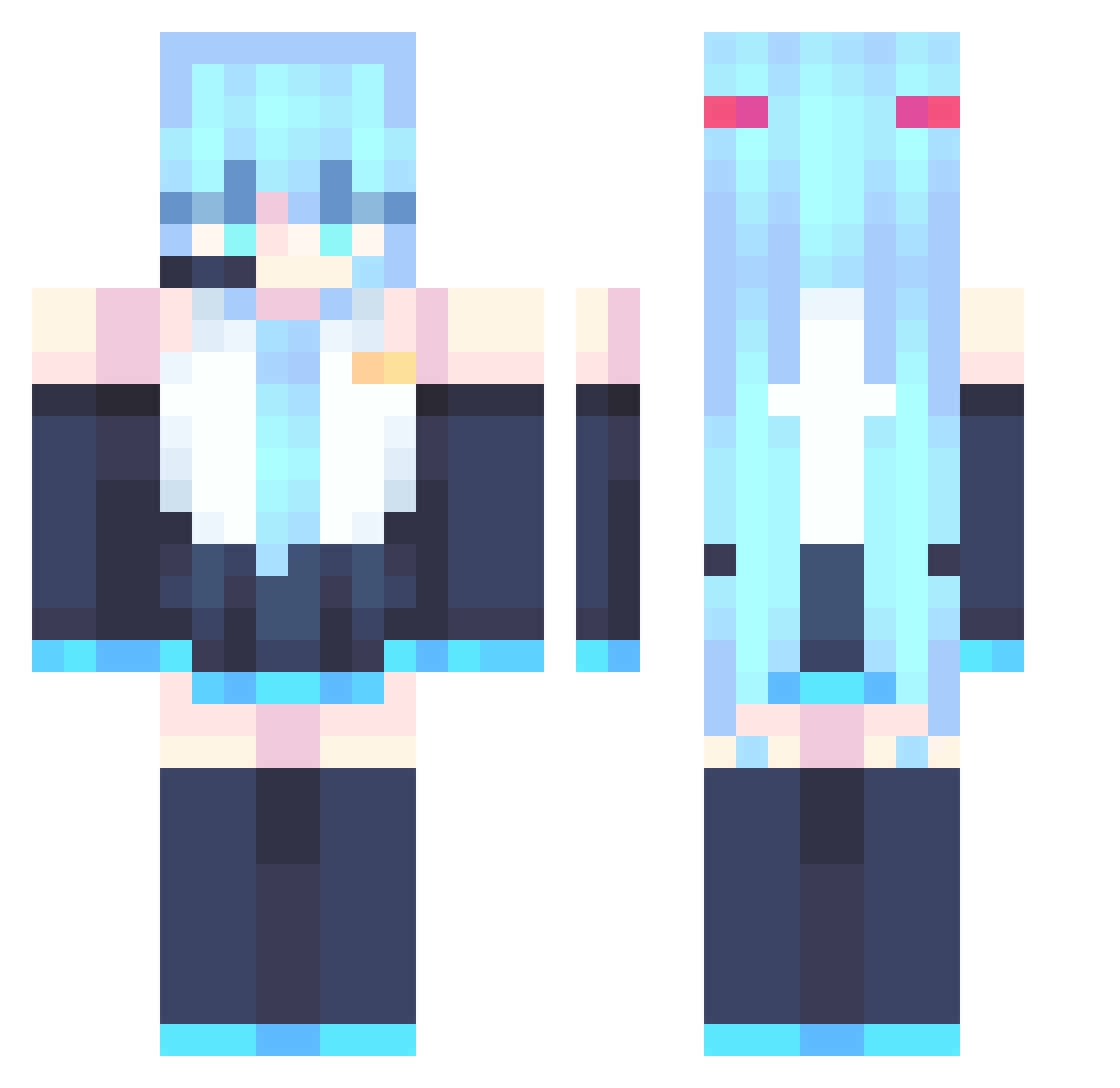
Current Minecraft skin of the player nimunarin, loaded from the official Mojang API. Rotate the 3D model with your mouse or finger, then download the skin as a PNG file and use it in Minecraft: Bedrock Edition or Java Edition for free. When nimunarin changes their skin, this page updates automatically and the old skin stays in the history below.
Other players with this skin (867)
nimunarin was the 704th player we have seen with this skin, first spotted on 20.10.2026. The same skin was seen on these players. Open a nickname to see their current skin and skin history.
 EmilPlayer579 Tinado32 PiQiuOuO Stormrider1138 GalacticSlayer silencewonder Delulu9 Szywire EVblazerz saberonee 5Szymon5 Toyoy0 SnoVV416 yunfei55 HunterZaro KRIEG0493 ludha ASB0306 micoolio04 axjbl yuyuyubin cottoncandy0525 99696 OriginalMrPig Knitreaver BigPansaa sanessssss69 douWoMa CornishBiscuit donegal18 Kwhhei Landocalzone donglai15 JesusNC duster666 melaltounin kappamurf aotuo666 dinoshoc hychan217 ItsJustMop Majinbuu38 MrMichael617 Anyel203 JIA913 fangfangzz pablo2276 GOIDHAT vickan2 tiamh Simonrf Aquasi3 ALPHABANDIT KoolKid911 Rheo__ Legmer GalaxyStud Obitin28 FrostedVenom Zebaxtian17
More Hatsune Miku Minecraft skins
See all 894 Hatsune Miku skins
How to install the nimunarin skin
- Press the Download button above to save the skin as a PNG file.
- Minecraft: Bedrock Edition (PE): open the Dressing Room from the main menu (or tap your character → Edit Character), go to Classic Skins → Owned, press the + (new skin) button, choose the downloaded PNG and pick the Classic (Steve) model. Works on PC and mobile; consoles cannot import custom skins.
- Minecraft: Java Edition: open the Minecraft Launcher, go to the Skins tab, click New Skin, load the PNG, pick the Classic (Steve) model and press Save & Use. You can also upload it at minecraft.net → Profile → Change Skin.
The skin does not show up after import - what should I do?
Restart Minecraft and open the Dressing Room again - imported skins sometimes appear only after a restart. Also make sure you selected the imported skin and picked the Classic (Steve) model.
Which model should I choose, Classic or Slim?
This skin is designed for the Classic (Steve) model. If you pick the wrong model, the arms of the skin will look stretched or squeezed.
Is the skin of nimunarin free to download?
Yes. Press Download, save the PNG file and use it in Minecraft: Bedrock Edition or Java Edition - no payment or registration needed. The skin also works on multiplayer servers and Realms.
More skins
Looking for more? Go back to all Minecraft skins and check the top skins of the week, month and all time, or find any player's skin by nickname.