
nicosteel10 - Minecraft Skins & Skin History
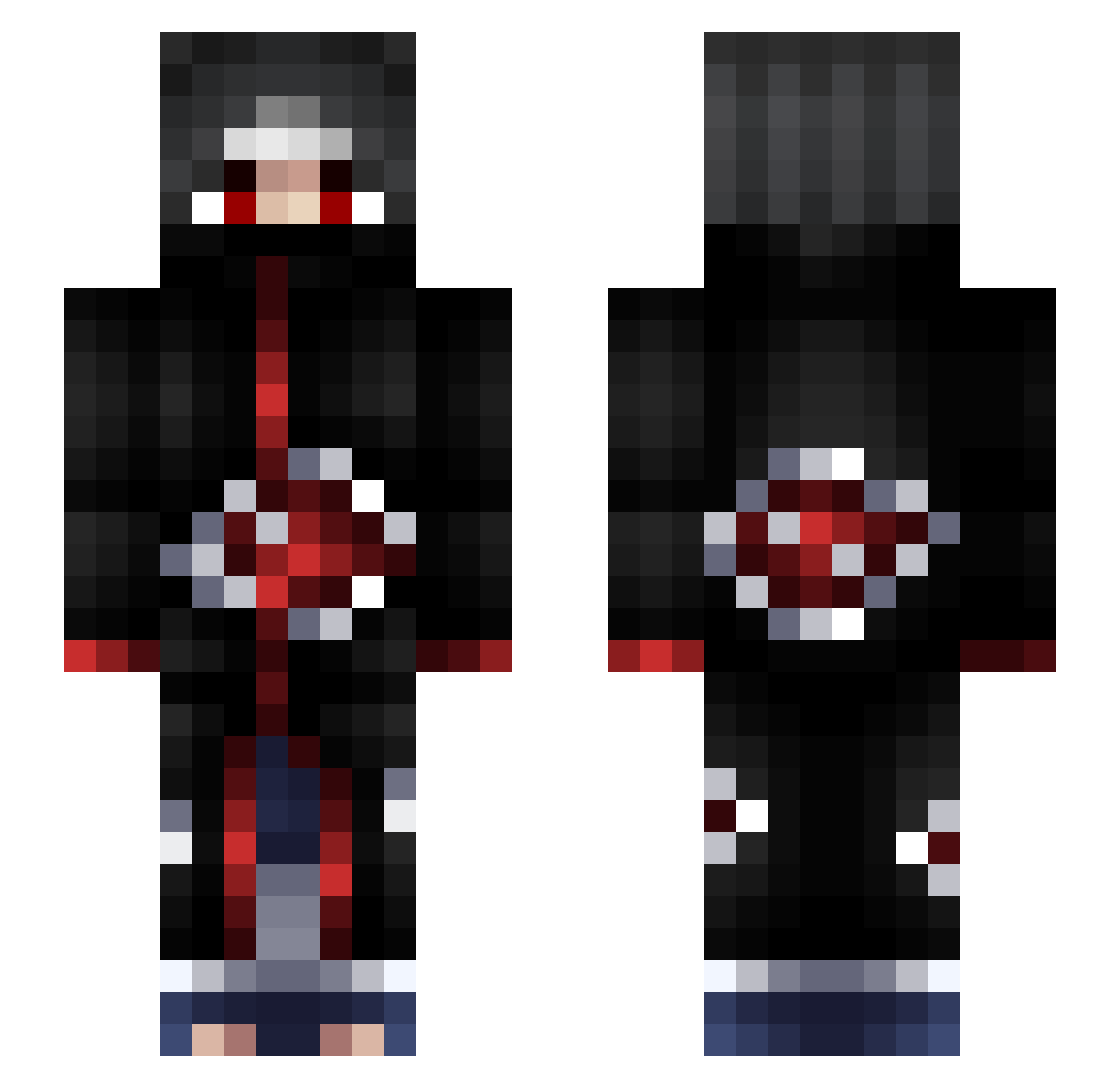
Current Minecraft skin of the player nicosteel10, loaded from the official Mojang API. Rotate the 3D model with your mouse or finger, then download the skin as a PNG file and use it in Minecraft: Bedrock Edition or Java Edition for free. When nicosteel10 changes their skin, this page updates automatically and the old skin stays in the history below.
Other players with this skin (119)
nicosteel10 was the 95th player we have seen with this skin, first spotted on 24.10.2026. The same skin was seen on these players. Open a nickname to see their current skin and skin history.
 xr07 JilliDann Maximoo_fz LaJochen New_Night maskrof Neohh xiz_SnaiZ_ parwizard Salty_Unicorn Tjak11 Kimizox eltweak xHotcakes KhiemNgg Zerho MambaDavid HussainOtaibi511 SullivanE IsmailKaanT Peugoto MorningWoodDK jK1nnG RAISMOCH Mokiki2x Jdey Toxic_Puma lastness ReDeaDBoSS interminavel sturmreif Itssab blobby15 Cobblestone06 Marin_97 SuperMochi29 DoinkleBergg Deimarr GawroszEmeryt FPN_yuri 1e8 h4rrisn bnRayzX Perpet RtmxA KarateKoala_ zakairo deathalonne Danx1120 NerfSabo SOMUS Dark_Lurker_ Jorkey19 MrTrol Vanhga xther0 Bob_H47 AquaiUK Barab_ CasparDZ2014
More Itachi Uchiha Minecraft skins
See all 371 Itachi Uchiha skins
How to install the nicosteel10 skin
- Press the Download button above to save the skin as a PNG file.
- Minecraft: Bedrock Edition (PE): open the Dressing Room from the main menu (or tap your character → Edit Character), go to Classic Skins → Owned, press the + (new skin) button, choose the downloaded PNG and pick the Slim (Alex) model. Works on PC and mobile; consoles cannot import custom skins.
- Minecraft: Java Edition: open the Minecraft Launcher, go to the Skins tab, click New Skin, load the PNG, pick the Slim (Alex) model and press Save & Use. You can also upload it at minecraft.net → Profile → Change Skin.
The skin does not show up after import - what should I do?
Restart Minecraft and open the Dressing Room again - imported skins sometimes appear only after a restart. Also make sure you selected the imported skin and picked the Slim (Alex) model.
Which model should I choose, Classic or Slim?
This skin is designed for the Slim (Alex) model. If you pick the wrong model, the arms of the skin will look stretched or squeezed.
Is the skin of nicosteel10 free to download?
Yes. Press Download, save the PNG file and use it in Minecraft: Bedrock Edition or Java Edition - no payment or registration needed. The skin also works on multiplayer servers and Realms.
More skins
Looking for more? Go back to all Minecraft skins and check the top skins of the week, month and all time, or find any player's skin by nickname.