
nemoxxau - Minecraft Skins & Skin History
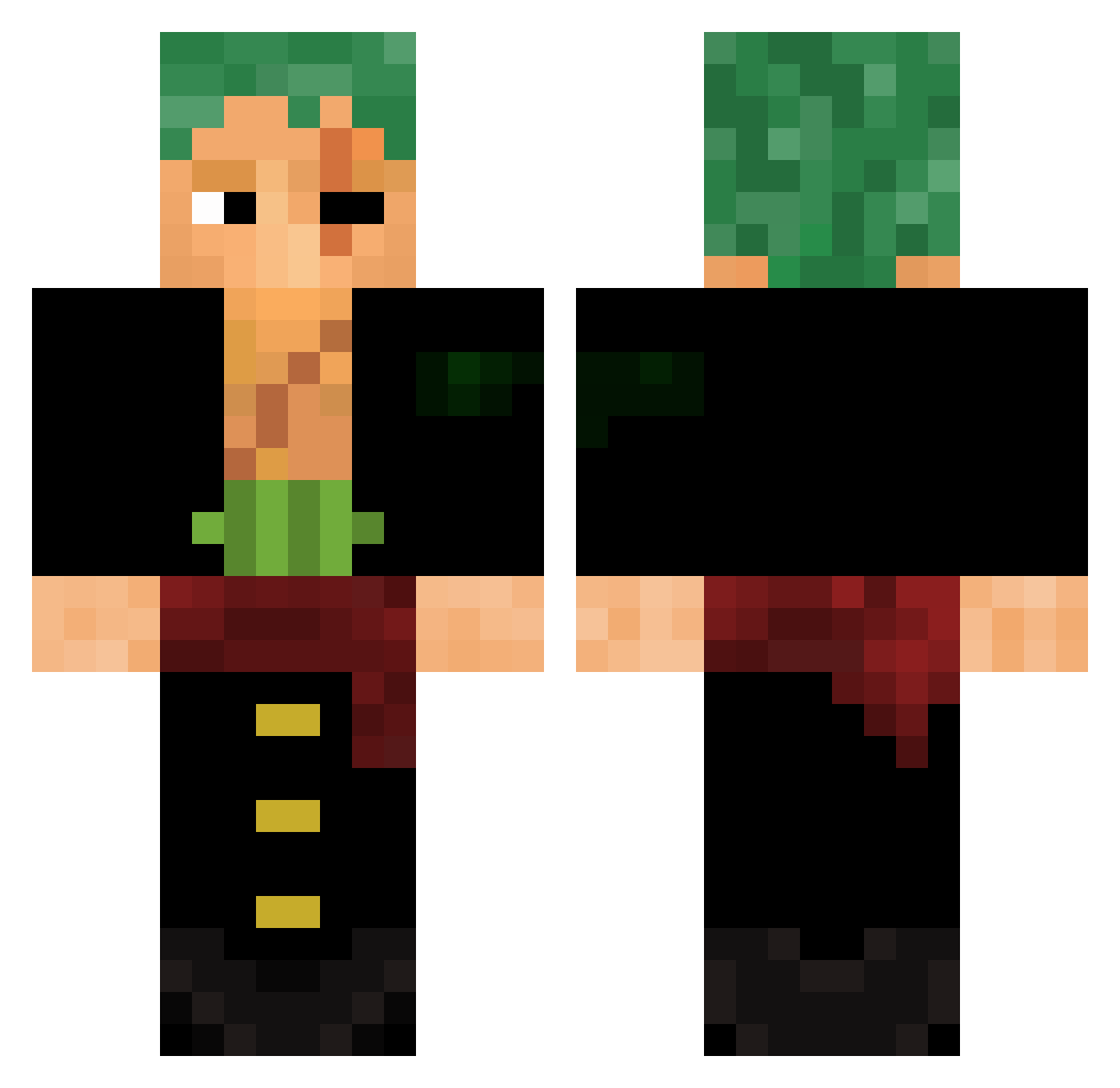
Current Minecraft skin of the player nemoxxau, loaded from the official Mojang API. Rotate the 3D model with your mouse or finger, then download the skin as a PNG file and use it in Minecraft: Bedrock Edition or Java Edition for free. When nemoxxau changes their skin, this page updates automatically and the old skin stays in the history below.
Other players with this skin (615)
nemoxxau was the 510th player we have seen with this skin, first spotted on 25.10.2026. The same skin was seen on these players. Open a nickname to see their current skin and skin history.
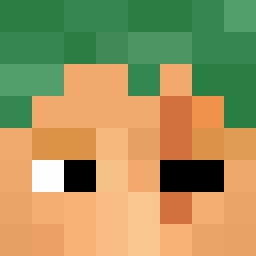 pupsilalabubi zerocoder_ OhD4rling Eren611 UbbieOT ZAACK4 Arcticforce07 Sadaga_ Zoro_Sola1K Lonelin82 Jameszinhaa TungstenCarbide7 Guisan ChineBros9501 YesJayden Misael55 BrunoOjeda KajeIV Chottoh PasterWithSauce Cebrastiann Dahlke02 Leo_Caipira Fally_crazy Lucaswx ManBearPig602 Personne_oficiel Gwendal7214 Cappell sami115 HaoEver MassiveMellow21 Guigui0508 ImTwo3 DabDabYeet fatboi10 BeamyTerror MoChaker BungeeBilly Escanoq ANTONNY923 2darkdoom daggerdix1243 ByRaimerYt VEROTEX2006 HatsuneMickey Abo_NaSseR7 LucasDAce12 ZorojuroK Kale_Vere Tastymemer kevines13 SwarleyGOAT GTank1235 Nathw01 jessesluvik JoeyGD Loko2Pac TheJGplays mauvaiscp
More Roronoa Zoro Minecraft skins
See all 351 Roronoa Zoro skins
How to install the nemoxxau skin
- Press the Download button above to save the skin as a PNG file.
- Minecraft: Bedrock Edition (PE): open the Dressing Room from the main menu (or tap your character → Edit Character), go to Classic Skins → Owned, press the + (new skin) button, choose the downloaded PNG and pick the Classic (Steve) model. Works on PC and mobile; consoles cannot import custom skins.
- Minecraft: Java Edition: open the Minecraft Launcher, go to the Skins tab, click New Skin, load the PNG, pick the Classic (Steve) model and press Save & Use. You can also upload it at minecraft.net → Profile → Change Skin.
The skin does not show up after import - what should I do?
Restart Minecraft and open the Dressing Room again - imported skins sometimes appear only after a restart. Also make sure you selected the imported skin and picked the Classic (Steve) model.
Which model should I choose, Classic or Slim?
This skin is designed for the Classic (Steve) model. If you pick the wrong model, the arms of the skin will look stretched or squeezed.
Is the skin of nemoxxau free to download?
Yes. Press Download, save the PNG file and use it in Minecraft: Bedrock Edition or Java Edition - no payment or registration needed. The skin also works on multiplayer servers and Realms.
More skins
Looking for more? Go back to all Minecraft skins and check the top skins of the week, month and all time, or find any player's skin by nickname.