
nagromgrx - Minecraft Skins & Skin History
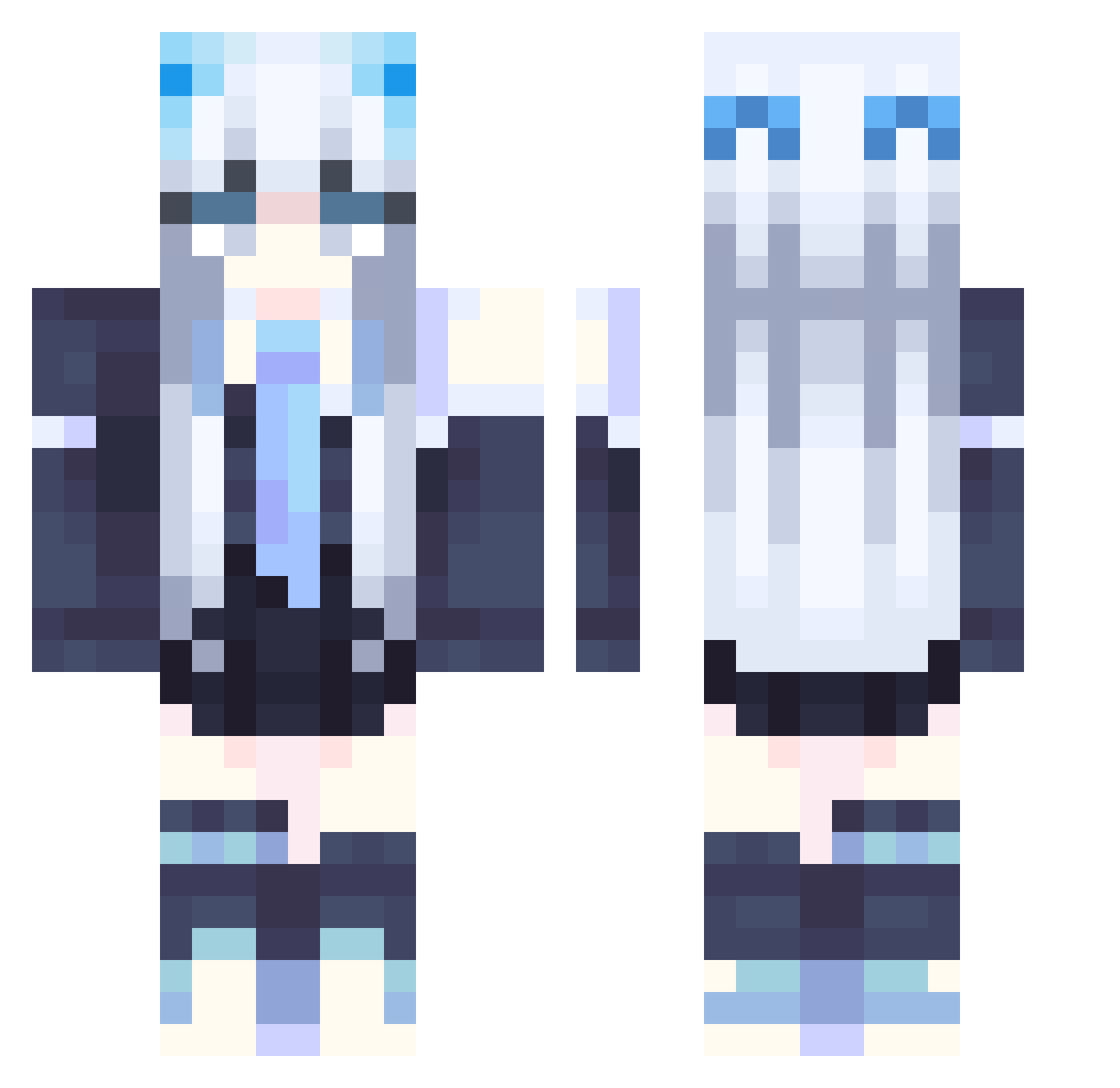
Current Minecraft skin of the player nagromgrx, loaded from the official Mojang API. Rotate the 3D model with your mouse or finger, then download the skin as a PNG file and use it in Minecraft: Bedrock Edition or Java Edition for free. When nagromgrx changes their skin, this page updates automatically and the old skin stays in the history below.
Other players with this skin (358)
nagromgrx was the 168th player we have seen with this skin, first spotted on 19.09.2026. The same skin was seen on these players. Open a nickname to see their current skin and skin history.
 Kurro7 umutbey521 Ryu_TW wslaoba MJK4463 HARUYOSI_ MiEng rob1130 Auraglow_ Kernel2333 chrislee0306 Sappyon_420 eason8685 MwMplayer zagwo ashley_106 Girlducky22 WiillowPillow Shadodoxx note1017 StarSkyCat YxBz_ MoonMarang anpontan1783 KristiCat Amber_Seville NinjaAqua445 iiilbdlliii MysticaShu Allixlee Perra919 Bei_She FrankHan00 ToughDragon5683 Ulrique Wintersoul9 Tyeeda NinaHatsuse_1105 Morgenrote712 Hermessbird Laa_0 Eseda sergei_001 AkiSkov lalala_one lunaVulpix evilspams oFly_ Harashima01 TsundereSya mylovebaby samegames ABDApplE ArcticPhantom0 Akiru_Jin k_777 Niarey RimuRimuFB hyakkisai Moon_Halo_
More School Uniform Minecraft skins
See all 7166 School Uniform skins
How to install the nagromgrx skin
- Press the Download button above to save the skin as a PNG file.
- Minecraft: Bedrock Edition (PE): open the Dressing Room from the main menu (or tap your character → Edit Character), go to Classic Skins → Owned, press the + (new skin) button, choose the downloaded PNG and pick the Classic (Steve) model. Works on PC and mobile; consoles cannot import custom skins.
- Minecraft: Java Edition: open the Minecraft Launcher, go to the Skins tab, click New Skin, load the PNG, pick the Classic (Steve) model and press Save & Use. You can also upload it at minecraft.net → Profile → Change Skin.
The skin does not show up after import - what should I do?
Restart Minecraft and open the Dressing Room again - imported skins sometimes appear only after a restart. Also make sure you selected the imported skin and picked the Classic (Steve) model.
Which model should I choose, Classic or Slim?
This skin is designed for the Classic (Steve) model. If you pick the wrong model, the arms of the skin will look stretched or squeezed.
Is the skin of nagromgrx free to download?
Yes. Press Download, save the PNG file and use it in Minecraft: Bedrock Edition or Java Edition - no payment or registration needed. The skin also works on multiplayer servers and Realms.
More skins
Looking for more? Go back to all Minecraft skins and check the top skins of the week, month and all time, or find any player's skin by nickname.