
mzstyok - Minecraft Skins & Skin History
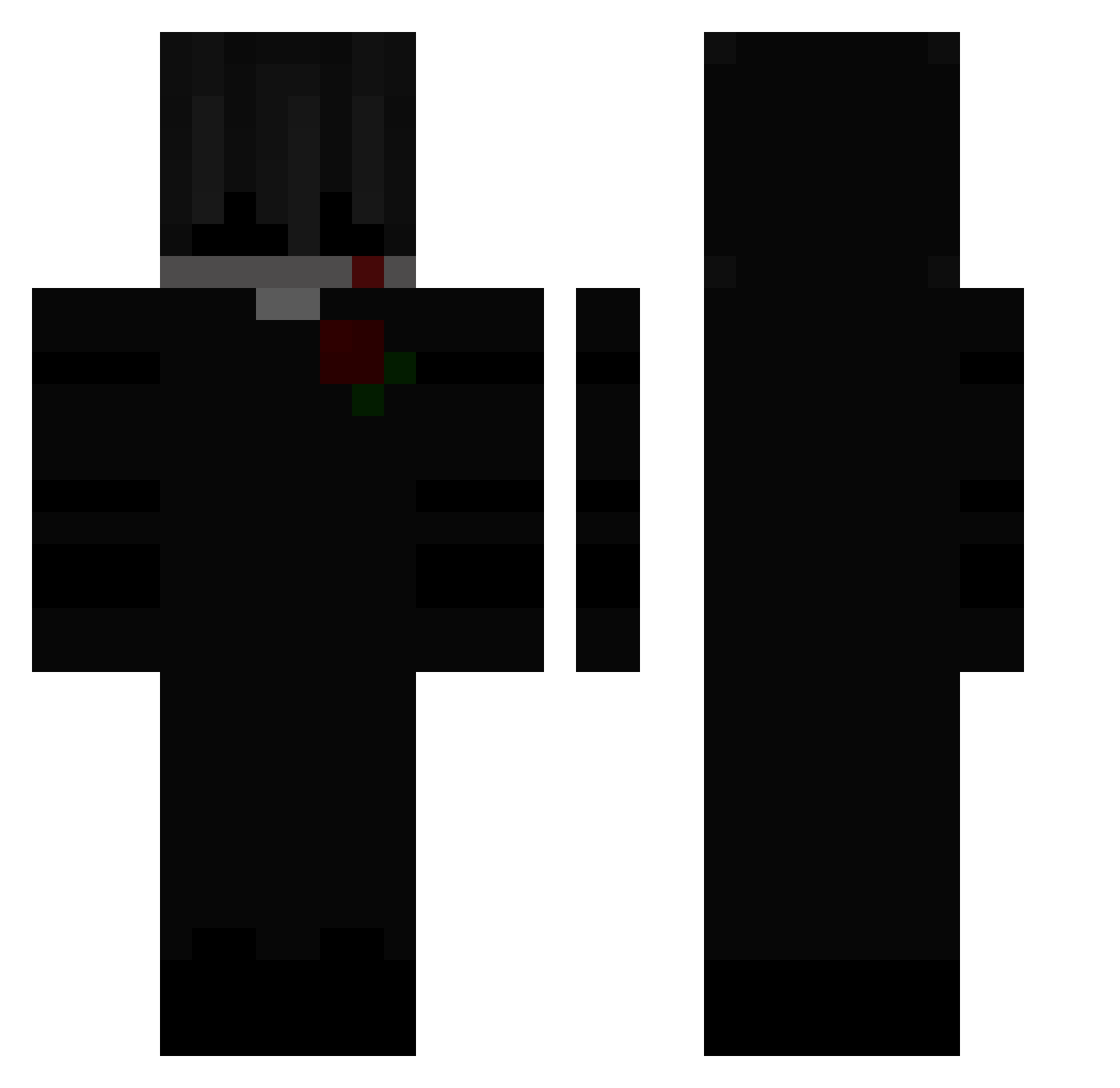
Current Minecraft skin of the player mzstyok, loaded from the official Mojang API. Rotate the 3D model with your mouse or finger, then download the skin as a PNG file and use it in Minecraft: Bedrock Edition or Java Edition for free. When mzstyok changes their skin, this page updates automatically and the old skin stays in the history below.
Other players with this skin (171)
mzstyok was the 131st player we have seen with this skin, first spotted on 22.10.2026. The same skin was seen on these players. Open a nickname to see their current skin and skin history.
 MaskedDesolation SeeFazZ KebabFarmer11 nukerpidor Rodney2311 Water_BloodPVP Bupash DennisRTP LIKEaBaka11 Sari_13 Odonnari _Hibboo_ PulseOrdis HaakanJ xDaddyAF tapsidi RomenToll Sharoi PutrickStur _kress JudgeYusuf aXo36 TheComboZz_V3 Sh4f7 Deato_ dustxz lboa_ 6ickle spitfire201 AsherL kalleMVMNT FOREST_Killer Desperonic DarkLuny Zikuu SmuligaKexet 0rgo orochimaru187 tintizinho_ yungvital M1rti Qwhy_ Steven4156 TrafficLight Ryzzze_ Ninja_ML CutieThigh netanel2003 keks_hat_skill_1 VOR666 leqitreach Sinkis1700 TheChall yKillerG0D_ By_Felix Tuds98 UnknownFear Prizrack_228 ShuTak_ Gallimard
More Rose Minecraft skins
How to install the mzstyok skin
- Press the Download button above to save the skin as a PNG file.
- Minecraft: Bedrock Edition (PE): open the Dressing Room from the main menu (or tap your character → Edit Character), go to Classic Skins → Owned, press the + (new skin) button, choose the downloaded PNG and pick the Classic (Steve) model. Works on PC and mobile; consoles cannot import custom skins.
- Minecraft: Java Edition: open the Minecraft Launcher, go to the Skins tab, click New Skin, load the PNG, pick the Classic (Steve) model and press Save & Use. You can also upload it at minecraft.net → Profile → Change Skin.
The skin does not show up after import - what should I do?
Restart Minecraft and open the Dressing Room again - imported skins sometimes appear only after a restart. Also make sure you selected the imported skin and picked the Classic (Steve) model.
Which model should I choose, Classic or Slim?
This skin is designed for the Classic (Steve) model. If you pick the wrong model, the arms of the skin will look stretched or squeezed.
Is the skin of mzstyok free to download?
Yes. Press Download, save the PNG file and use it in Minecraft: Bedrock Edition or Java Edition - no payment or registration needed. The skin also works on multiplayer servers and Realms.
More skins
Looking for more? Go back to all Minecraft skins and check the top skins of the week, month and all time, or find any player's skin by nickname.