
mustikkamies - Minecraft Skins & Skin History
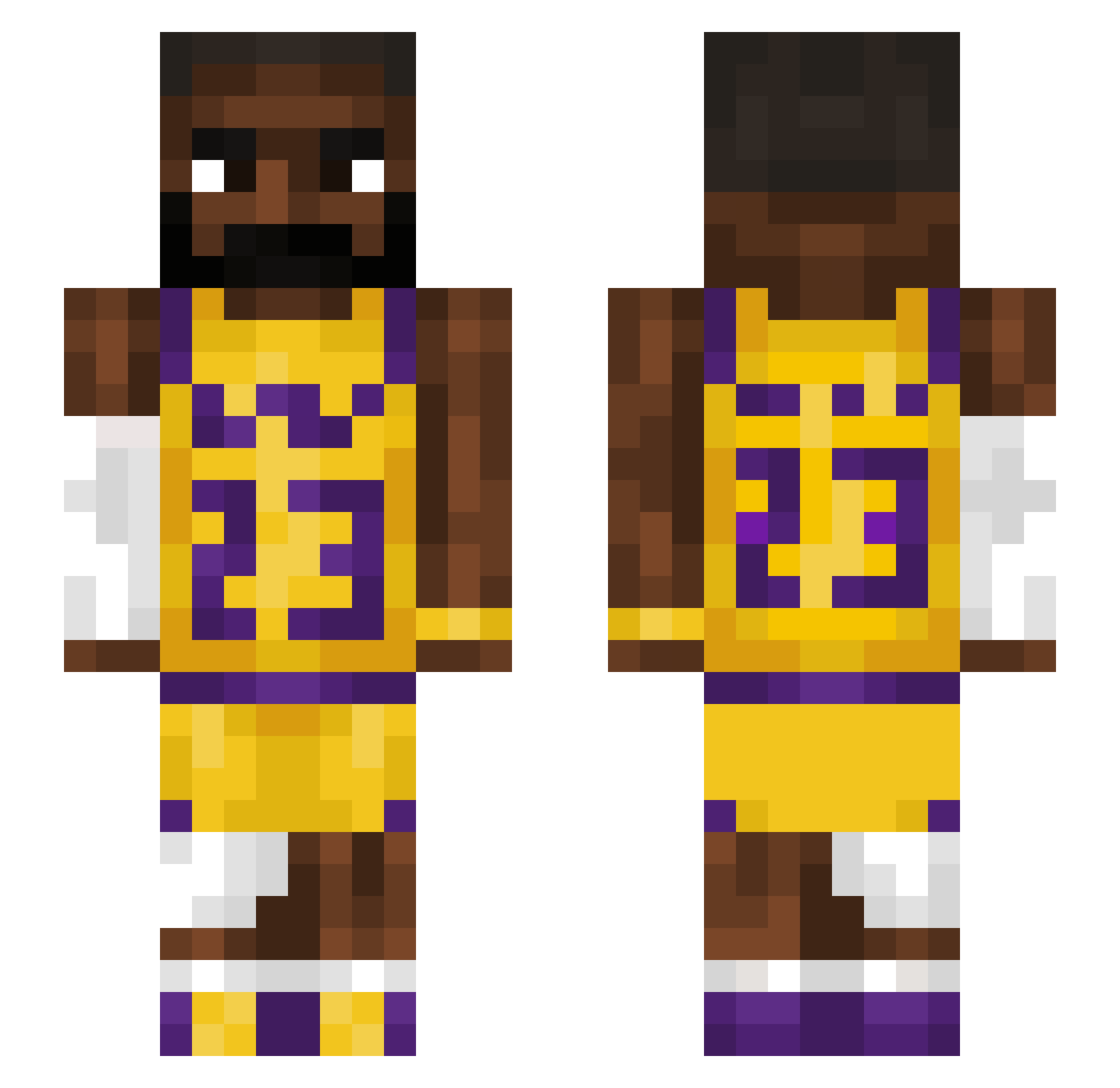
Current Minecraft skin of the player mustikkamies, loaded from the official Mojang API. Rotate the 3D model with your mouse or finger, then download the skin as a PNG file and use it in Minecraft: Bedrock Edition or Java Edition for free. When mustikkamies changes their skin, this page updates automatically and the old skin stays in the history below.
Other players with this skin (1543)
mustikkamies was the 1435th player we have seen with this skin, first spotted on 03.11.2026. The same skin was seen on these players. Open a nickname to see their current skin and skin history.
 sicks7 sean_69 c1xmp Mooseman1000857 Der_Alte_Ben Lucaroreo peter3048 Liberri _TwoFace_ MirthfulMongoose arcrumjeffo123 ryancow StarWillFall rnusq HeavensOperation robloxlover267 Greyshis Sashy1 TREXWHALE Jiph0731 Ananteris trillyzay wizuhd obamnaAleme CloseHaddock667 eke06 OTVIMO Aleexmar19 alannisanov23 ZigiXTR SenseiCon KRON1C1 mattp17 Lefesc CosyAardvark papisok noxonka Jemt12 Crisitan Navinthski rennuel Abuelo24 deformedslime TRZ00 Korboo0 CONM4N997 bigapi natvideogamer SoltecPai28 SCOOBYDOO1230 afhaalrijst MOZ0711 Jesus7Christ Cyslider2 briank100 2018Leblockjames BigNightmare001 CharlieRoss Beauvice Zanthosaur
More Lakers Minecraft skins
How to install the mustikkamies skin
- Press the Download button above to save the skin as a PNG file.
- Minecraft: Bedrock Edition (PE): open the Dressing Room from the main menu (or tap your character → Edit Character), go to Classic Skins → Owned, press the + (new skin) button, choose the downloaded PNG and pick the Slim (Alex) model. Works on PC and mobile; consoles cannot import custom skins.
- Minecraft: Java Edition: open the Minecraft Launcher, go to the Skins tab, click New Skin, load the PNG, pick the Slim (Alex) model and press Save & Use. You can also upload it at minecraft.net → Profile → Change Skin.
The skin does not show up after import - what should I do?
Restart Minecraft and open the Dressing Room again - imported skins sometimes appear only after a restart. Also make sure you selected the imported skin and picked the Slim (Alex) model.
Which model should I choose, Classic or Slim?
This skin is designed for the Slim (Alex) model. If you pick the wrong model, the arms of the skin will look stretched or squeezed.
Is the skin of mustikkamies free to download?
Yes. Press Download, save the PNG file and use it in Minecraft: Bedrock Edition or Java Edition - no payment or registration needed. The skin also works on multiplayer servers and Realms.
More skins
Looking for more? Go back to all Minecraft skins and check the top skins of the week, month and all time, or find any player's skin by nickname.