
mashalopata - Minecraft Skins & Skin History
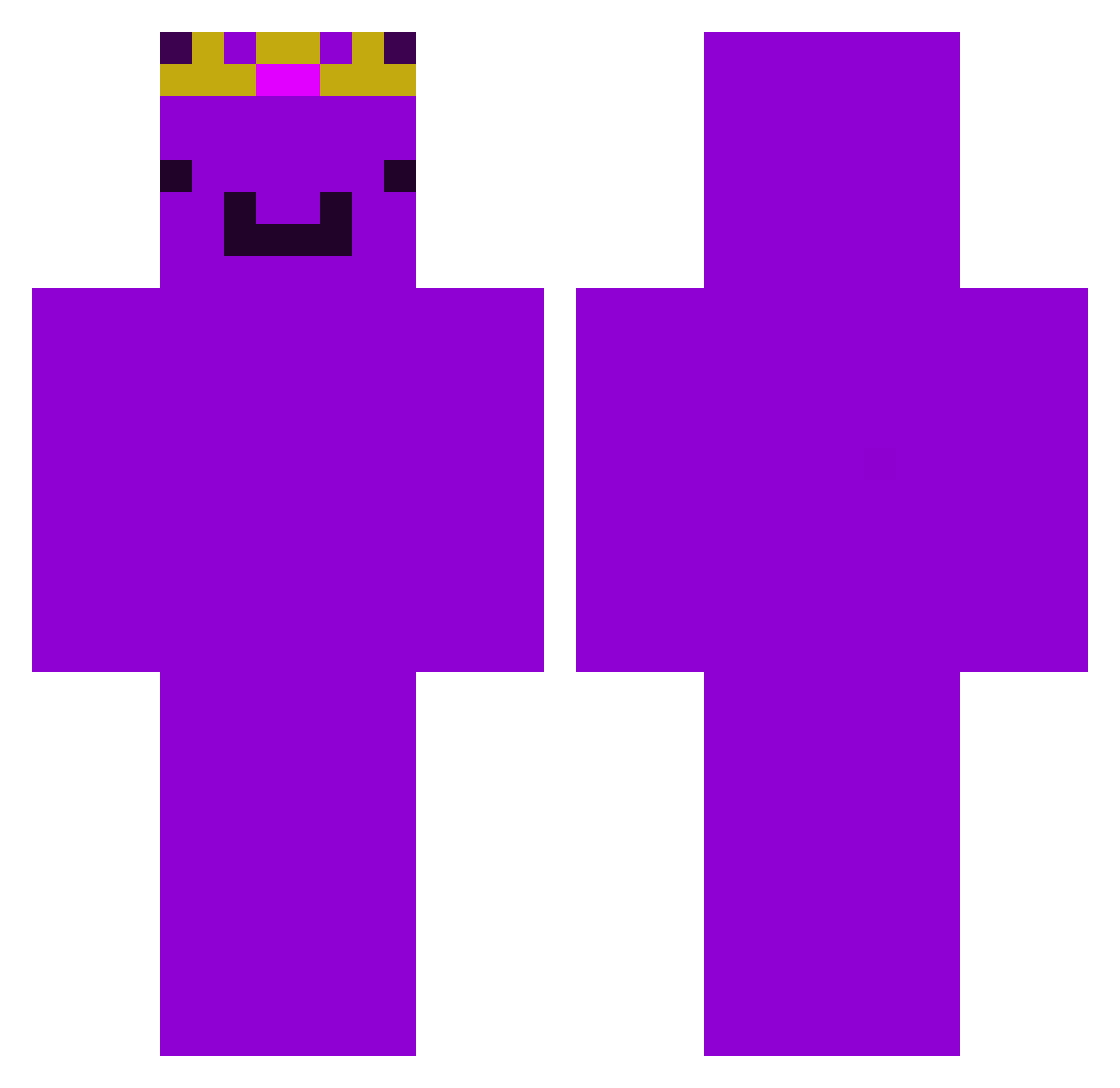
Current Minecraft skin of the player mashalopata, loaded from the official Mojang API. Rotate the 3D model with your mouse or finger, then download the skin as a PNG file and use it in Minecraft: Bedrock Edition or Java Edition for free. When mashalopata changes their skin, this page updates automatically and the old skin stays in the history below.
Other players with this skin (478)
mashalopata was the 429th player we have seen with this skin, first spotted on 01.11.2026. The same skin was seen on these players. Open a nickname to see their current skin and skin history.
 ManePearX_X4 GamerXCzacha Judrex0 Itz_Bearr bantbant Exity_Y FlyawayLime5078 Lucas2706GHG Ghost_PHX StaskooGaming PizzaTim101 fallit Brannadinho klexyke Skyline_93 yeaAries Oiwat TopsideBell9335 vvembu1313 Malineczka213 tg12nfl peporade mikusfrikus xzqpq meolvo AwesomeArnav09 nrh1st Eternalykx Nor_minecraft Njx_7 TheBigPro11 HansGuender Natethedragon12 AwesomeWanderer Wwemmbuu JustPearTT Komar_888 Slayer4o Klorgan xander_101 Franklinasz ImAtomicG snakyboo purpI3guy_ zielony_dc Axol0tll _voidreaper MaThoPro Vinex345 Cptobvious50 Driftyyy06 Thandee123 havixso thecoveredshadow GGTheWarden mlggo honor1503 ciao2010 Konradh0112 risul0
More Crown Minecraft skins
How to install the mashalopata skin
- Press the Download button above to save the skin as a PNG file.
- Minecraft: Bedrock Edition (PE): open the Dressing Room from the main menu (or tap your character → Edit Character), go to Classic Skins → Owned, press the + (new skin) button, choose the downloaded PNG and pick the Classic (Steve) model. Works on PC and mobile; consoles cannot import custom skins.
- Minecraft: Java Edition: open the Minecraft Launcher, go to the Skins tab, click New Skin, load the PNG, pick the Classic (Steve) model and press Save & Use. You can also upload it at minecraft.net → Profile → Change Skin.
The skin does not show up after import - what should I do?
Restart Minecraft and open the Dressing Room again - imported skins sometimes appear only after a restart. Also make sure you selected the imported skin and picked the Classic (Steve) model.
Which model should I choose, Classic or Slim?
This skin is designed for the Classic (Steve) model. If you pick the wrong model, the arms of the skin will look stretched or squeezed.
Is the skin of mashalopata free to download?
Yes. Press Download, save the PNG file and use it in Minecraft: Bedrock Edition or Java Edition - no payment or registration needed. The skin also works on multiplayer servers and Realms.
More skins
Looking for more? Go back to all Minecraft skins and check the top skins of the week, month and all time, or find any player's skin by nickname.