
lucaslez - Minecraft Skins & Skin History
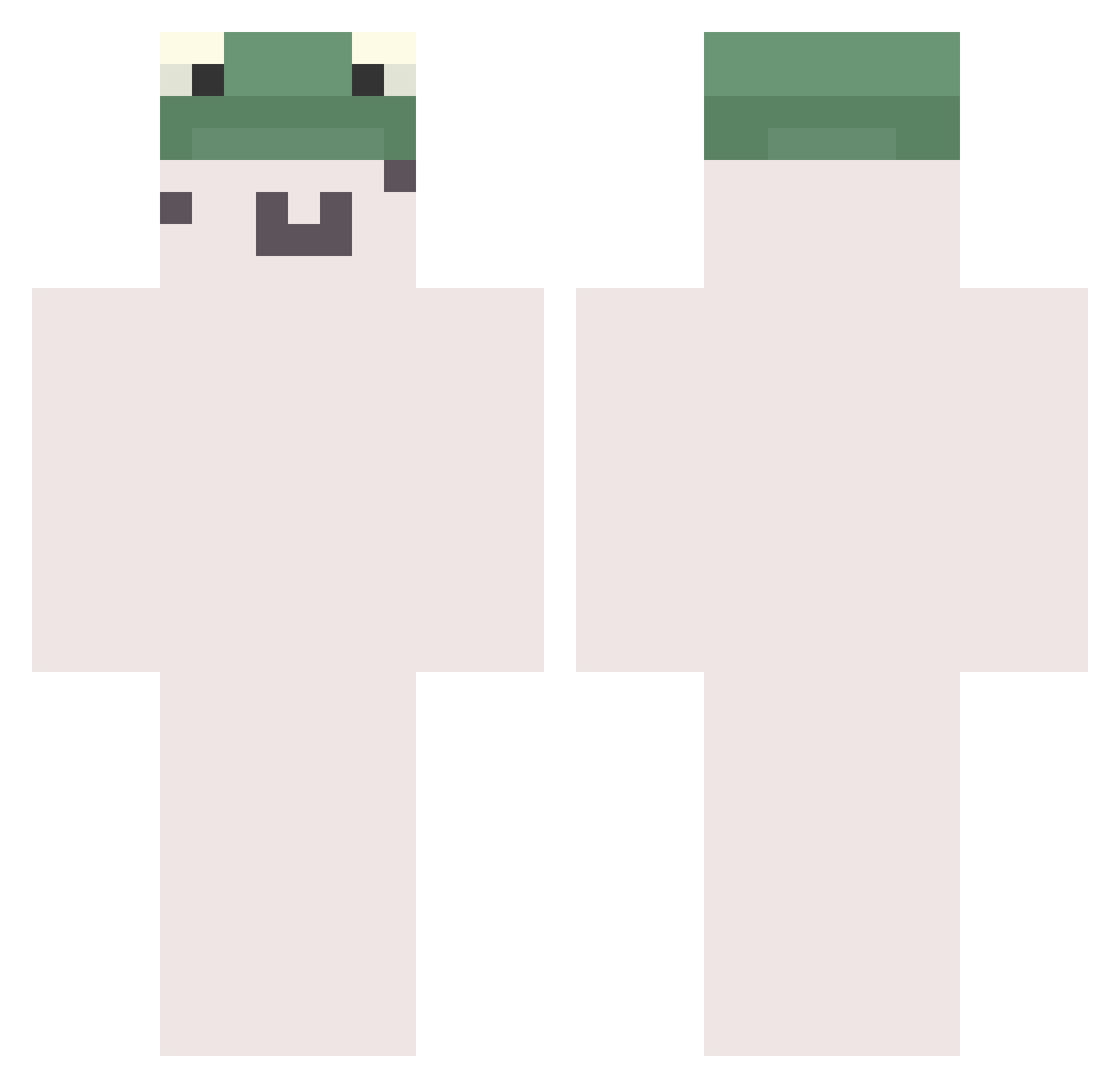
Current Minecraft skin of the player lucaslez, loaded from the official Mojang API. Rotate the 3D model with your mouse or finger, then download the skin as a PNG file and use it in Minecraft: Bedrock Edition or Java Edition for free. When lucaslez changes their skin, this page updates automatically and the old skin stays in the history below.
Other players with this skin (783)
lucaslez was the 704th player we have seen with this skin, first spotted on 26.10.2026. The same skin was seen on these players. Open a nickname to see their current skin and skin history.
 fhzieLEGIT juhyunto Execit Seoju2 PlumSpeed IiYyKk 02zxc sanguinesun bubble0114 fuutaro123 Chamelf Honored__0nE MsVideoTrailers PostalJambo NA_HEUL Anna_log Decketio chloele sabaneko3 3DTT ALeksandR2020V Little_goober21 mina11111 Dala_santos NeonNemos tobjan JulesS23 nom_1 minsu3639 maple365 ich1m1 Parvaz Xispa17 Alfcoco trenmo Gismooooo booflessboofer Noir_Sonata vUwUv JonFlowers6 Cavani_Yasha BaBuskaBoii Miuioo slqnwskd mr_herbata K1NGSALLY J__A__Y_ NAMAKE sunfl0werxx Fastboat Kaiserr666 quackiejr Taeyun_king INEBV_158 SimpSilly innocente Virra_ ummjulia Petris64 park0808
More Kermit The Frog Minecraft skins
See all 436 Kermit The Frog skins
How to install the lucaslez skin
- Press the Download button above to save the skin as a PNG file.
- Minecraft: Bedrock Edition (PE): open the Dressing Room from the main menu (or tap your character → Edit Character), go to Classic Skins → Owned, press the + (new skin) button, choose the downloaded PNG and pick the Classic (Steve) model. Works on PC and mobile; consoles cannot import custom skins.
- Minecraft: Java Edition: open the Minecraft Launcher, go to the Skins tab, click New Skin, load the PNG, pick the Classic (Steve) model and press Save & Use. You can also upload it at minecraft.net → Profile → Change Skin.
The skin does not show up after import - what should I do?
Restart Minecraft and open the Dressing Room again - imported skins sometimes appear only after a restart. Also make sure you selected the imported skin and picked the Classic (Steve) model.
Which model should I choose, Classic or Slim?
This skin is designed for the Classic (Steve) model. If you pick the wrong model, the arms of the skin will look stretched or squeezed.
Is the skin of lucaslez free to download?
Yes. Press Download, save the PNG file and use it in Minecraft: Bedrock Edition or Java Edition - no payment or registration needed. The skin also works on multiplayer servers and Realms.
More skins
Looking for more? Go back to all Minecraft skins and check the top skins of the week, month and all time, or find any player's skin by nickname.