
loxiz1 - Minecraft Skins & Skin History
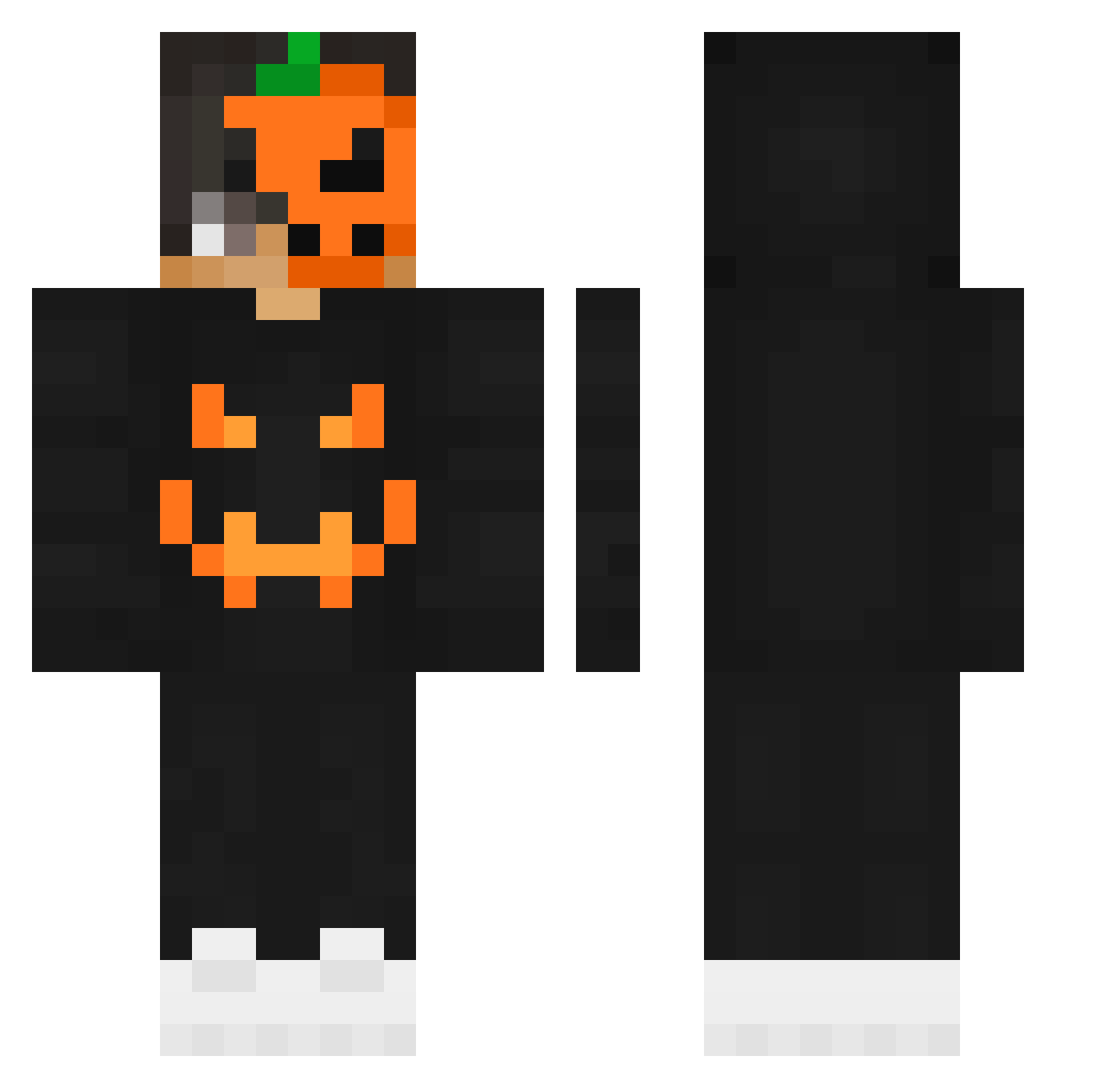
Current Minecraft skin of the player loxiz1, loaded from the official Mojang API. Rotate the 3D model with your mouse or finger, then download the skin as a PNG file and use it in Minecraft: Bedrock Edition or Java Edition for free. When loxiz1 changes their skin, this page updates automatically and the old skin stays in the history below.
Other players with this skin (267)
loxiz1 was the 127th player we have seen with this skin, first spotted on 27.09.2026. The same skin was seen on these players. Open a nickname to see their current skin and skin history.
 R34_la CrystalZynixx _xYousef zerocooll27 IRauI SAFA7_IQ Fmz7z 1long1 Dr_Velho MrNeko0322 Bartinus ModKin The_Nagi DenDoSeinpaii afeverdream InfernalMAC ltvn11 Poolzrcoolz Zyroxxx49 Osama_Games_YT kampick legendx1z TheBlqckStorm HellBringer8279 Efe_0 DieDinos Rashid762 HarrisMine AsteriXI MegaPudin TK_rohan HyperCollecTR thebadleon91 _Honey__Bee_ Xx_ghost_x Superian777 hyanzo svyatosha Yaothien BrightSiamang75 ilyManhal_IQ Hayaletmek70r0 TheDaGGeSten Marz2001 Faret01 ForzaSx5_ Ecivda pumpkin0406 ChaseP9 TheShark_HD AlxBZH007 Yuna31415 Leukopenie kouroshD nexte_ iRipexness SheepOfTerror FastHam44 _MOHAMED_xD sebacha
More Jackolantern Minecraft skins
See all 300 Jackolantern skins
How to install the loxiz1 skin
- Press the Download button above to save the skin as a PNG file.
- Minecraft: Bedrock Edition (PE): open the Dressing Room from the main menu (or tap your character → Edit Character), go to Classic Skins → Owned, press the + (new skin) button, choose the downloaded PNG and pick the Classic (Steve) model. Works on PC and mobile; consoles cannot import custom skins.
- Minecraft: Java Edition: open the Minecraft Launcher, go to the Skins tab, click New Skin, load the PNG, pick the Classic (Steve) model and press Save & Use. You can also upload it at minecraft.net → Profile → Change Skin.
The skin does not show up after import - what should I do?
Restart Minecraft and open the Dressing Room again - imported skins sometimes appear only after a restart. Also make sure you selected the imported skin and picked the Classic (Steve) model.
Which model should I choose, Classic or Slim?
This skin is designed for the Classic (Steve) model. If you pick the wrong model, the arms of the skin will look stretched or squeezed.
Is the skin of loxiz1 free to download?
Yes. Press Download, save the PNG file and use it in Minecraft: Bedrock Edition or Java Edition - no payment or registration needed. The skin also works on multiplayer servers and Realms.
More skins
Looking for more? Go back to all Minecraft skins and check the top skins of the week, month and all time, or find any player's skin by nickname.