
lizikuu - Minecraft Skins & Skin History
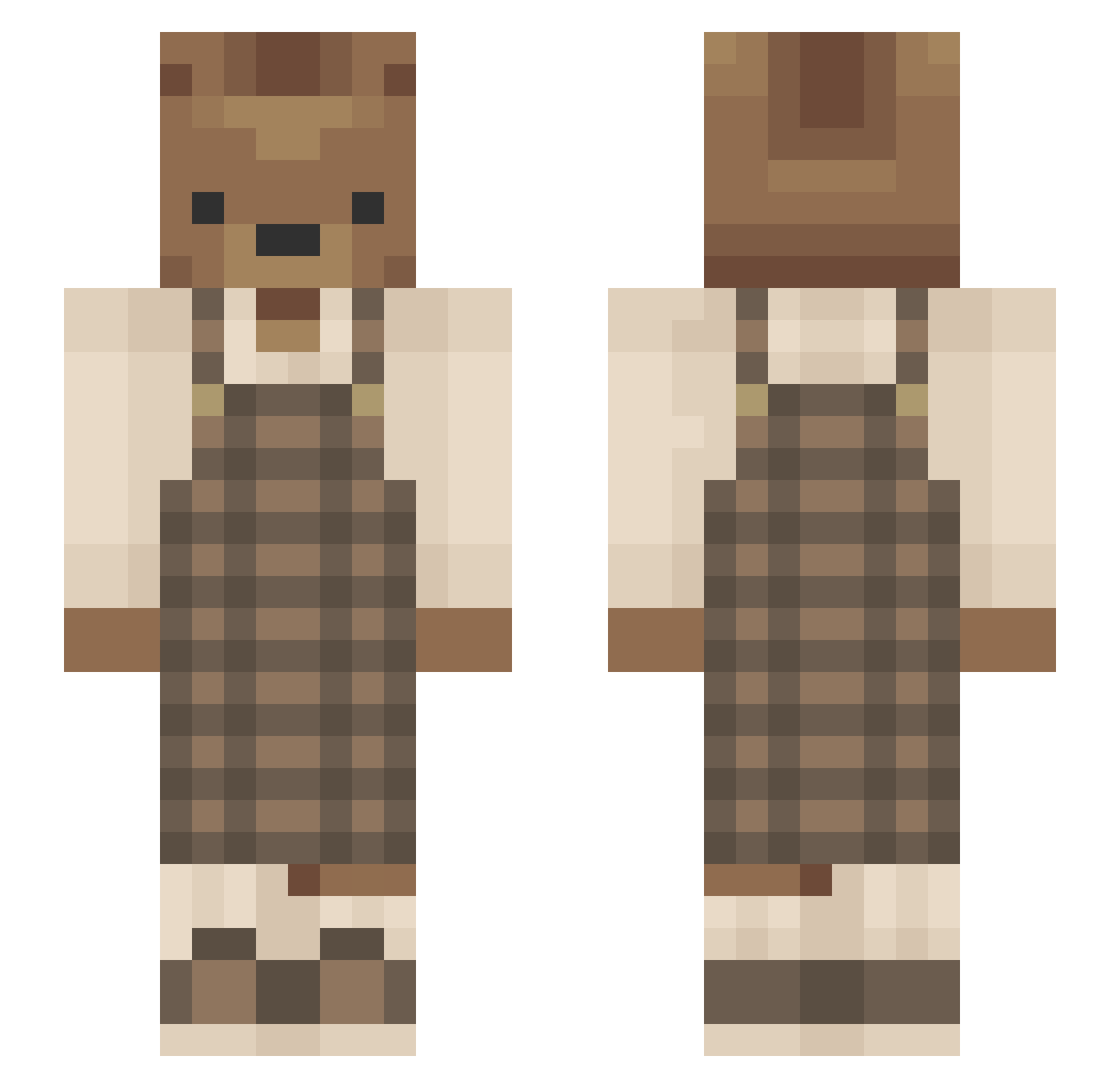
Current Minecraft skin of the player lizikuu, loaded from the official Mojang API. Rotate the 3D model with your mouse or finger, then download the skin as a PNG file and use it in Minecraft: Bedrock Edition or Java Edition for free. When lizikuu changes their skin, this page updates automatically and the old skin stays in the history below.
Other players with this skin (690)
lizikuu was the 675th player we have seen with this skin, first spotted on 11.11.2026. The same skin was seen on these players. Open a nickname to see their current skin and skin history.
 commlang bandrewfis Blaidd97 quietbearg LiKyan YourOsito ClariceyJ BOB100108 03AshleyBear CharChar2 michaelmode zzxgp_QsgazGMO lenzsophie smileyilee emilydreamstan ChefAndy2 FreudRice MystLK1 zDiggles sana11077 gtadaki_karakter Berkaiixd kwade805 sheepwagon GorPro moripeji Gabrielle_207 zereq_ fleixy smokingshire mmc_1322 Schmaschmi ashdestroyer27 TheyWillKnoPain ixCerealBoxerxi M795H aghostdream FredTheDork shirohato_ Hotgorilla Keineon Schloddeistgross Zane_3549 Jenyka beansproutx michamae xngelic333 Fayvdbroek Donuts1971 LordOfCarrots747 iBogie qwerasdf0804 Seiviii Asaphia rinpatten Cocori13 WeLoveSHINY Just_shine Madziqqa ChaosAlyx
More Bear Minecraft skins
How to install the lizikuu skin
- Press the Download button above to save the skin as a PNG file.
- Minecraft: Bedrock Edition (PE): open the Dressing Room from the main menu (or tap your character → Edit Character), go to Classic Skins → Owned, press the + (new skin) button, choose the downloaded PNG and pick the Slim (Alex) model. Works on PC and mobile; consoles cannot import custom skins.
- Minecraft: Java Edition: open the Minecraft Launcher, go to the Skins tab, click New Skin, load the PNG, pick the Slim (Alex) model and press Save & Use. You can also upload it at minecraft.net → Profile → Change Skin.
The skin does not show up after import - what should I do?
Restart Minecraft and open the Dressing Room again - imported skins sometimes appear only after a restart. Also make sure you selected the imported skin and picked the Slim (Alex) model.
Which model should I choose, Classic or Slim?
This skin is designed for the Slim (Alex) model. If you pick the wrong model, the arms of the skin will look stretched or squeezed.
Is the skin of lizikuu free to download?
Yes. Press Download, save the PNG file and use it in Minecraft: Bedrock Edition or Java Edition - no payment or registration needed. The skin also works on multiplayer servers and Realms.
More skins
Looking for more? Go back to all Minecraft skins and check the top skins of the week, month and all time, or find any player's skin by nickname.