
lilincong - Minecraft Skins & Skin History
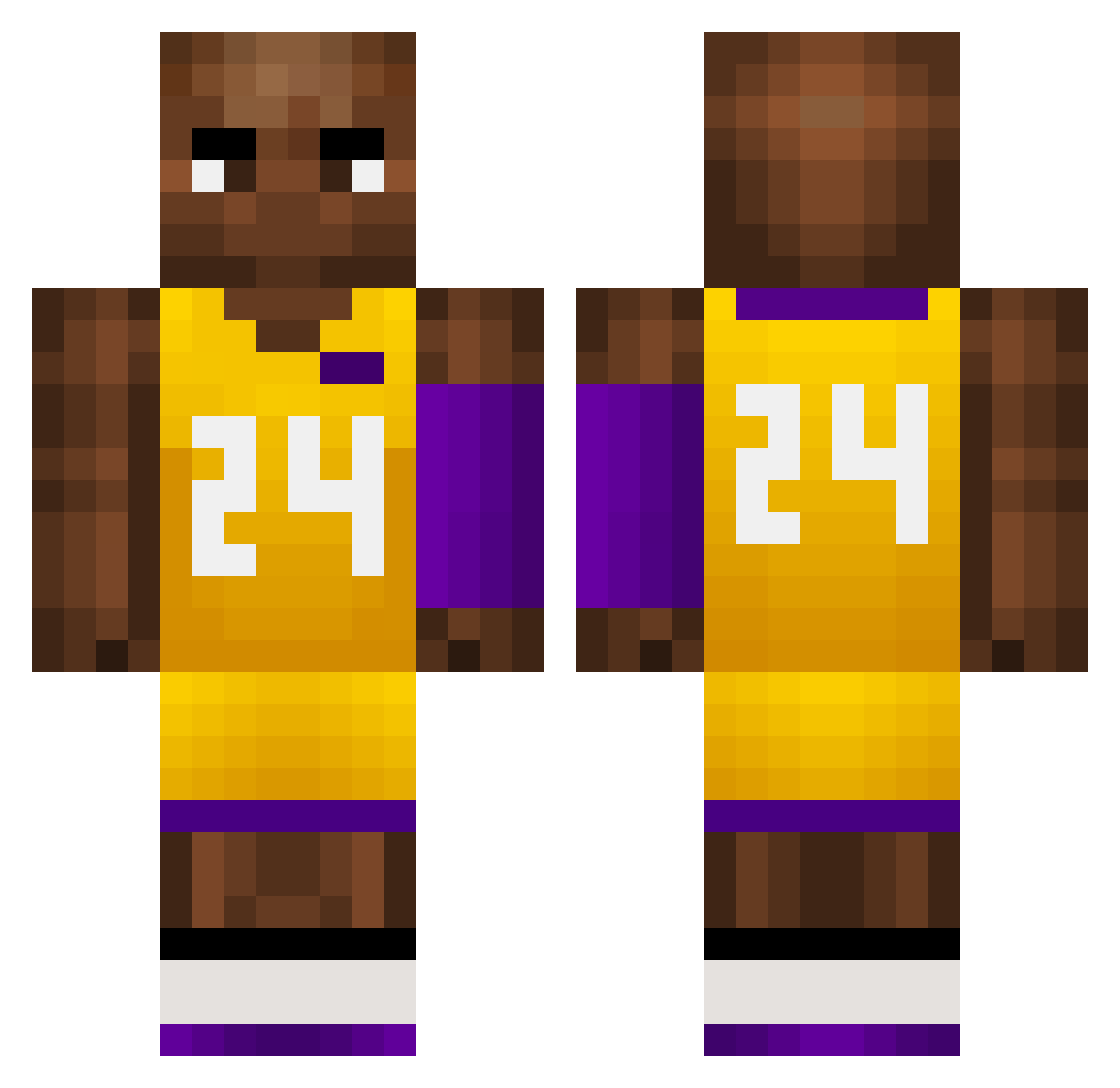
Current Minecraft skin of the player lilincong, loaded from the official Mojang API. Rotate the 3D model with your mouse or finger, then download the skin as a PNG file and use it in Minecraft: Bedrock Edition or Java Edition for free. When lilincong changes their skin, this page updates automatically and the old skin stays in the history below.
Other players with this skin (757)
lilincong was the 574th player we have seen with this skin, first spotted on 15.10.2026. The same skin was seen on these players. Open a nickname to see their current skin and skin history.
 Beiron_42069 AIC13 Dejavu_0917 Billy5177 SrEdussito dingdangpointeee US_bBoewdPvxo745 WMu105 grrrmxn Sterstoerer21 Warface1 Nobli125 raccoonbooty xlb666 forsaeken willy931225 Autosama321 mnm932 HTx782 Wlxz Blockyboyftw arlo2shifty Towil dasiguaa Daym_Kid GamerplazeYT Sp_417 jibada69 xxJds jimkinson Kxyman PepeeToES JLD1102 soccerfred16 lmylmylmy Main3ker Lyonnnnnnn wl6_msmc_9ow COB8LE PWR692 LeLouisOlivier berto_97 DWj428 CPA4eva handsomelam888 bhay4 zjj107 YCQSG DieObi Sp1n9 8KobeBryant24 JaI112 tRx484 NM69420 peppedip01 stoback Cool_Soul Leigo333 CYPIXELCRAFTBANK troutsking
More Kobe Bryant Minecraft skins
How to install the lilincong skin
- Press the Download button above to save the skin as a PNG file.
- Minecraft: Bedrock Edition (PE): open the Dressing Room from the main menu (or tap your character → Edit Character), go to Classic Skins → Owned, press the + (new skin) button, choose the downloaded PNG and pick the Classic (Steve) model. Works on PC and mobile; consoles cannot import custom skins.
- Minecraft: Java Edition: open the Minecraft Launcher, go to the Skins tab, click New Skin, load the PNG, pick the Classic (Steve) model and press Save & Use. You can also upload it at minecraft.net → Profile → Change Skin.
The skin does not show up after import - what should I do?
Restart Minecraft and open the Dressing Room again - imported skins sometimes appear only after a restart. Also make sure you selected the imported skin and picked the Classic (Steve) model.
Which model should I choose, Classic or Slim?
This skin is designed for the Classic (Steve) model. If you pick the wrong model, the arms of the skin will look stretched or squeezed.
Is the skin of lilincong free to download?
Yes. Press Download, save the PNG file and use it in Minecraft: Bedrock Edition or Java Edition - no payment or registration needed. The skin also works on multiplayer servers and Realms.
More skins
Looking for more? Go back to all Minecraft skins and check the top skins of the week, month and all time, or find any player's skin by nickname.