
lacibarnes0 - Minecraft Skins & Skin History
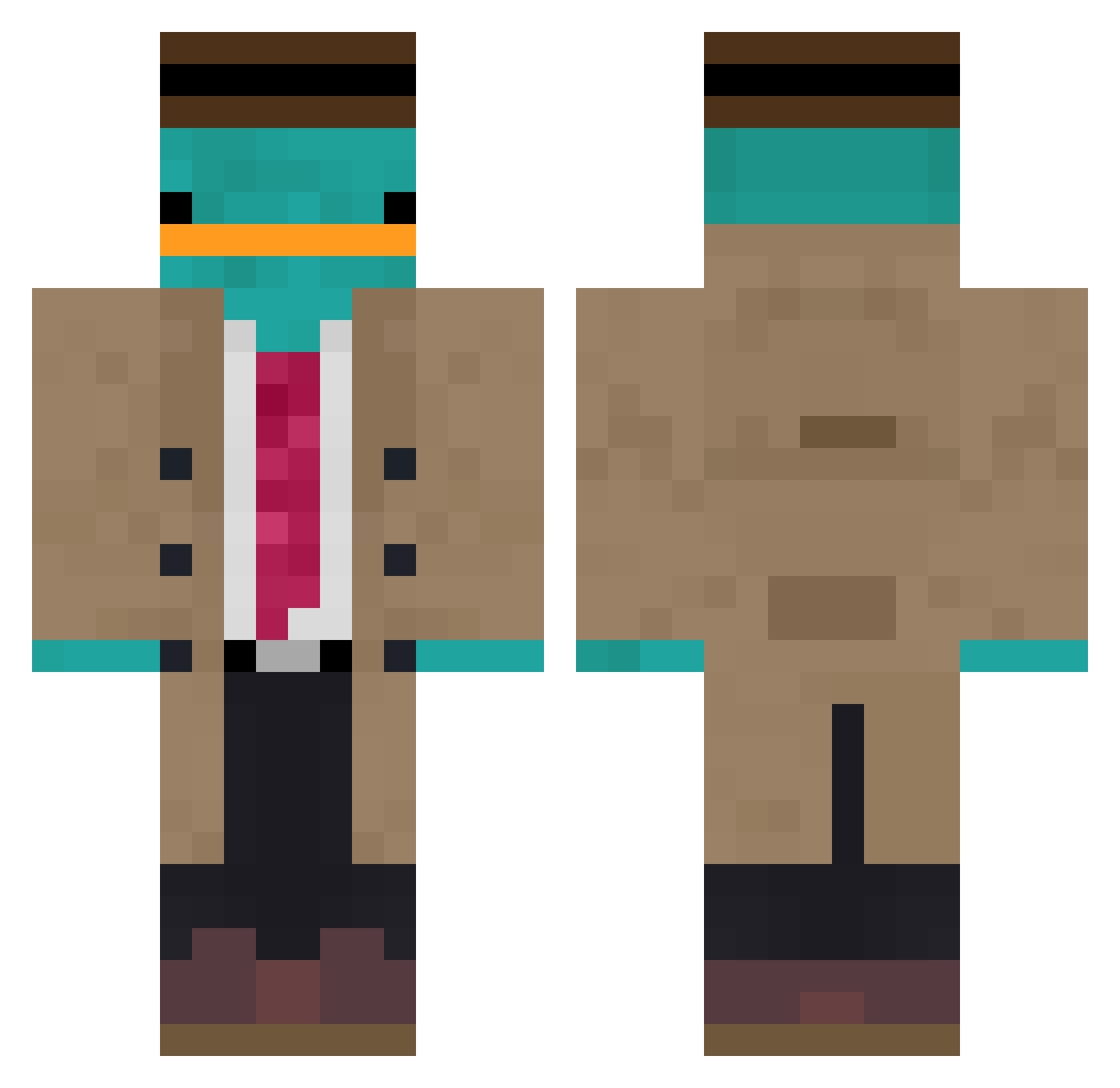
Current Minecraft skin of the player lacibarnes0, loaded from the official Mojang API. Rotate the 3D model with your mouse or finger, then download the skin as a PNG file and use it in Minecraft: Bedrock Edition or Java Edition for free. When lacibarnes0 changes their skin, this page updates automatically and the old skin stays in the history below.
Other players with this skin (1116)
lacibarnes0 was the 930th player we have seen with this skin, first spotted on 24.10.2026. The same skin was seen on these players. Open a nickname to see their current skin and skin history.
 boltgameplayt mr___blizzard lof_chill ayeshaz Andgames salome32165 TremontTerror Elijah_jnh JamilsonSampaio ImissbutSEX Kaktus1173 Agnet_P BillyBobRoss12 Mu_yun__ L4nceeee RealHarsh OCTVXVVS SEHLOO Supay15 Knampf123 lollinho7 DeinOngel Mikrusss444 SpringZulu67040 Prothmann waltmartbag hughmungus818 itzmew SWEEPINGMAN Adonis2646 lazarbomber Peper_Craft Erosgarden Viniciusgw hokkeedude w72618844 Meshalt7yh Puts0n Joehker pou123444 IB_a_s_t_i GatoSoprano Pika83 Dictator269 Azus_lv sleepyhab CosyWater lizzie_isbusy KlllB TurtleRave nept12 Mirasek143 TickleMeElmo432 S1dee fpudman bot_exe mrcanucks115 EnderPort Grimjojo69 Bagmos
More Platypus Minecraft skins
How to install the lacibarnes0 skin
- Press the Download button above to save the skin as a PNG file.
- Minecraft: Bedrock Edition (PE): open the Dressing Room from the main menu (or tap your character → Edit Character), go to Classic Skins → Owned, press the + (new skin) button, choose the downloaded PNG and pick the Classic (Steve) model. Works on PC and mobile; consoles cannot import custom skins.
- Minecraft: Java Edition: open the Minecraft Launcher, go to the Skins tab, click New Skin, load the PNG, pick the Classic (Steve) model and press Save & Use. You can also upload it at minecraft.net → Profile → Change Skin.
The skin does not show up after import - what should I do?
Restart Minecraft and open the Dressing Room again - imported skins sometimes appear only after a restart. Also make sure you selected the imported skin and picked the Classic (Steve) model.
Which model should I choose, Classic or Slim?
This skin is designed for the Classic (Steve) model. If you pick the wrong model, the arms of the skin will look stretched or squeezed.
Is the skin of lacibarnes0 free to download?
Yes. Press Download, save the PNG file and use it in Minecraft: Bedrock Edition or Java Edition - no payment or registration needed. The skin also works on multiplayer servers and Realms.
More skins
Looking for more? Go back to all Minecraft skins and check the top skins of the week, month and all time, or find any player's skin by nickname.