
lOe697 - Minecraft Skins & Skin History
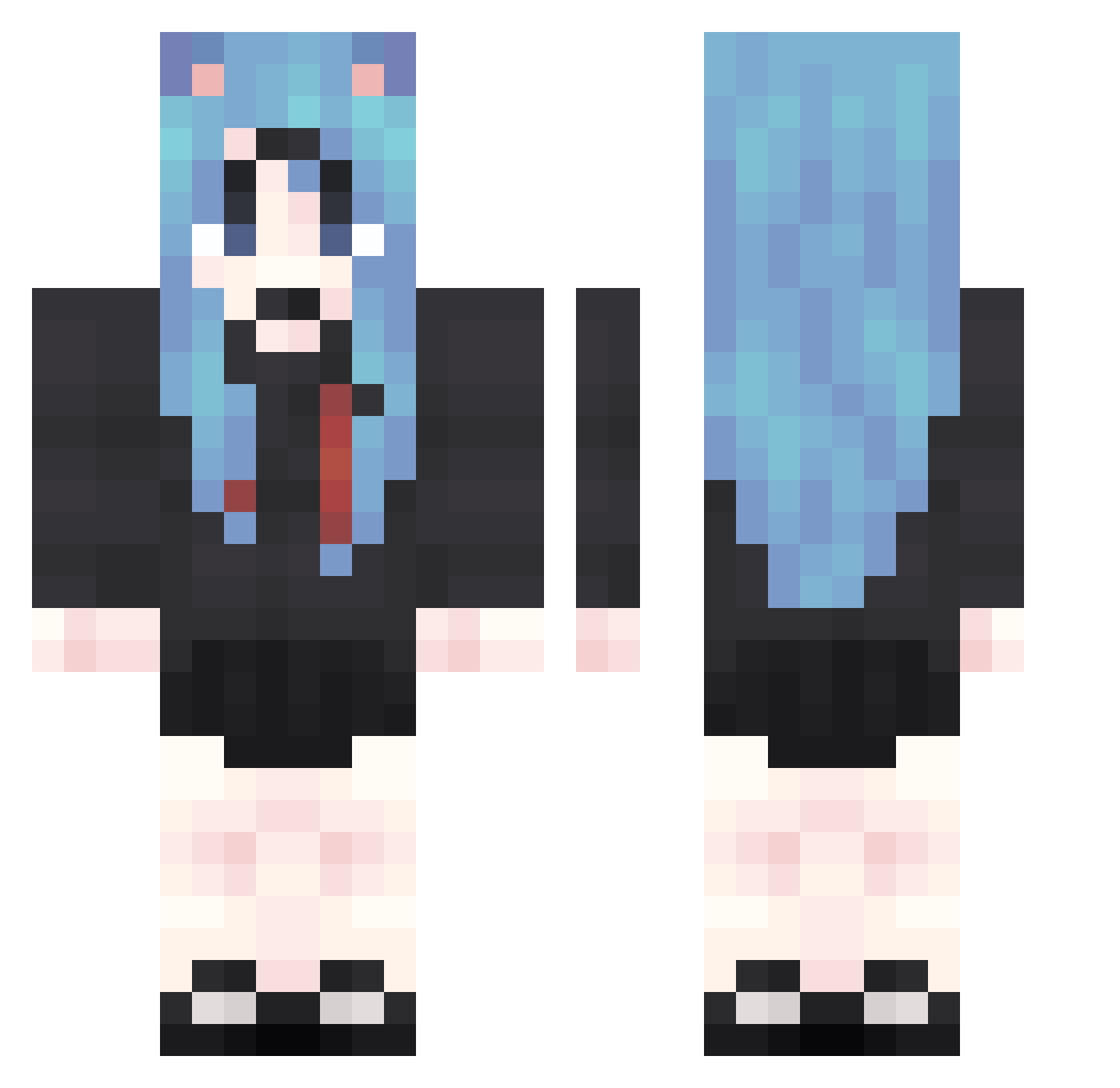
Current Minecraft skin of the player lOe697, loaded from the official Mojang API. Rotate the 3D model with your mouse or finger, then download the skin as a PNG file and use it in Minecraft: Bedrock Edition or Java Edition for free. When lOe697 changes their skin, this page updates automatically and the old skin stays in the history below.
Other players with this skin (1875)
lOe697 was the 1440th player we have seen with this skin, first spotted on 19.10.2026. The same skin was seen on these players. Open a nickname to see their current skin and skin history.
 Ysd408 FwI120 UTs407 LCQ808 nAF479 CFX934 Tft393 wYq133 Efj803 tbc151 rsD904 wWq678 hUq242 LKD433 ATo823 Tvs800 jzX958 UBz897 ytE850 knw0 MVi592 oKf982 AVk974 EFJ344 DIt44 xcc178 LvP757 nIT731 rVP491 jzI627 AIV426 qzW527 ame196 cWk975 Frj703 zJe930 Nsf654 wQR996 CNT949 QYU743 hGB571 zIv625 iFx993 lds821 MvT66 law701 KxB869 HXG682 IFA627 HYz857 oQT449 BHP235 DBX372 gdE183 ccZ861 XOF645 oQm962 PenitentYummy424 PSd538 yoz283
More School Uniform Minecraft skins
See all 7171 School Uniform skins
How to install the lOe697 skin
- Press the Download button above to save the skin as a PNG file.
- Minecraft: Bedrock Edition (PE): open the Dressing Room from the main menu (or tap your character → Edit Character), go to Classic Skins → Owned, press the + (new skin) button, choose the downloaded PNG and pick the Classic (Steve) model. Works on PC and mobile; consoles cannot import custom skins.
- Minecraft: Java Edition: open the Minecraft Launcher, go to the Skins tab, click New Skin, load the PNG, pick the Classic (Steve) model and press Save & Use. You can also upload it at minecraft.net → Profile → Change Skin.
The skin does not show up after import - what should I do?
Restart Minecraft and open the Dressing Room again - imported skins sometimes appear only after a restart. Also make sure you selected the imported skin and picked the Classic (Steve) model.
Which model should I choose, Classic or Slim?
This skin is designed for the Classic (Steve) model. If you pick the wrong model, the arms of the skin will look stretched or squeezed.
Is the skin of lOe697 free to download?
Yes. Press Download, save the PNG file and use it in Minecraft: Bedrock Edition or Java Edition - no payment or registration needed. The skin also works on multiplayer servers and Realms.
More skins
Looking for more? Go back to all Minecraft skins and check the top skins of the week, month and all time, or find any player's skin by nickname.