
kannimain - Minecraft Skins & Skin History
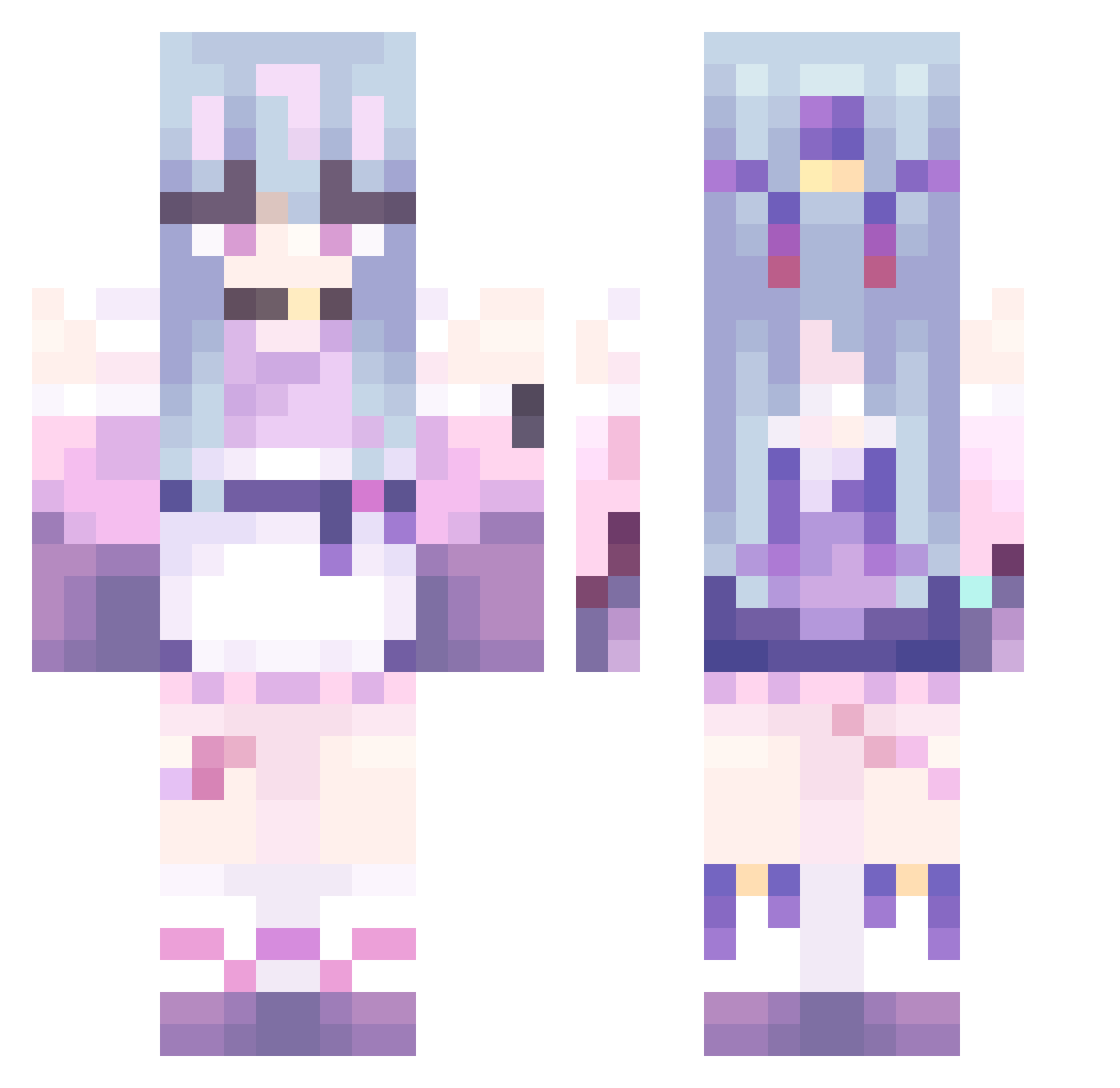
Current Minecraft skin of the player kannimain, loaded from the official Mojang API. Rotate the 3D model with your mouse or finger, then download the skin as a PNG file and use it in Minecraft: Bedrock Edition or Java Edition for free. When kannimain changes their skin, this page updates automatically and the old skin stays in the history below.
Other players with this skin (479)
kannimain was the 362nd player we have seen with this skin, first spotted on 15.10.2026. The same skin was seen on these players. Open a nickname to see their current skin and skin history.
 ReAstro_ purplekin luojiu6678 Link46240 Princess_Jady girlkittensamuel Sauce0410 213423423 apollo3578 FiteaOAO Buggalug2 wangyikuan Hayzounette W_K_Z Tbyebye Garnierite yhh155 Mosik_ cheemD kaluo233 Sakura_Dance joe00007 WuMingZhiZ BEAMZAMAN minnthv Lukacs87 Vanessa9499 mokey1111 te_114514 AquaSaikoDesu EclipseQAQ SKY0713 zeromin1234 Uroch reabbit lie_2 Enigmariah wuxi114 Miyayu25 chigua1 kongguijiang arie9989 Myolic HEI_GE TiniHuman BaoLong00 Novaqiu hiki316 Nafyra PIInac huaianmeng AkaneSaiko tierracat FAssla DollPrixess misosoopo Edoviii RoseRayde kon335 KillianCape
More Anime Girl Minecraft skins
See all 13505 Anime Girl skins
How to install the kannimain skin
- Press the Download button above to save the skin as a PNG file.
- Minecraft: Bedrock Edition (PE): open the Dressing Room from the main menu (or tap your character → Edit Character), go to Classic Skins → Owned, press the + (new skin) button, choose the downloaded PNG and pick the Classic (Steve) model. Works on PC and mobile; consoles cannot import custom skins.
- Minecraft: Java Edition: open the Minecraft Launcher, go to the Skins tab, click New Skin, load the PNG, pick the Classic (Steve) model and press Save & Use. You can also upload it at minecraft.net → Profile → Change Skin.
The skin does not show up after import - what should I do?
Restart Minecraft and open the Dressing Room again - imported skins sometimes appear only after a restart. Also make sure you selected the imported skin and picked the Classic (Steve) model.
Which model should I choose, Classic or Slim?
This skin is designed for the Classic (Steve) model. If you pick the wrong model, the arms of the skin will look stretched or squeezed.
Is the skin of kannimain free to download?
Yes. Press Download, save the PNG file and use it in Minecraft: Bedrock Edition or Java Edition - no payment or registration needed. The skin also works on multiplayer servers and Realms.
More skins
Looking for more? Go back to all Minecraft skins and check the top skins of the week, month and all time, or find any player's skin by nickname.