
kamelgrisen - Minecraft Skins & Skin History
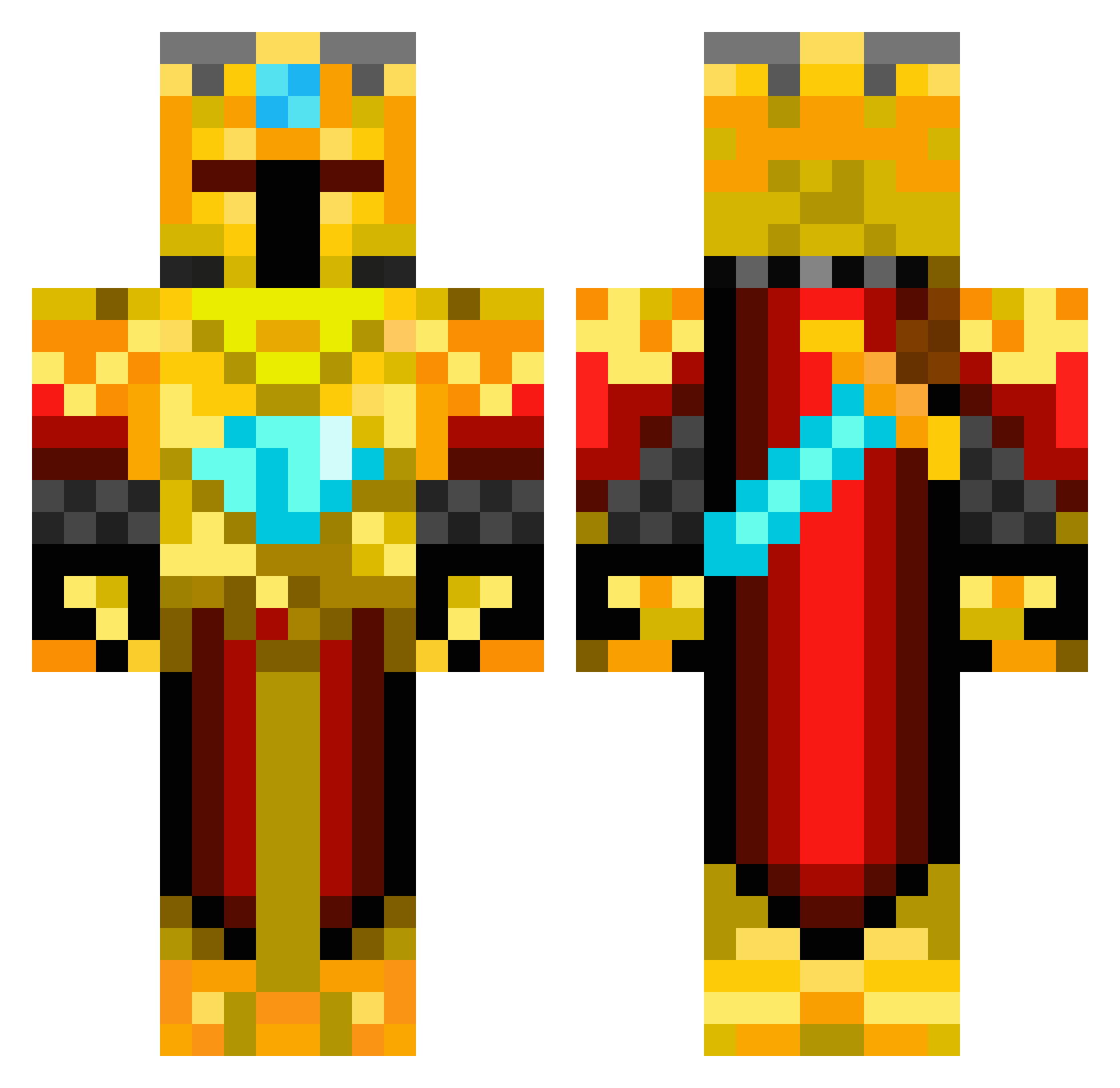
Current Minecraft skin of the player kamelgrisen, loaded from the official Mojang API. Rotate the 3D model with your mouse or finger, then download the skin as a PNG file and use it in Minecraft: Bedrock Edition or Java Edition for free. When kamelgrisen changes their skin, this page updates automatically and the old skin stays in the history below.
Other players with this skin (537)
kamelgrisen was the 504th player we have seen with this skin, first spotted on 04.11.2026. The same skin was seen on these players. Open a nickname to see their current skin and skin history.
 GaIlaxy Ultimate_Rave Gorst007 kanaan00 QLTMiner Thomas4220 pepijn456 FISH_EATU InsanityKills630 LucaBuddy mr19 Stoatyweasel NaruHD Loganplayz46 jumeon FuriousXIce FartBingles matthew9999999 theyoyoguy centurion789 Teddytrumpet rodaril LJonesy10 blockbuildr Gelahed batman_crafting masterkings1 HAMMY_222 CrimsonKnight_ D34DP00L97 GABIAMIR Blocksandbits jackson010 GoldenCraftz xRendeRx klinke1812 vfier lilbishboi Mano7 eabranon Quakerpro xman12321 RoyalMunk Tonyguy571 Budderking1 coyoyte marsbar95 knight315 Gollium BlackThunder0798 likeaboss211223 LouisM45 Diligentant3 PabloMedia Goldkingnicholas terpslaxrules12 AracnicFel55 octotype MQD78 Joseph_2113
More Golden Armor Minecraft skins
See all 200 Golden Armor skins
How to install the kamelgrisen skin
- Press the Download button above to save the skin as a PNG file.
- Minecraft: Bedrock Edition (PE): open the Dressing Room from the main menu (or tap your character → Edit Character), go to Classic Skins → Owned, press the + (new skin) button, choose the downloaded PNG and pick the Classic (Steve) model. Works on PC and mobile; consoles cannot import custom skins.
- Minecraft: Java Edition: open the Minecraft Launcher, go to the Skins tab, click New Skin, load the PNG, pick the Classic (Steve) model and press Save & Use. You can also upload it at minecraft.net → Profile → Change Skin.
The skin does not show up after import - what should I do?
Restart Minecraft and open the Dressing Room again - imported skins sometimes appear only after a restart. Also make sure you selected the imported skin and picked the Classic (Steve) model.
Which model should I choose, Classic or Slim?
This skin is designed for the Classic (Steve) model. If you pick the wrong model, the arms of the skin will look stretched or squeezed.
Is the skin of kamelgrisen free to download?
Yes. Press Download, save the PNG file and use it in Minecraft: Bedrock Edition or Java Edition - no payment or registration needed. The skin also works on multiplayer servers and Realms.
More skins
Looking for more? Go back to all Minecraft skins and check the top skins of the week, month and all time, or find any player's skin by nickname.