
kXD92 - Minecraft Skins & Skin History
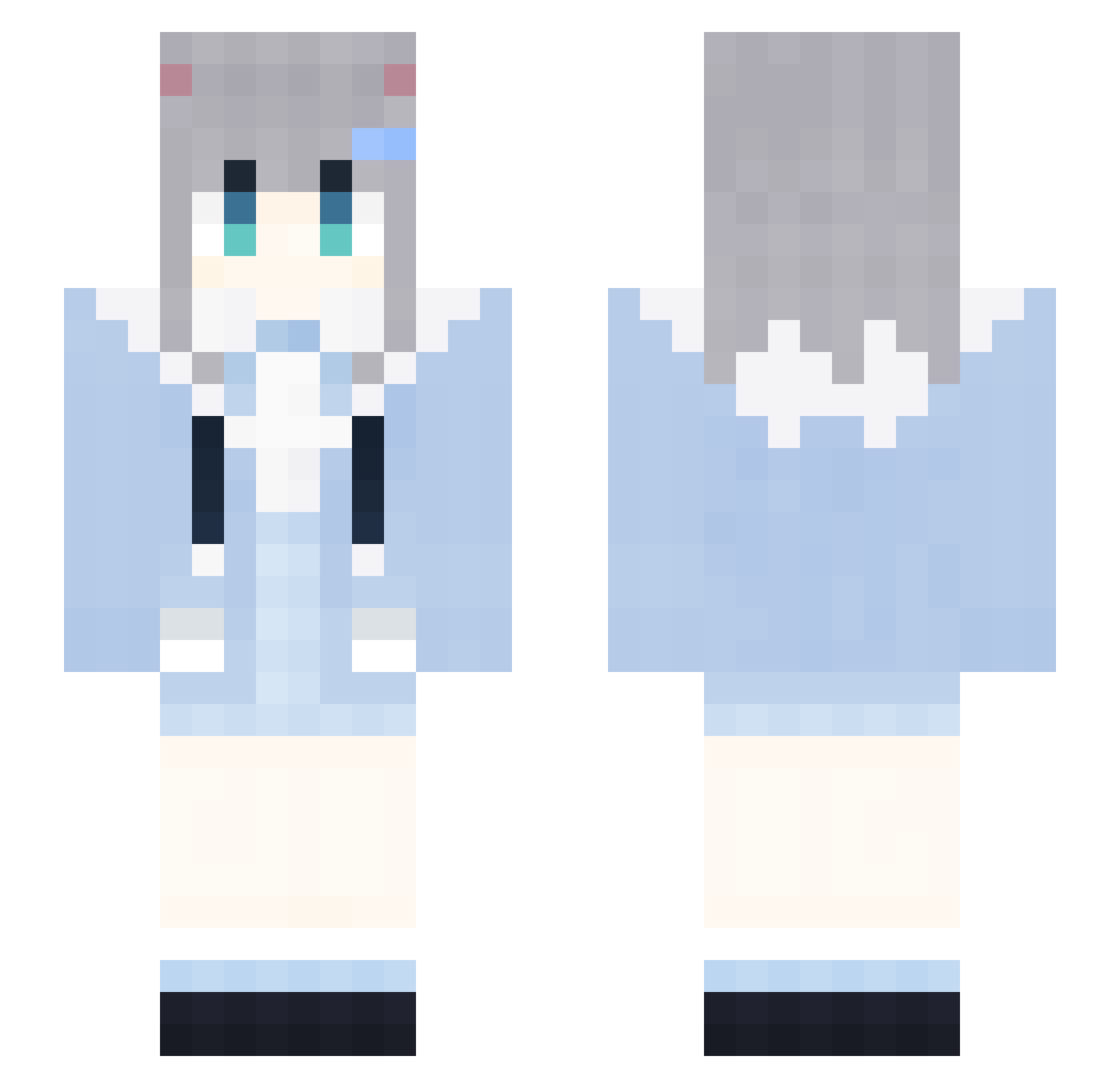
Current Minecraft skin of the player kXD92, loaded from the official Mojang API. Rotate the 3D model with your mouse or finger, then download the skin as a PNG file and use it in Minecraft: Bedrock Edition or Java Edition for free. When kXD92 changes their skin, this page updates automatically and the old skin stays in the history below.
Other players with this skin (1906)
kXD92 was the 1166th player we have seen with this skin, first spotted on 04.10.2026. The same skin was seen on these players. Open a nickname to see their current skin and skin history.
 KNl642 ScK887 GuP213 kHR159 ByN976 LAWSONCOFFEEp803 Lhs613 KFC_V50_THURr526 VOg342 dAn732 LoveZxyLikejp985 bFO923 bAk894 LAWSONCOFFEEt414 hLX635 AxN456 eEG298 LAWSONCOFFEEN238 SaU472 LAWSONCOFFEEh117 Axg181 gyk634 aNE180 JjE354 FireFoxChorme238 hZz899 FOB382 WvD892 SpencerSawamura FireFoxChorme403 KFC_V50_THURr704 ZpX876 LoveZxyLikePm180 qrv694 2021COCA_COLA780 Rwq408 Pqa368 FireFoxChorme283 pvS450 MWV21 DBU510 DontShoutPlsE600 hty64 MNY504 pHZ212 YJW236 gezi7278 neko_nacho vIA131 mlP586 GapRapGpdNiAz198 Afo709 DontShoutPlsg378 meI85 RubberBandits620 RubberBandits1 2021COCA_COLA374 RabbitMicepkL680 mmdqing AiW806
More Cat Ears Minecraft skins
How to install the kXD92 skin
- Press the Download button above to save the skin as a PNG file.
- Minecraft: Bedrock Edition (PE): open the Dressing Room from the main menu (or tap your character → Edit Character), go to Classic Skins → Owned, press the + (new skin) button, choose the downloaded PNG and pick the Slim (Alex) model. Works on PC and mobile; consoles cannot import custom skins.
- Minecraft: Java Edition: open the Minecraft Launcher, go to the Skins tab, click New Skin, load the PNG, pick the Slim (Alex) model and press Save & Use. You can also upload it at minecraft.net → Profile → Change Skin.
The skin does not show up after import - what should I do?
Restart Minecraft and open the Dressing Room again - imported skins sometimes appear only after a restart. Also make sure you selected the imported skin and picked the Slim (Alex) model.
Which model should I choose, Classic or Slim?
This skin is designed for the Slim (Alex) model. If you pick the wrong model, the arms of the skin will look stretched or squeezed.
Is the skin of kXD92 free to download?
Yes. Press Download, save the PNG file and use it in Minecraft: Bedrock Edition or Java Edition - no payment or registration needed. The skin also works on multiplayer servers and Realms.
More skins
Looking for more? Go back to all Minecraft skins and check the top skins of the week, month and all time, or find any player's skin by nickname.