
k0r0p0 - Minecraft Skins & Skin History
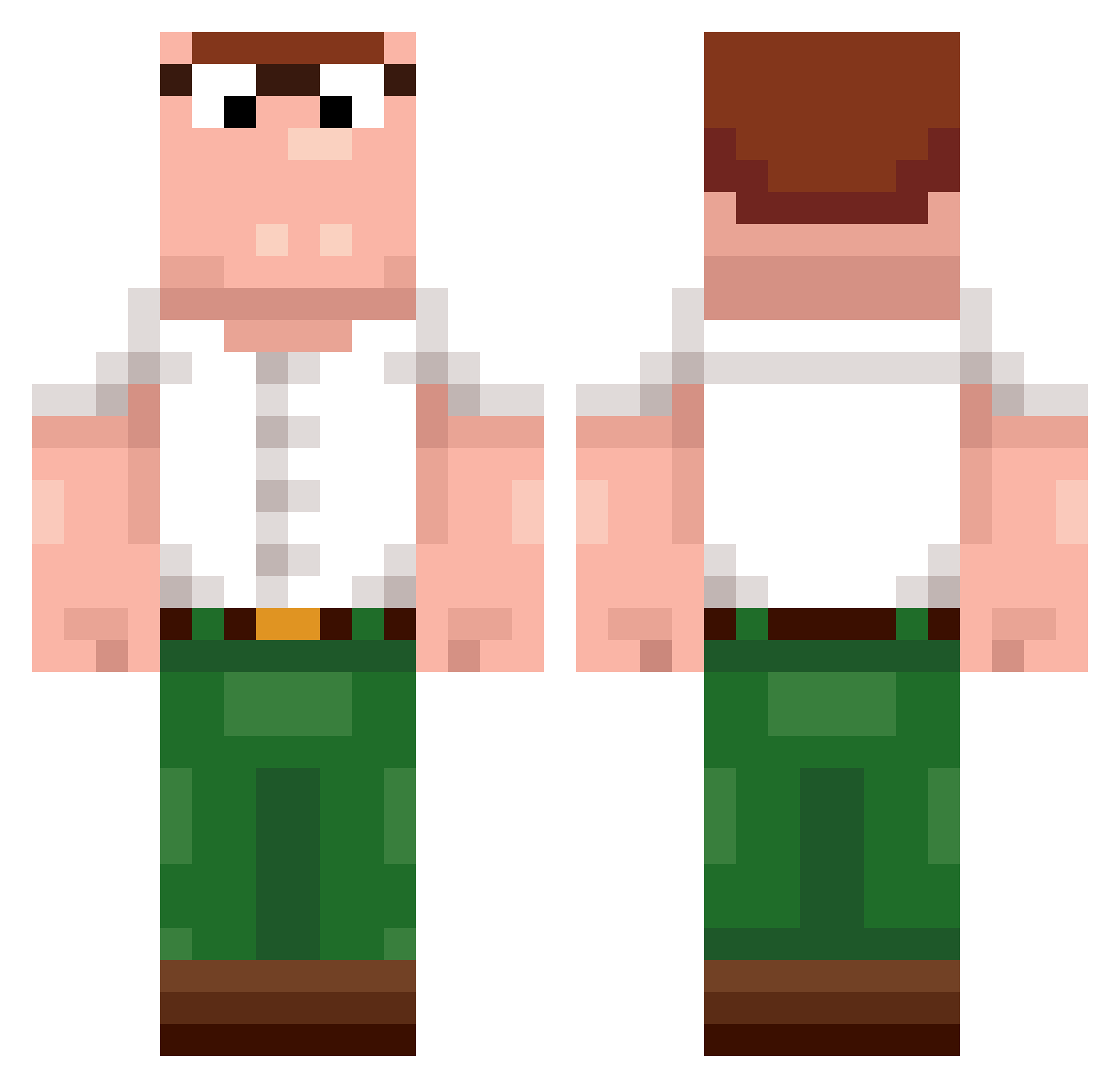
Current Minecraft skin of the player k0r0p0, loaded from the official Mojang API. Rotate the 3D model with your mouse or finger, then download the skin as a PNG file and use it in Minecraft: Bedrock Edition or Java Edition for free. When k0r0p0 changes their skin, this page updates automatically and the old skin stays in the history below.
Other players with this skin (244)
k0r0p0 was the 181st player we have seen with this skin, first spotted on 15.10.2026. The same skin was seen on these players. Open a nickname to see their current skin and skin history.
 sp1neee steffie__q wxcm 4654654m CAFE47 Timchee unfrisky 8GATAX Pole995 CoustNautilus _Y_J_ Twietje Harkim28 iDRAGOO PolloGranjero dj754 ChubboSaurusRex Yattashi tsilva195 DirecteurWobbes RyanTheH3dgehog Deep_Mav Payday_west burk913 KeithKomplex Spako LWGAM r7ngs _EgonKowalski DavidBuster sk6e iFirst yarikpro839 51Hz ywgtm Komq_led ygb JESEAUDE CreeperColin Gansss Chiche07 luiztotoso DanilDond Aeltonkugelblitz TimDerGamer_123 Ok_Giuse Beukas WorstYarne JaggyJump Massi68 tuftydock PatuModen9582 CrossAE ShiftySense Gom4rt_ Fin4rfin TryingTooGetGood hampterlord1050 Jesus228 Minimilian1
More Peter Griffin Minecraft skins
See all 235 Peter Griffin skins
How to install the k0r0p0 skin
- Press the Download button above to save the skin as a PNG file.
- Minecraft: Bedrock Edition (PE): open the Dressing Room from the main menu (or tap your character → Edit Character), go to Classic Skins → Owned, press the + (new skin) button, choose the downloaded PNG and pick the Classic (Steve) model. Works on PC and mobile; consoles cannot import custom skins.
- Minecraft: Java Edition: open the Minecraft Launcher, go to the Skins tab, click New Skin, load the PNG, pick the Classic (Steve) model and press Save & Use. You can also upload it at minecraft.net → Profile → Change Skin.
The skin does not show up after import - what should I do?
Restart Minecraft and open the Dressing Room again - imported skins sometimes appear only after a restart. Also make sure you selected the imported skin and picked the Classic (Steve) model.
Which model should I choose, Classic or Slim?
This skin is designed for the Classic (Steve) model. If you pick the wrong model, the arms of the skin will look stretched or squeezed.
Is the skin of k0r0p0 free to download?
Yes. Press Download, save the PNG file and use it in Minecraft: Bedrock Edition or Java Edition - no payment or registration needed. The skin also works on multiplayer servers and Realms.
More skins
Looking for more? Go back to all Minecraft skins and check the top skins of the week, month and all time, or find any player's skin by nickname.