
issac_0705 - Minecraft Skins & Skin History
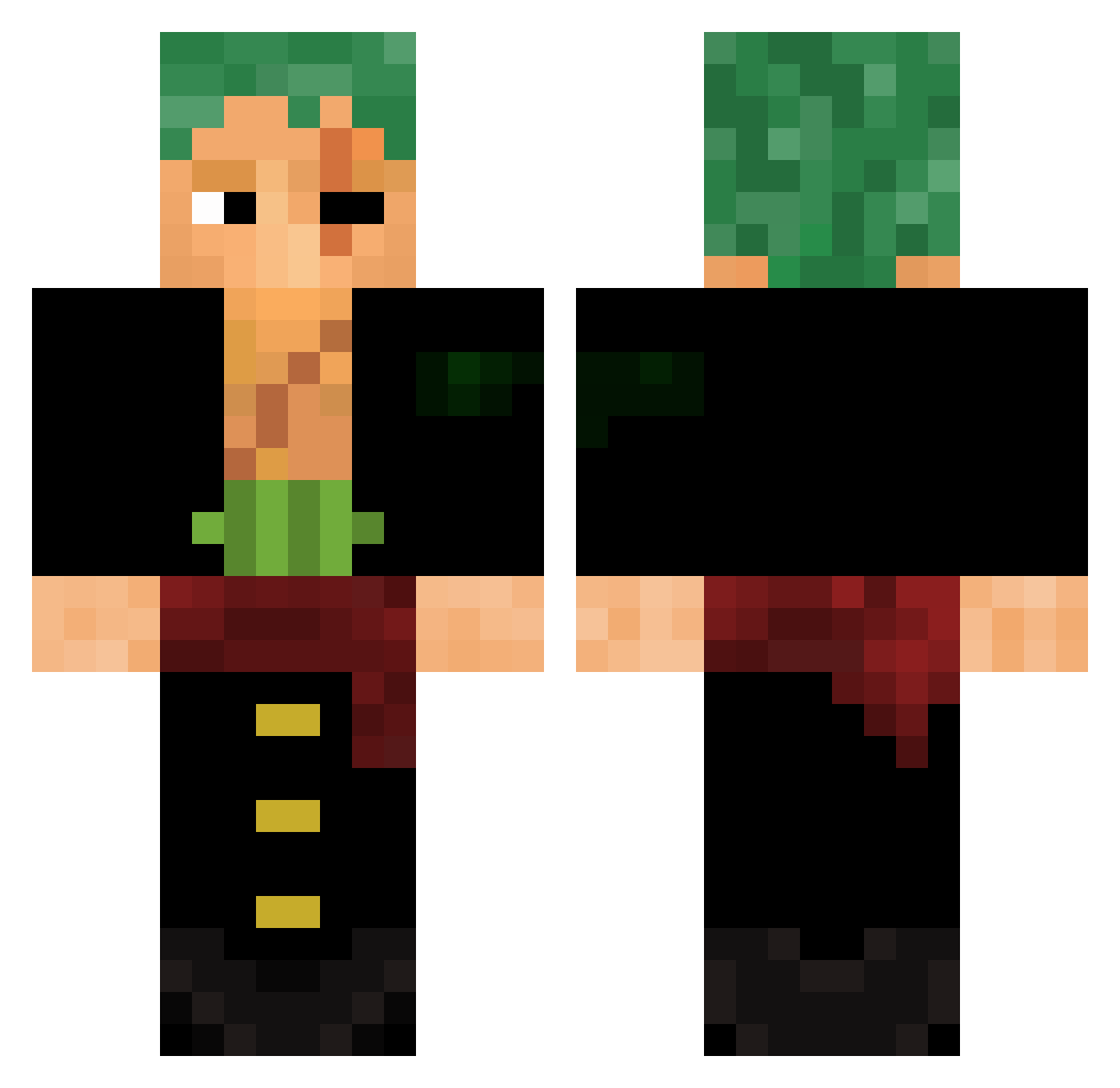
Current Minecraft skin of the player issac_0705, loaded from the official Mojang API. Rotate the 3D model with your mouse or finger, then download the skin as a PNG file and use it in Minecraft: Bedrock Edition or Java Edition for free. When issac_0705 changes their skin, this page updates automatically and the old skin stays in the history below.
Other players with this skin (615)
issac_0705 was the 570th player we have seen with this skin, first spotted on 02.11.2026. The same skin was seen on these players. Open a nickname to see their current skin and skin history.
 DecTheTrig KaSyN_ pgw06 LeleodaDz7 Aepnix DiretorYasuo Luansp01 Nekuro06 ksj111 Chenmoz Furya3 TwinSwords01 xMasax IAMWINTER Donkyxote lu_fei_DiroOi SippHunter hubibi_hamut Kol0nY Instigma MrtiMK 69Cam420 9L9LL Kicea jaxboyy1 WaxK Jonassinok Amilxg bugitares FacedOpossum696 Captainnboy921 wynstann DownMan BromanT47 xCanJen Dragon_fire_06 Reality_man146 YOUSEFM1 Ampire frstyloll MaccaF99 aloneintokyo_ Darksied1337 LeChien74 FEL0_0 0kazuma0 emrefege sweetvenom07 AYMBLACK BlockingPluto1 Anjux_YT mauvaiscp Gethugo24 TheJGplays Loko2Pac n0tmik3 Matty23 Pizza_Boss kevines13 Shockdash
More Roronoa Zoro Minecraft skins
See all 351 Roronoa Zoro skins
How to install the issac_0705 skin
- Press the Download button above to save the skin as a PNG file.
- Minecraft: Bedrock Edition (PE): open the Dressing Room from the main menu (or tap your character → Edit Character), go to Classic Skins → Owned, press the + (new skin) button, choose the downloaded PNG and pick the Classic (Steve) model. Works on PC and mobile; consoles cannot import custom skins.
- Minecraft: Java Edition: open the Minecraft Launcher, go to the Skins tab, click New Skin, load the PNG, pick the Classic (Steve) model and press Save & Use. You can also upload it at minecraft.net → Profile → Change Skin.
The skin does not show up after import - what should I do?
Restart Minecraft and open the Dressing Room again - imported skins sometimes appear only after a restart. Also make sure you selected the imported skin and picked the Classic (Steve) model.
Which model should I choose, Classic or Slim?
This skin is designed for the Classic (Steve) model. If you pick the wrong model, the arms of the skin will look stretched or squeezed.
Is the skin of issac_0705 free to download?
Yes. Press Download, save the PNG file and use it in Minecraft: Bedrock Edition or Java Edition - no payment or registration needed. The skin also works on multiplayer servers and Realms.
More skins
Looking for more? Go back to all Minecraft skins and check the top skins of the week, month and all time, or find any player's skin by nickname.