
imkotori - Minecraft Skins & Skin History
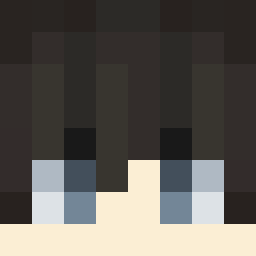
Current Minecraft skin of the player imkotori, loaded from the official Mojang API. Rotate the 3D model with your mouse or finger, then download the skin as a PNG file and use it in Minecraft: Bedrock Edition or Java Edition for free. When imkotori changes their skin, this page updates automatically and the old skin stays in the history below.

Other players with this skin (755)
imkotori was the 724th player we have seen with this skin, first spotted on 05.11.2026. The same skin was seen on these players. Open a nickname to see their current skin and skin history.
 THEUSINN katyu9210 bugbug92 BeastSlayer750 Jason6570 1Ghost1 6potatos KourosBoss TAO_YUU_HANG Unravelamv IchHaseSchwarze3 Darkynd hatano09 Itz_Albxrt yaftem dolev2014 Fivz1220 kbeta IlaneDFZ 72dnegeL SHYKUNG01 Moony6 HenZyyMC Crown1e1 pokesura4 Tw_Champion SpiringEwe966 vHaruu Ristir Tomotane AkumaN0Tenshi BrokenBrowGaming TheFox5 JustMonke 11mikolaj zheng__zz tomo_mojp zezin3capa HMSART BallisticZ0mbi3 M1ikadoo takesi7878 DioBXP FishKopf028 41hz tsunoderman satou505 Sakura9200 islemTX siiiimata TwTwin456 Kaji141 SoloGamer2021 rincho619 LEAN_Luka tomoama __RNT__ leesayshi mathiness Ohchaehwan
More Streetwear Minecraft skins
How to install the imkotori skin
- Press the Download button above to save the skin as a PNG file.
- Minecraft: Bedrock Edition (PE): open the Dressing Room from the main menu (or tap your character → Edit Character), go to Classic Skins → Owned, press the + (new skin) button, choose the downloaded PNG and pick the Classic (Steve) model. Works on PC and mobile; consoles cannot import custom skins.
- Minecraft: Java Edition: open the Minecraft Launcher, go to the Skins tab, click New Skin, load the PNG, pick the Classic (Steve) model and press Save & Use. You can also upload it at minecraft.net → Profile → Change Skin.
The skin does not show up after import - what should I do?
Restart Minecraft and open the Dressing Room again - imported skins sometimes appear only after a restart. Also make sure you selected the imported skin and picked the Classic (Steve) model.
Which model should I choose, Classic or Slim?
This skin is designed for the Classic (Steve) model. If you pick the wrong model, the arms of the skin will look stretched or squeezed.
Is the skin of imkotori free to download?
Yes. Press Download, save the PNG file and use it in Minecraft: Bedrock Edition or Java Edition - no payment or registration needed. The skin also works on multiplayer servers and Realms.
More skins
Looking for more? Go back to all Minecraft skins and check the top skins of the week, month and all time, or find any player's skin by nickname.