
golddiggerpros - Minecraft Skins & Skin History
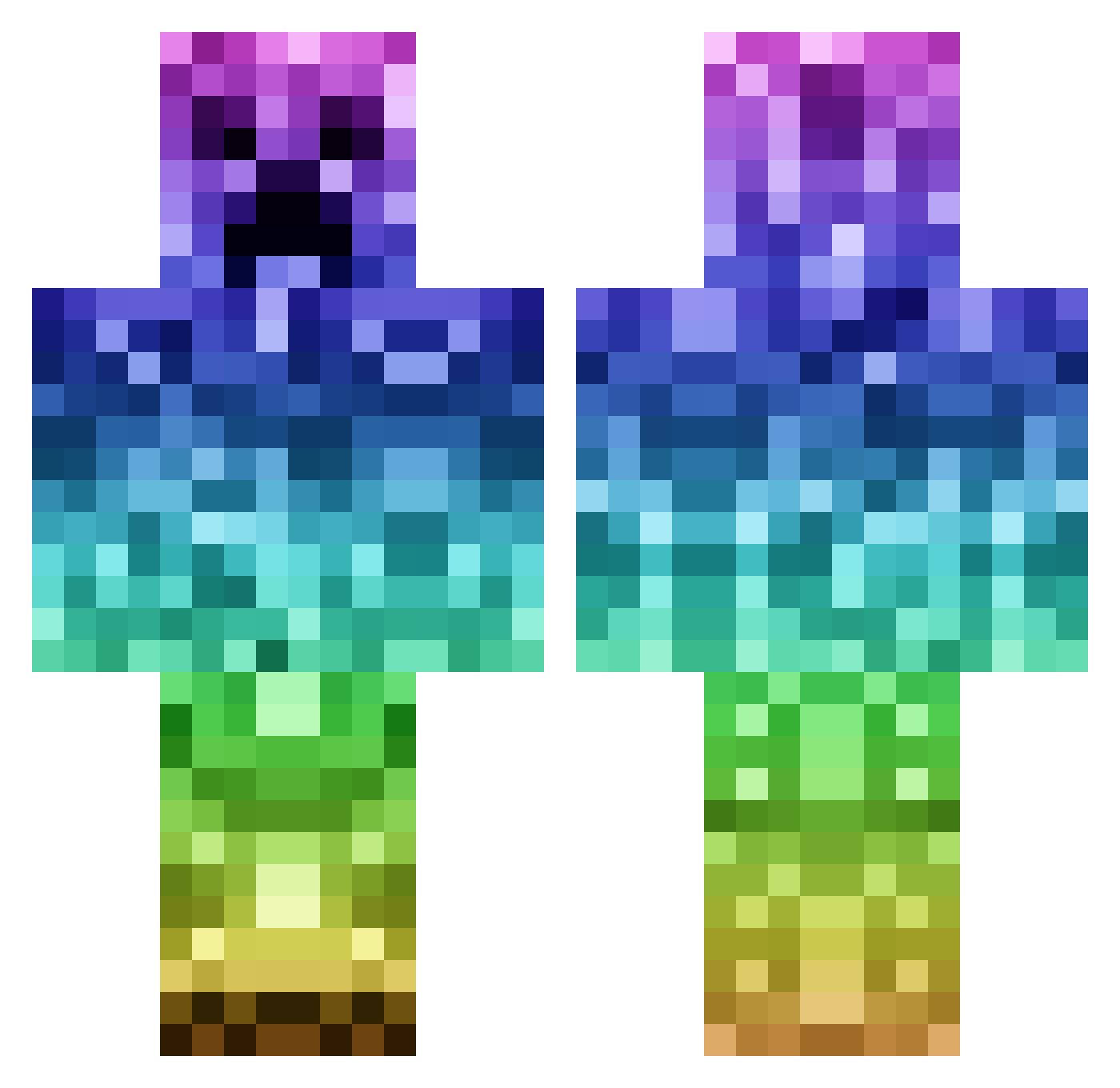
Current Minecraft skin of the player golddiggerpros, loaded from the official Mojang API. Rotate the 3D model with your mouse or finger, then download the skin as a PNG file and use it in Minecraft: Bedrock Edition or Java Edition for free. When golddiggerpros changes their skin, this page updates automatically and the old skin stays in the history below.
Other players with this skin (1142)
golddiggerpros was the 918th player we have seen with this skin, first spotted on 19.10.2026. The same skin was seen on these players. Open a nickname to see their current skin and skin history.
 kschmidt415 littleaxeman Creeper_Trinity Jacky_TheToFuBoy RedEnder74 eddie2510 staples99x kim656 PARTY_HORSE nialler7273 PizzaQueen1234 Errdat ItzLilCrazyYo Frank220400 FearMGP ErGGang butterwutter loves_to_sploog Voic3z Princesoysauce NeonIphones emilygrunz ANDREASBRUN123 Sysrq kakes29 MadMeg02 SteamOliver ninjamonkey4522 D_rawww Imp_Y_Celyn intimatelizard MagicABOMB Ask_Dizzy jaws4242 Tijn_Olivier braypritch TheDutchGibbuy U_S_MARINE mixmemprop ZeroPancake Regenbogenspiele Eldnor Nefnii JUSUL14 Furkannn__ velascodaniel juanirey PanicIsland18 AmericanPhoenix amputated backy28 Dooder143 melo2424 Wellywoo21 HIY1 FuzzyCrafter GAREBEAR15 Jack_Mac_2004 Buttholebobby RiZeTerminalzz
More Rainbow Minecraft skins
How to install the golddiggerpros skin
- Press the Download button above to save the skin as a PNG file.
- Minecraft: Bedrock Edition (PE): open the Dressing Room from the main menu (or tap your character → Edit Character), go to Classic Skins → Owned, press the + (new skin) button, choose the downloaded PNG and pick the Classic (Steve) model. Works on PC and mobile; consoles cannot import custom skins.
- Minecraft: Java Edition: open the Minecraft Launcher, go to the Skins tab, click New Skin, load the PNG, pick the Classic (Steve) model and press Save & Use. You can also upload it at minecraft.net → Profile → Change Skin.
The skin does not show up after import - what should I do?
Restart Minecraft and open the Dressing Room again - imported skins sometimes appear only after a restart. Also make sure you selected the imported skin and picked the Classic (Steve) model.
Which model should I choose, Classic or Slim?
This skin is designed for the Classic (Steve) model. If you pick the wrong model, the arms of the skin will look stretched or squeezed.
Is the skin of golddiggerpros free to download?
Yes. Press Download, save the PNG file and use it in Minecraft: Bedrock Edition or Java Edition - no payment or registration needed. The skin also works on multiplayer servers and Realms.
More skins
Looking for more? Go back to all Minecraft skins and check the top skins of the week, month and all time, or find any player's skin by nickname.