
fann_ - Minecraft Skins & Skin History
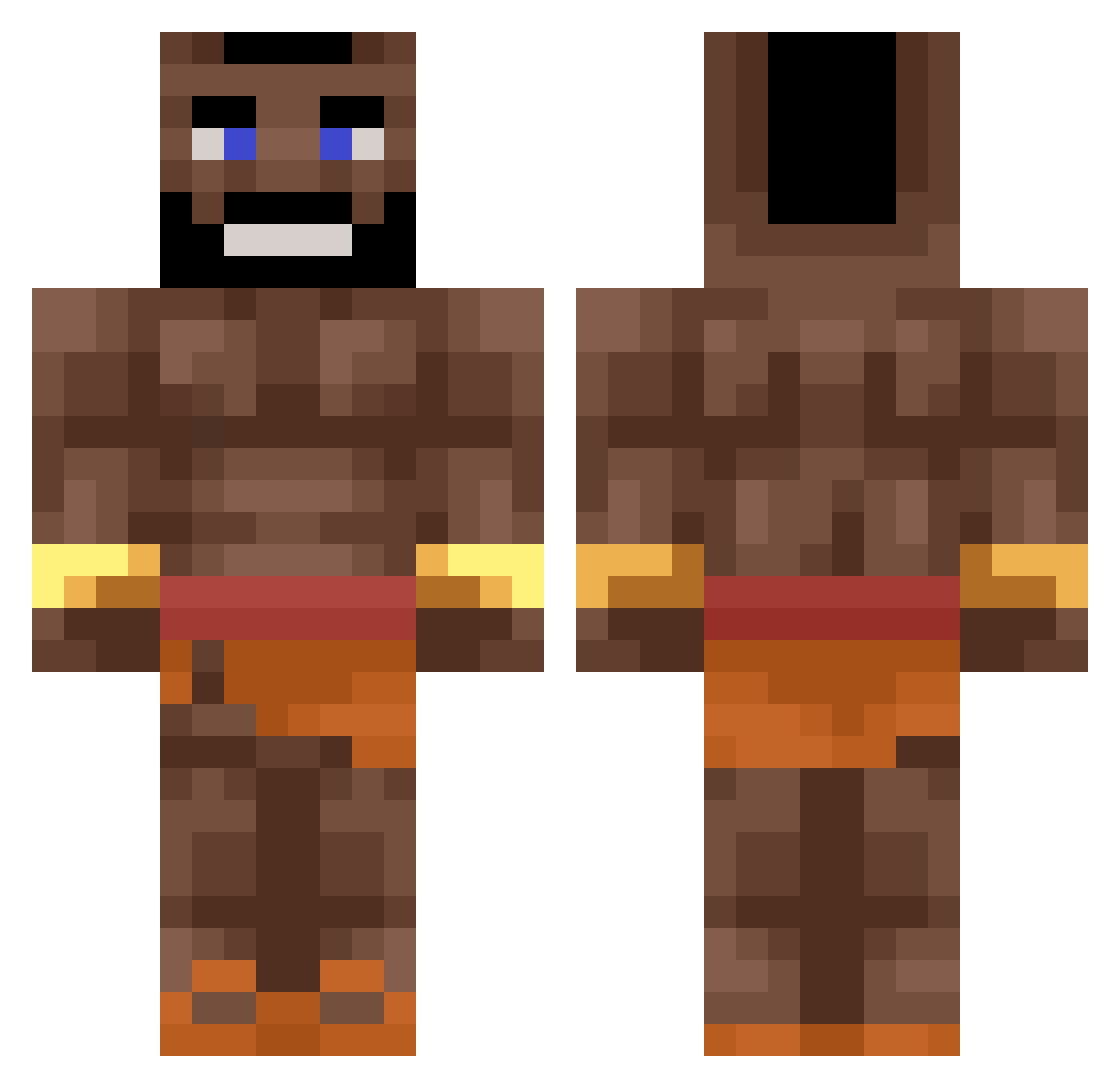
Current Minecraft skin of the player fann_, loaded from the official Mojang API. Rotate the 3D model with your mouse or finger, then download the skin as a PNG file and use it in Minecraft: Bedrock Edition or Java Edition for free. When fann_ changes their skin, this page updates automatically and the old skin stays in the history below.
Other players with this skin (441)
fann_ was the 409th player we have seen with this skin, first spotted on 31.10.2026. The same skin was seen on these players. Open a nickname to see their current skin and skin history.
 x0xKarpix0x vymate DaanMatteo Haskji MySSNumber tr1gos Goosing Gianluca30cm Nigerian_Slave MertasaurusRex vtiu barrygoat Astaa01 DrMssed TJTenz Guglielmo08 kislim UnarmedGiant2 Twixay_ Titaniclid79 axdlaGOTHACKED Weenus69420 SouperLagywan Ds445 FazeObama51 YKXZ Andrs_777 hogridagamer1984 Soda507 MnY_ Ixstu TYLERBOY8 JulezZzZzZzZzZz Gustav_Swe11 Specxzy04450 awnsh delanobanano wetshap njitta Zayo_ Junyichenboi Th3Gabrielsm niicogatti fiatthanut Seelachs__ LordDevilGER tkt_c_la_ru Krewell_U Jan12334567ui NOEL_SV Yotzy_ SumaXII rKerem carlotineo Spag__ Gael69420 OurStarfish4918 NejcOP avionsirene NoNo3103
More Mr T Minecraft skins
How to install the fann_ skin
- Press the Download button above to save the skin as a PNG file.
- Minecraft: Bedrock Edition (PE): open the Dressing Room from the main menu (or tap your character → Edit Character), go to Classic Skins → Owned, press the + (new skin) button, choose the downloaded PNG and pick the Classic (Steve) model. Works on PC and mobile; consoles cannot import custom skins.
- Minecraft: Java Edition: open the Minecraft Launcher, go to the Skins tab, click New Skin, load the PNG, pick the Classic (Steve) model and press Save & Use. You can also upload it at minecraft.net → Profile → Change Skin.
The skin does not show up after import - what should I do?
Restart Minecraft and open the Dressing Room again - imported skins sometimes appear only after a restart. Also make sure you selected the imported skin and picked the Classic (Steve) model.
Which model should I choose, Classic or Slim?
This skin is designed for the Classic (Steve) model. If you pick the wrong model, the arms of the skin will look stretched or squeezed.
Is the skin of fann_ free to download?
Yes. Press Download, save the PNG file and use it in Minecraft: Bedrock Edition or Java Edition - no payment or registration needed. The skin also works on multiplayer servers and Realms.
More skins
Looking for more? Go back to all Minecraft skins and check the top skins of the week, month and all time, or find any player's skin by nickname.